Why am I getting “Error 0x7832 Deployment not allowed for the current user”?
Problem Scenario:
When someone completes a SecureDoc endpoint installation, it’s observed during the process
of installing SecureDoc endpoint software that an error is generated when attempting to install Boot Logon.
The following error details is presented to the user:
"Error 0x7832 Deployment not allowed for the current user. Please contact the Administrator."
Probable Cause:
During the installation process, SecureDoc will attempt to communicate back to SES server and check the associated user being deployed. Depending on how the SES Configuration environment is setup, it will generate this error if:
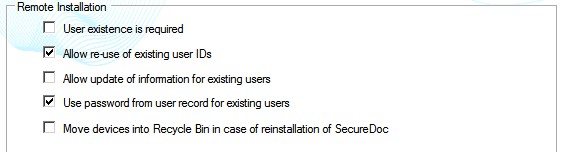
- It does not find the existing user which is being deployed and SDConnex Services configuration has “User existence is required” enabled
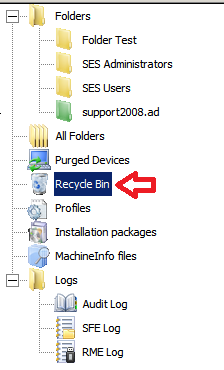
- The user is listed in the Recycle Bin
Proposed Solution:
As It’s most likely that you will find the user listed in the recycle bin, you will 1st want to search user and if user is found in the recycle bin, you will need to either restore or delete the user.
Should you delete the user and still encounter the same error, you will want to check your SecureDoc Service Configuration settings to see if you enabled the “User existence is required”
If neither of these proposed solutions worked then, please contact WinMagic support team.