Issue:
Client installation is not proceeding any further after running SecureDoc.exe
C:\program files\WinMagic\SecureDoc-nt\UserData folder contains log file sdjob.log
SDjob.log lists the following process and error
Import Device profile 2016/11/23 14:48 Start...
Import Device profile 2016/11/23 14:48 Finish
Login 2016/11/23 14:48 Start...
Login 2016/11/23 14:48 Password entered is incorrect. Try again. (0xa0)
Environment (OS/hardware/software):
Windows 7 , Windows 8\8.1 ,Windows 10
Temp Installation user called. Install
SecureDoc version 7.1 ,7.1sr2 ,7.1sr4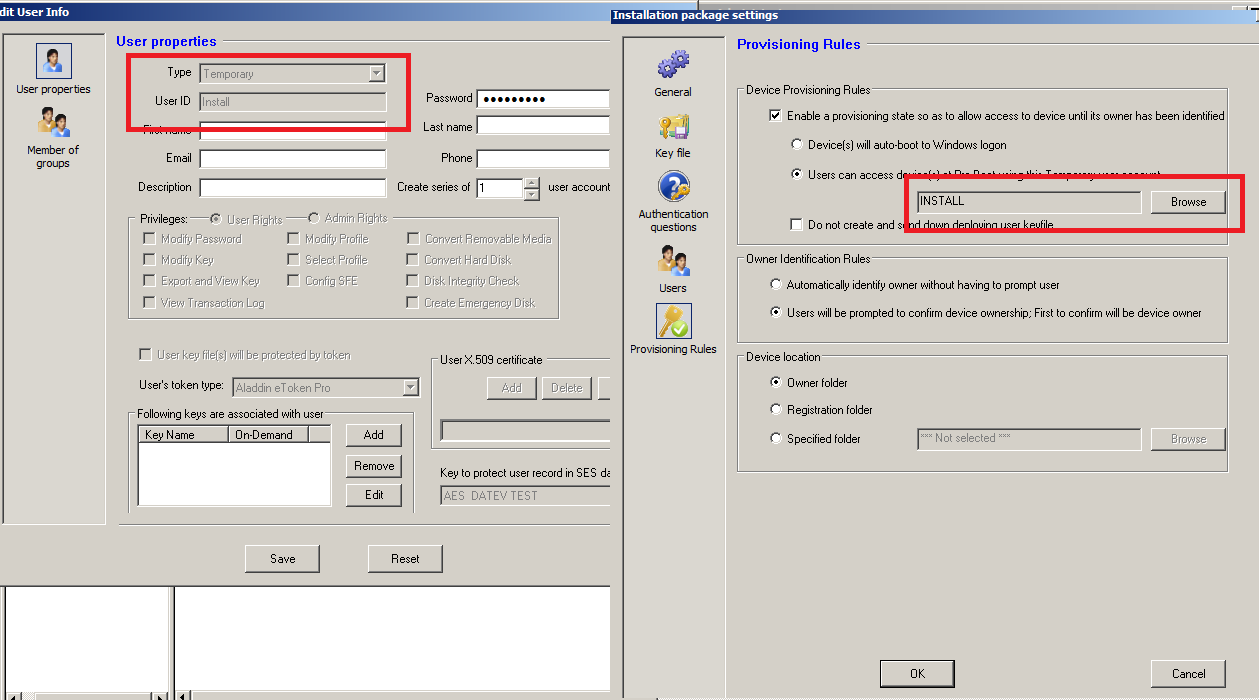
Root Cause:Configuration Issue
During SecureDoc installation automated script is created that activated SDinstall user.
This SDInstall user bypasses SecureDoc preboot until owner is established.
This SDinstall user is created under install.dbk with a random password.
Conflict occurs when SES Admin creates a Temp User called Install (with specific)password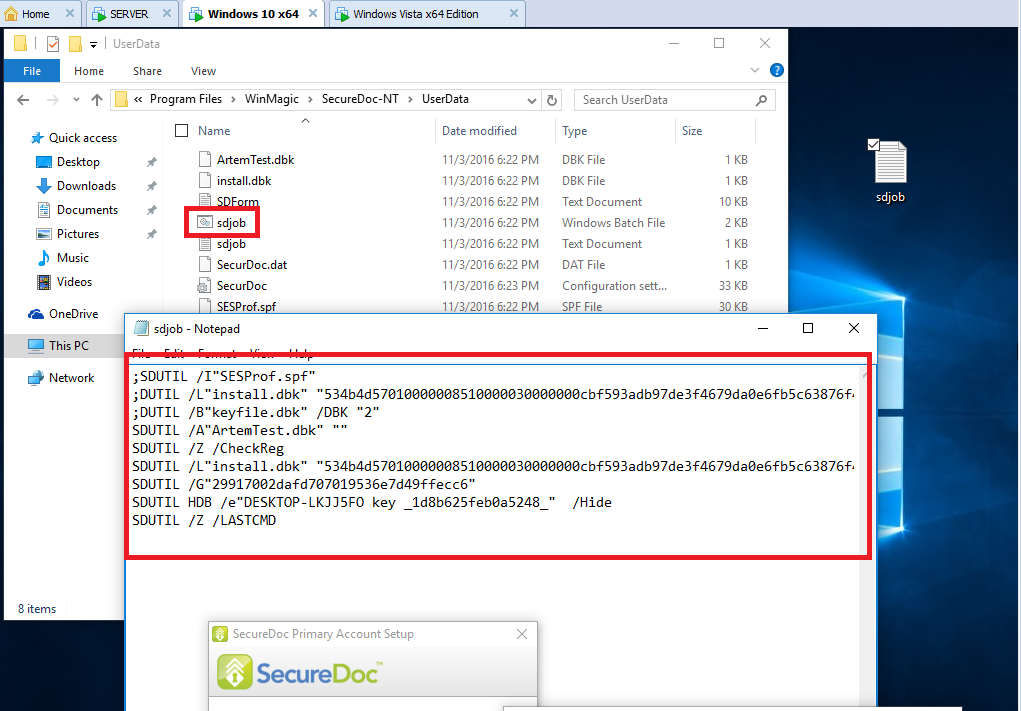
To avoid this issue SES Admin needs to create a new Temp User and link it to existing Installation packages.
Reference:
SD-20885
Searchwords: Temp User , Install Failure
1674 Installation Failure: Message [Password entered is incorrect. Try again. (0xa0)] appears in sdjob.
- Updated on Feb 6, 2026
- 1 minute(s) read
- VN
Was this article helpful?