When user completed installation of SecureDoc, they may have encountered an BSOD event error.
This article provides a possible explanation as to the reason why error code 0xc000000f.
The following error is what is presented:
Your PC/Device needs to be repaired
A required device isn't connected or can't be accessed.
Error Code: 0xc000000f
Example: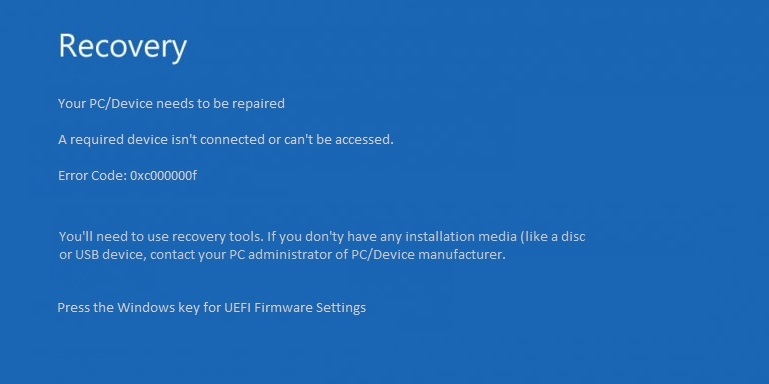
Cause:
We've determined that this issue is related to a recent firmware update released on July 24,2017.
See Microsoft link: https://www.microsoft.com/en-ca/download/details.aspx?id=49498
WinMagic has observed this error happening primarily when using hibernation feature. When new firmware update is applied, it's results
in a communication issue with the current status of the hibernation which is not being properly relayed back between the OS and UEFI BIOS.
Known Devices:
Currently at the time of writing this article, we have identified issue currently applies to Microsoft Surface Pro 4
Proposed Solution:
WinMagic currently have identified a temporary solution as a workaround::
- Make change to "Enable Boot Configuration Lock" to ON.
(This is done to prevent "BootOrder" and BootXxxx NVRAM variables from being altered.)
- Disable Hibernation feature within Windows 10
Instructions Steps:
Setting “Enable Boot Configuration Lock” to ON in BIOS:
- Shut down your Surface.
- Press and hold the volume-up button on your Surface and at the same time, press and release the power button.
- When you see the Surface logo, release the volume-up button. The UEFI menu will display within a few seconds.
- Click on Boot Configuration
From within this section, enable the switch for Enable Boot Configuration lock as shown: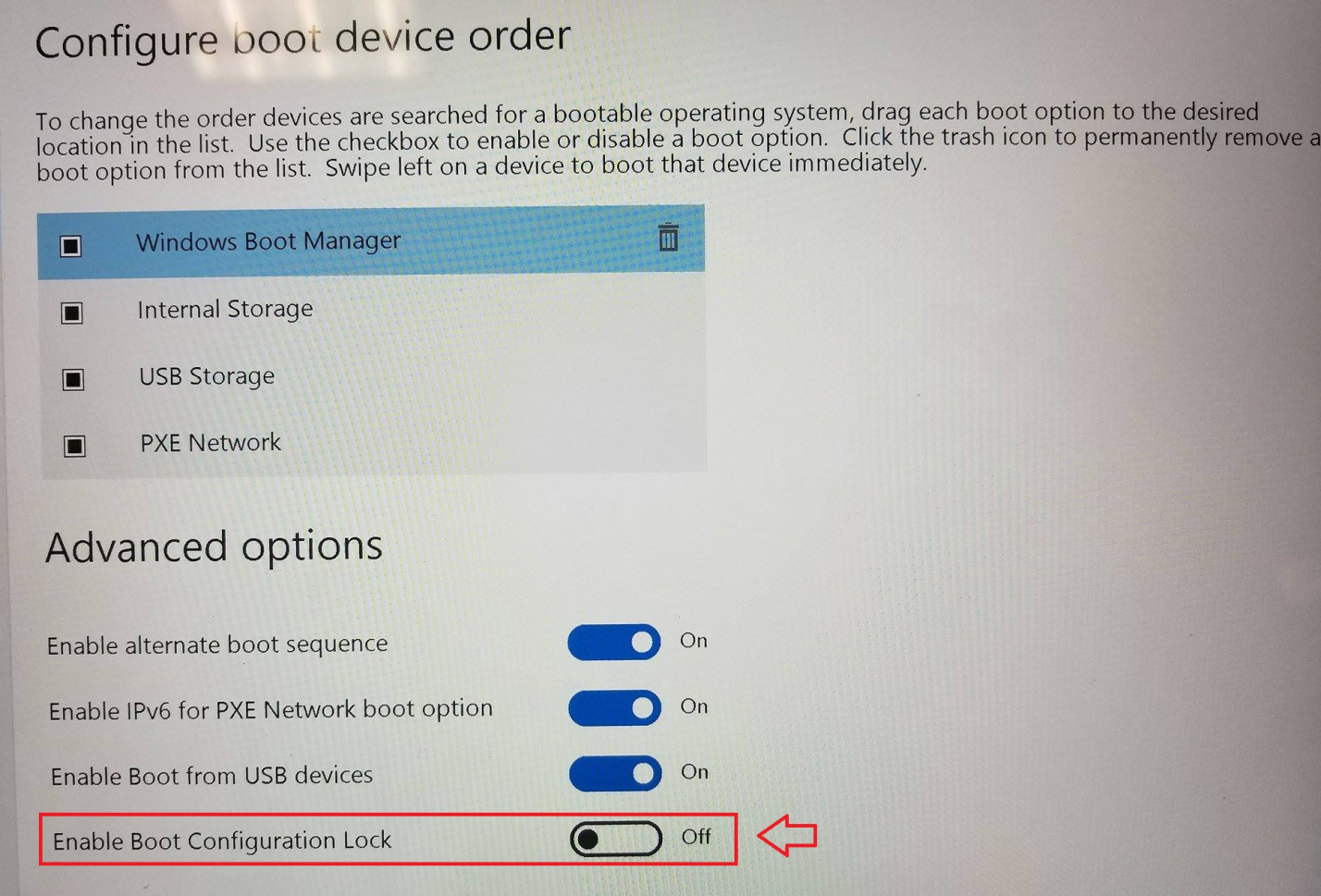
Once completed, you will then need to disable Hibernation feature in Windows 10
- From a command prompt, you can type ‘powercfg –h off
If you continue to encounter error after completing steps:
Please check your UEFI BIOS settings:
- under Security make sure that your Secure Boot settings is Enabled with Microsoft & 3rd party CA key configuration.
Note: When Secure Boot is set to Microsoft Only, you likely should see the following error present in SDJob Logs:
Install boot logon <YYYY/MM/DD xx:xx> The media is write protected. (0xd0000013)
_____________________________________________________________________________________________
Internal Reference: SD-23471