Why am I getting “an error occurred while initializing pre-boot authentication” on my HP Probook 645 G3?
This article provides further details to explain why the user is getting ‘an error occurred while initializing pre-boot authentication (0x1) on their HP Probook 645 G3.
Environment Tested:
The following environment was used to reproduce issue reported in this article:
Device: HP Proboot 645 G3
OS: Windows 10 RS2 [b1703]
SSD: Samsung SM841 128GB FW: DXM05H6Q
SecureDoc Version: 7.5.000.280
Preboot: PBLU
Steps to Reproduce:
- Install Windows 10 and platform specific drivers in UEFI mode
- Install SecureDoc 7.5 with PBLU support and HWE the platform
- After the platform turns off, turn it back on
Expected Results: The platform loads PBLU and the user can authenticate to this to get to Windows
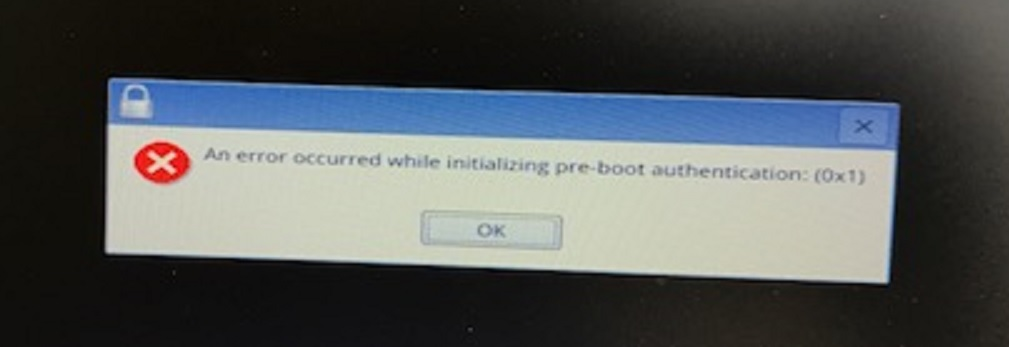
Actual: The platform loads the attached error message instead (“an error occurred while initializing pre-boot authentication”)
Cause:
Winmagic as has determined that deploying SecureDoc Hardware Encryption with our pre-boot Linux for UEFI results in the Linux driver responsible for identifying the device is unable to receive a response from the platform hence results in a TIMEOUT error. (As a result, the error is generated when our pre-boot Linux for UEFI loads).
Proposed Solution:
As this issues has been identified to happen under SecureDoc 7.5 using our preboot kernel (PBLU). Our development team as determined issue to be related to a BIOS limitation when using the NVRAM FilterBootOrderSupport feature hence it’s currently recommended at this time to configure this device using the native preboot setup instead (PBU).
Internal reference:
SD-23438 - PBLU fails to unlock SED drive on HP ProBook 645 G3