Issue:
While attempting to install SecureDoc on a device, the user may encounter the following error during the installation process: "Failed to enable pre-boot authentication on specified Self Encrypting Drive. Error code 0x9a0001"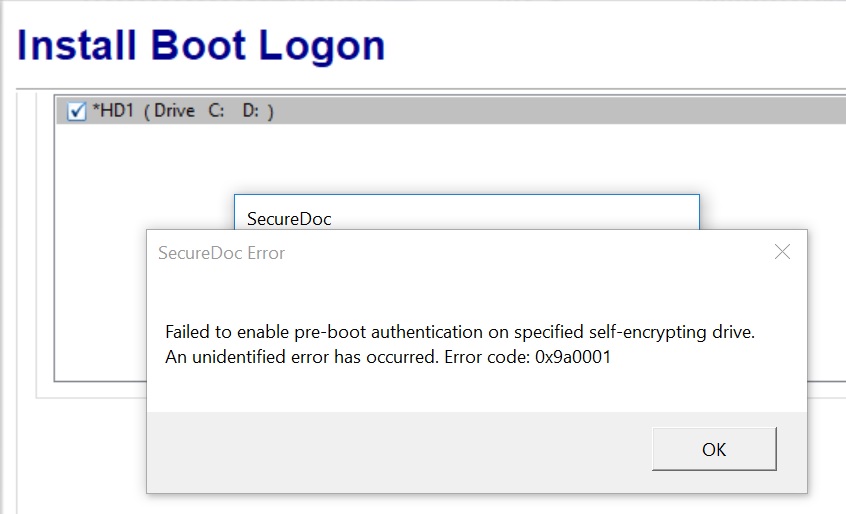
Cause:
It's been determined that this may occur as a result of the block SID feature which may be enabled within the device BIOS with more recent models of HP devices (as of 2017). When this feature is enabled, it may trigger this error and a failure to protect the device.
Solution:
The user will need to disable the block SID feature feature within the device BIOS and then retry the installation of SecureDoc. The user will need to look for "Allow OPAL Hard Drive SID Authentication" within the BIOS settings for Hard Drive Utilities section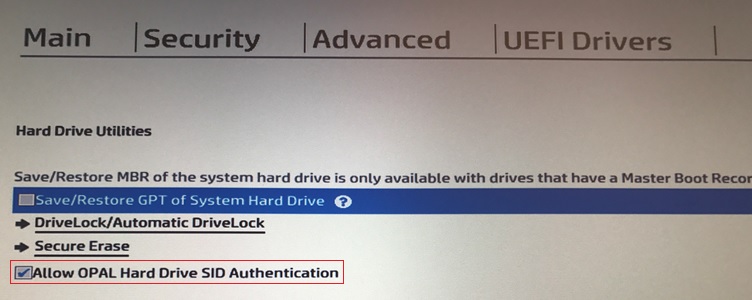
1692 Failed to enable pre-boot authentication on specified SED. Error code 0x9a0001
- Updated on Feb 6, 2026
- 1 minute(s) read
- VN
Was this article helpful?