Resolution:
Issue has been fixed in SES 7.5 SR1 release (Released on November 7 2017)
Please contact support for download links.
Issue:
When updating the password of a user with an @ sign in their name, I receive the following error, or the password of a user with a similar ID is updated: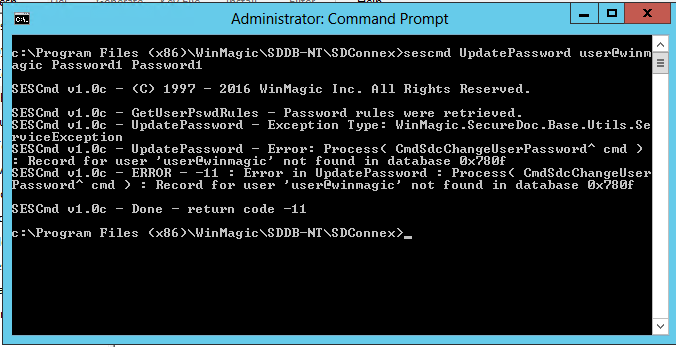
Cause:
When sescmd sees an @ sign in the user ID, the sign, and the information after the sign is dropped. This leaves the result of the command open to 2 possibilities:
1. An error is generated - "user@winmagic" is not found.
As we drop the @ and everything that follows, we are actually trying to update the user "user" which does not exist.
2. When there are 2 user name "User" and "User@winmagic".
In this scenario the account that gets updates is "User".
Please refer to table below to better understand which accounts are updated:
Account in SES | Account Entered in SES CMD | Result |
user@winmagic | user@winmagic | return code -11 |
user | user@winmagic | user is updated |
user | user@winmagic | user is updated |
user | user | user is updated |
user@winmagic | user | return code -11 |
Solution:
To ensure you're able to update the password of users with the @ sign in their userid, you will need to add a second @ sign to the end of the user ID when typing in the command:
eg..: sescmd UpdatePassword user@winm agic@ Password1 Password1