Why am I getting error message ‘System time is incorrect’ or ‘Not authorized to login’?
Problem Scenario
Client observed the following error(s) is being presented at SecureDoc Preboot login screen:
“System Time is incorrect 0x7711”
“System Time is incorrect. Not authorized to Login (Error 0x7711)”
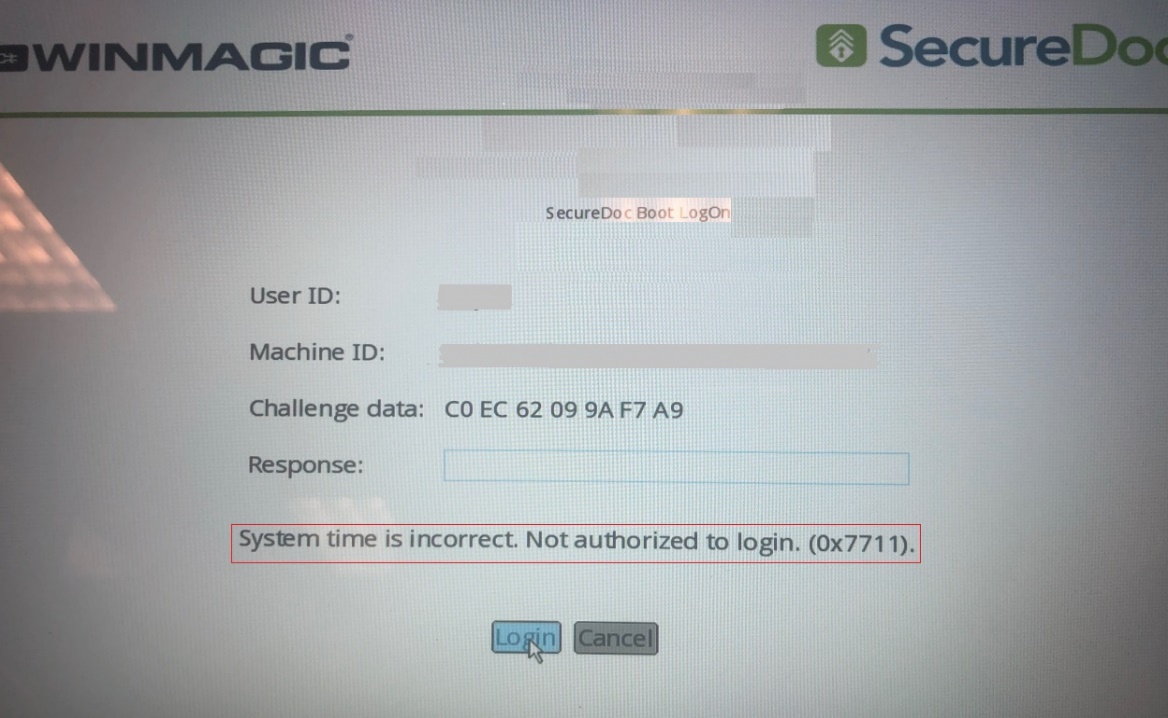
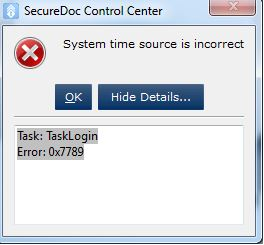
Other scenario is client may see the following error during login to SecureDoc Control Center:
System Time Source is Incorrect
Task Login
Error: 0x7789
e.g.
Environment (OS/hardware/software):
All Windows OS
All devices
Legacy & UEFI environment
Probable Cause:
- By design, SecureDoc will lock all non-admin keyfiles in the situation where a modification of the System BIOS time took place in which the current system time + 24 hours is less than a time of the last preboot login has occured.
- The same issue can occur when battery for the RTC Clock for the device ends up fully discharging itself which can cause system time to reset on the device.
Example scenario:
if the current time is 1PM (and the user has just authenticated at pre-boot):
- If the system time was changed back 25 hours to 12 noon (the previous day), then
the Preboot will add 24 hours to this time.
- SecureDoc will activate the keyfiles lock mechanism once it has determined a discrepancy between the adjusted time of 12 noon (today) and the previous pre-boot at 1pm.
- The lock mechanism will not occur if the time change was roll back 12 hours, then the system time +24 hours would be 1 am tomorrow and not be less than the last preboot.
Proposed Solution:
- Make sure that correct system time is set for the device and ensure time does not reset
- You will need to use an administrator keyfile/account to 1st login to preboot.
This will unlock the system and now allow an user account to login.
- You can now ask the user to login with their user account