Issue:
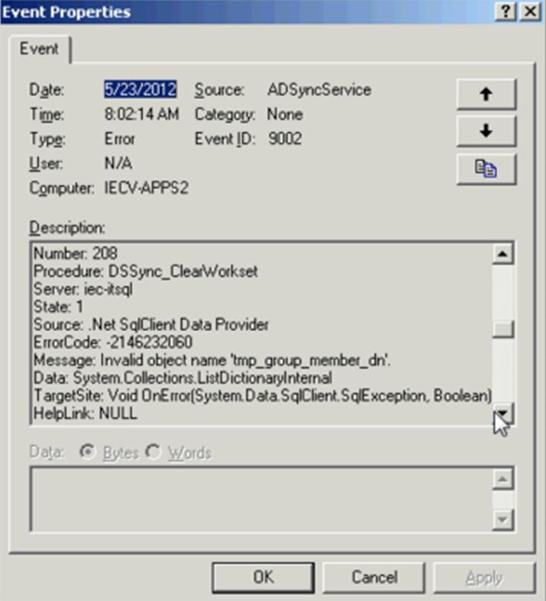
During AD Synchronization a client may encounter an AD-Sync error – Invalid Object Name: ‘tmp_group_member_dn’
Symptom:
These user accounts are not able to synch and imported to the SES console.
Probable Causes:
These user accounts were manually created either through Active Directory or SQL with rights to the access the SecureDoc database.
During an SES upgrade or changes to the Database, the database schema was altered and these accounts got integrated into the SecureDoc db but could not be accessed properly.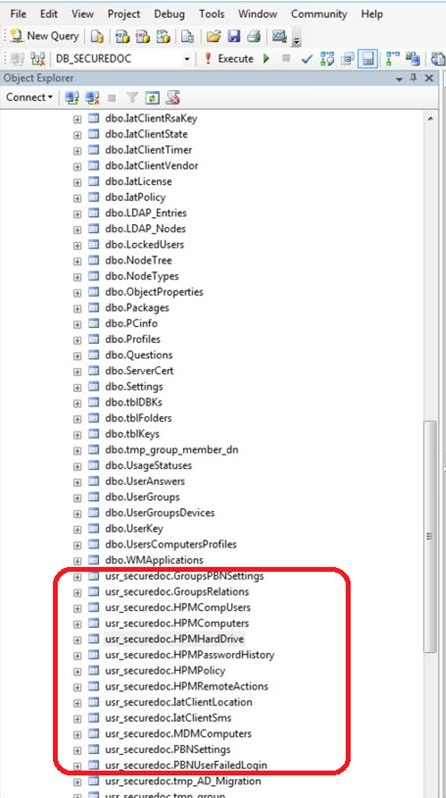
Product version affected:
All SD versions
Environment:
Windows 2008 server and SQL 2008
Informational Gathering and Troubleshooting:
-Obtain the SDConnex and AD-Sync Logs
-Please refer to KB 1593 How to Collect SDConnex and ADSync Logs
-Check the server’s Applications event viewer log and sent the log in evtx format to customer support
Resolution:
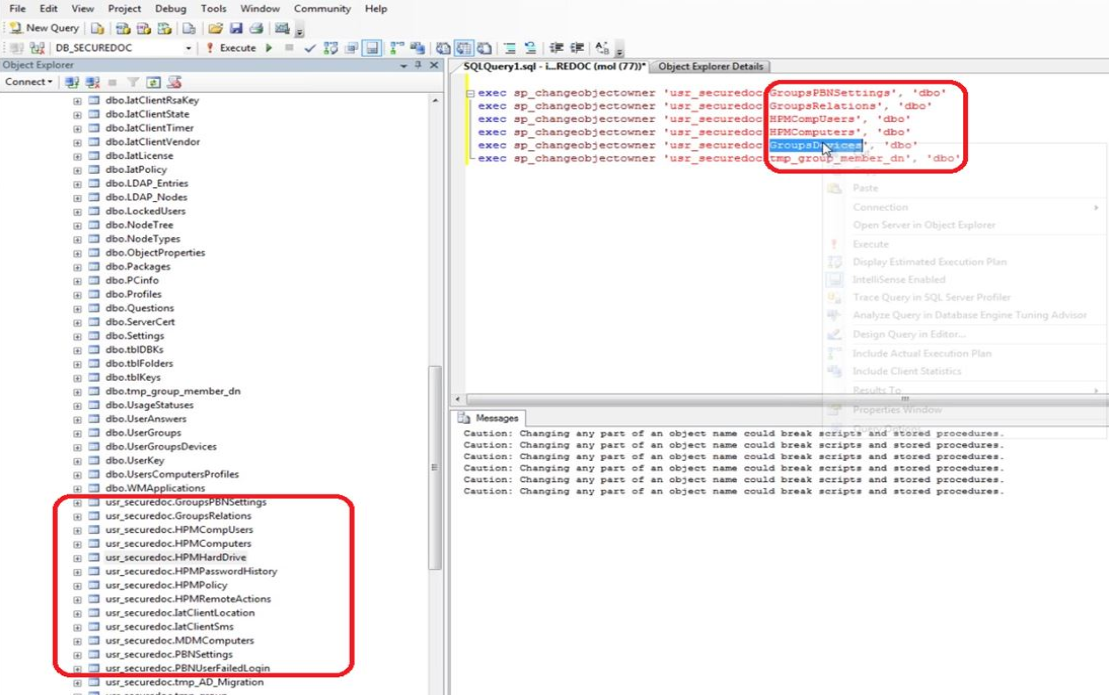
Based on the screenshot below for example:
Wherever there are entries starting as "usr_securedoc......" run the following SQL query:
exec sp_changeobjectowner 'usr_securedoc.xxxxxxxxxx', 'dbo'