Case Scenario:
A customer decided to rename an encrypted device and is concerned how this device will report back to the SES server.
Product version affected:
All SD versions
Environment:
All Windows and Mac Devices
Impact:
There will not be any impact to the device or how the SES server will see the device so long as the device has successfully communicated with the server.
Note:
Please be aware that if the device was initially called for example "Win81_bitlocker" and was encrypted on top of this device, it would have generated an AES Encryption key "Win81 Key _XXXXXXX"
Once the device is renamed to "Win10_bitlocker" the AES Encryption key name will not change and will remain "Win81 Key _XXXXXX".
The SES administrator would have to keep that in mind and not delete any AES Keys from the SES console. (Please see the screenshoot below)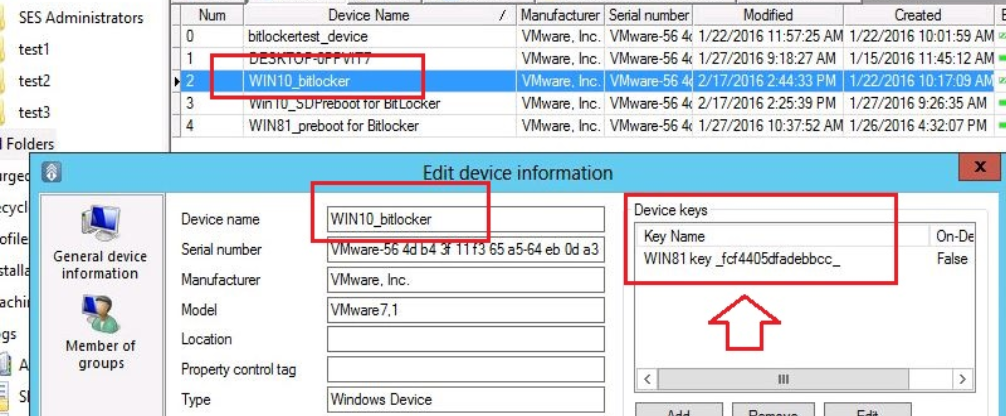
There are a number of options that will ensure the name change is reflected on the SES console:
1. Manually force the communication by right clicking on the SD icon and select "Communicate with Server"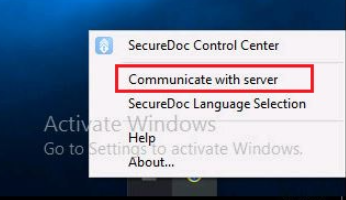
2. Within the profile, by default the device is set to communicate with the server every 60 min.
Please verify that this setting under Communication option. 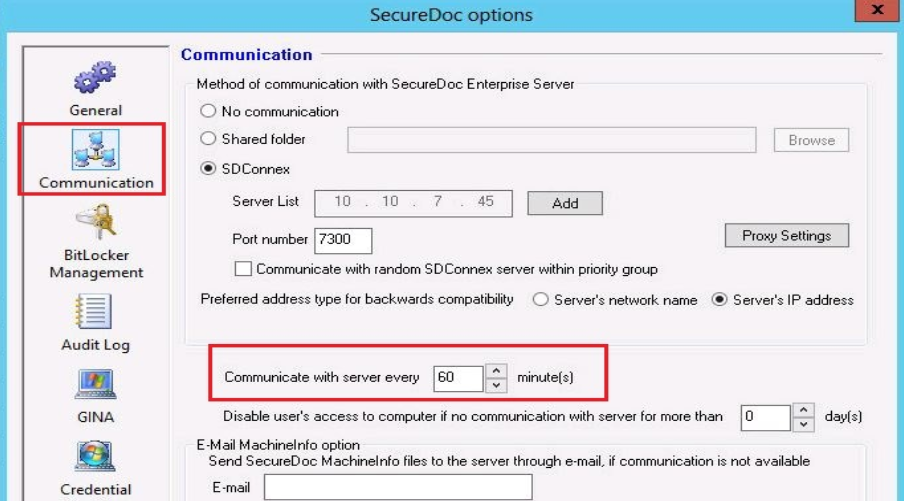
3. Reboot the device after the name change and then log back into the device.