Case Scenario:
An administrator changed the privileges to a user account on the SES but the effect was not immediately seen on the device.
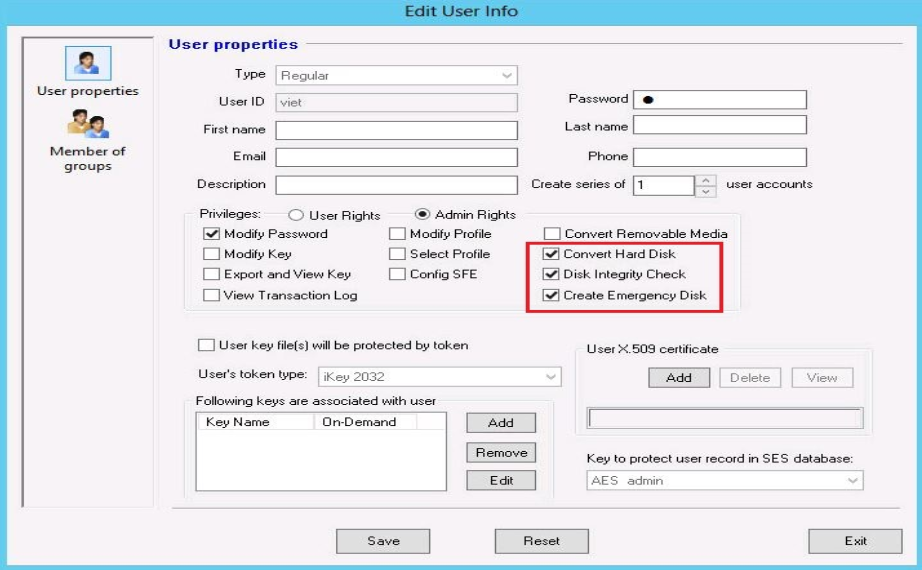
Symptom:
For example, the administrator wants the end user the ability to decrypt a device and he provided the account with the “Convert Hard Disk” privilege.
Once the end user log back into the SD Control Center, he still does not have access to encryption management feature.
Screenshot 1: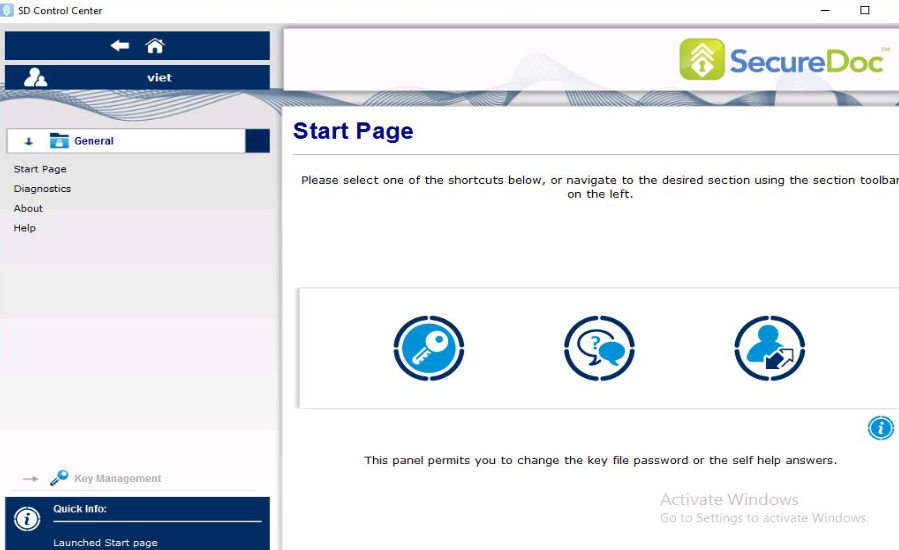
Screenshot 2: 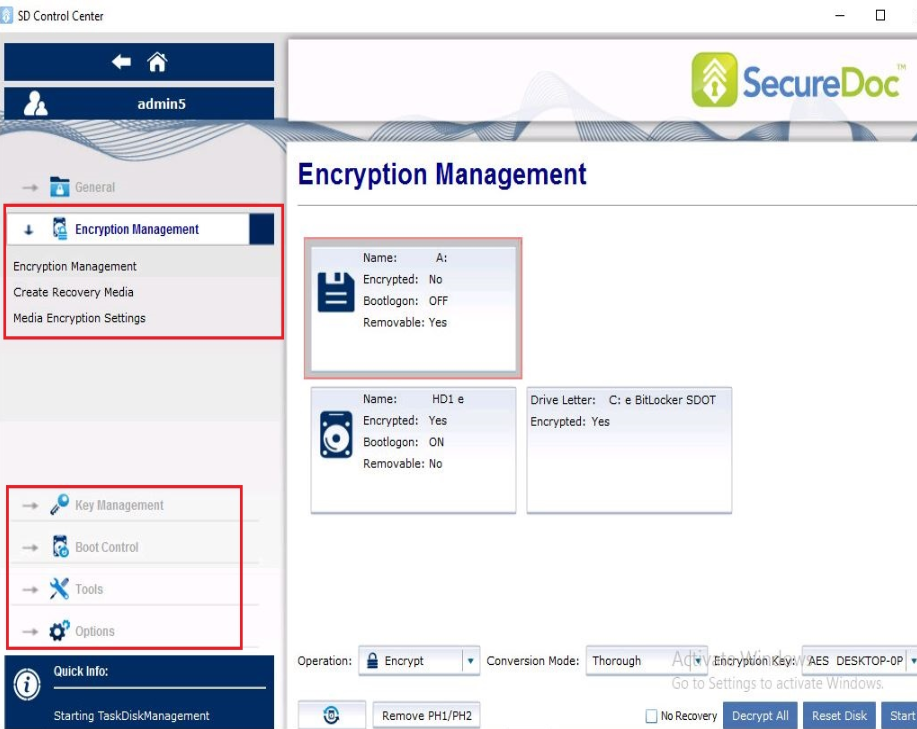
Solution:
Modifying the user’s properties on the SES server does not result in a new key file being sent down to the client device.
Please refer to KB 1444 "How to add or elevate User Admin privileges for device" for more detailed information.
To ensure that the account has been modified:
1.Push a new keyfile to the device by right click on the user and select “Create Keyfile”.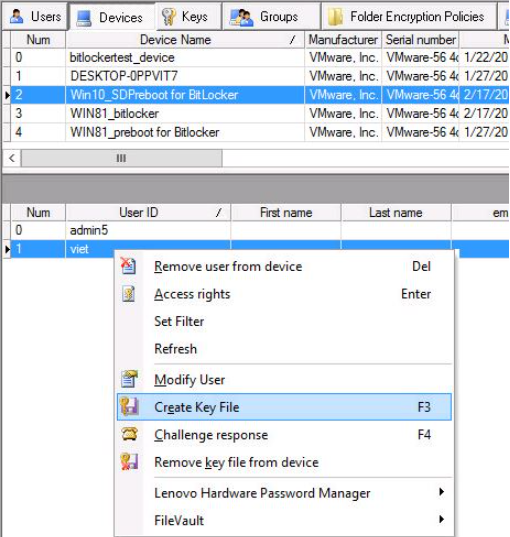
Have the device communicate with the server by right click on the SD icon in the system tray and select “Communicate with Server”.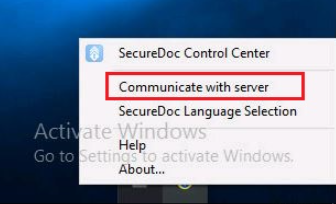
2. In the case whereby the admin did not do a manual push of a keyfile, then verify that within the profile, by default the device is set to communicate with the server every 60 min.
Once the device is set to communicate, a new keyfile is sent to the device.
Please verify the profile setting under Communication option.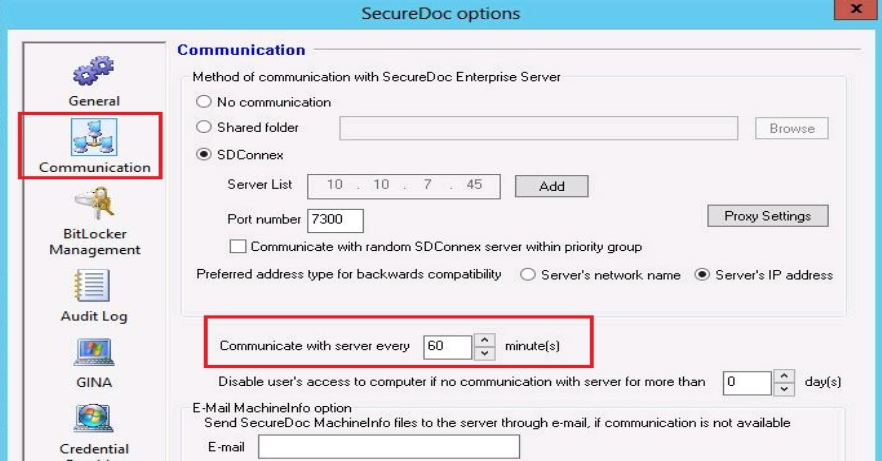
1609 Changes to User Privileges Did Not Go Through To The Device
- Updated on Feb 6, 2026
- 1 minute(s) read
- VN
Was this article helpful?