“SecureDoc cannot be installed on this device due to hardware or software conflict” error message appearing after device fails a SecureDoc Pre-boot Compatibility Test
Problem Scenario:
After running the SecureDoc preboot compatibility test on a system and getting a result that the system “FAILED: This device is not compatible with SecureDoc.” Every subsequent attempt to install SecureDoc results in the following error:
“SecureDoc cannot be installed on this device due to hardware or software conflict. Pease contact your system administrator. SecureDoc will now uninstall.”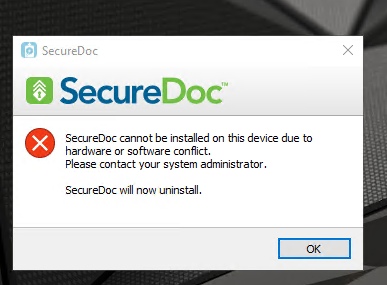
Affected versions. 8.6.0.x, 8.6.100.x, 8.6.102.x
Probable Cause:
A known issue exists (SD-41278) where the SecureDoc preboot compatibility test does not clean a required registry value when uninstalling after a failed test.
Proposed Solution:
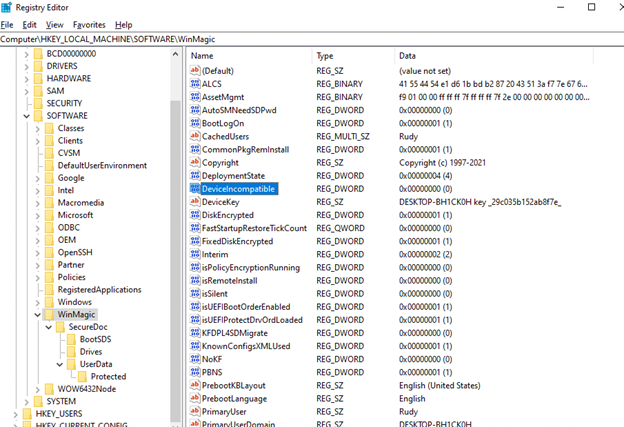
Zeroize the following registry value DeviceIncompatible found in HKEY_LOCAL_MACHINE\Software\WinMagic and try to repeat installation.
This issue is also fixed in v9.0 and higher versions of SecureDoc.