Topic:
This How-To article provides instructions to determine why a user is constantly being prompted to "Change Initial Password" or "Initial Password Must Be Changed At This Time" upon logging into the SecureDoc Control Center or upon starting Windows.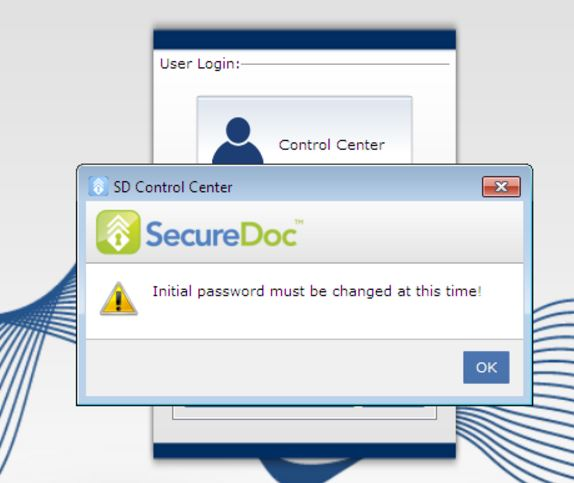
Product version affected:
All SD version
Environment:
All Windows OS and devices
Steps to follow:
1. Open SQL Management Studio with an Admin account
2. Run the following query on the SES SQL Database
3. Select * from dbo.tbldbks where DBK_ID='thatusername'
We are looking for the Flags parameter:
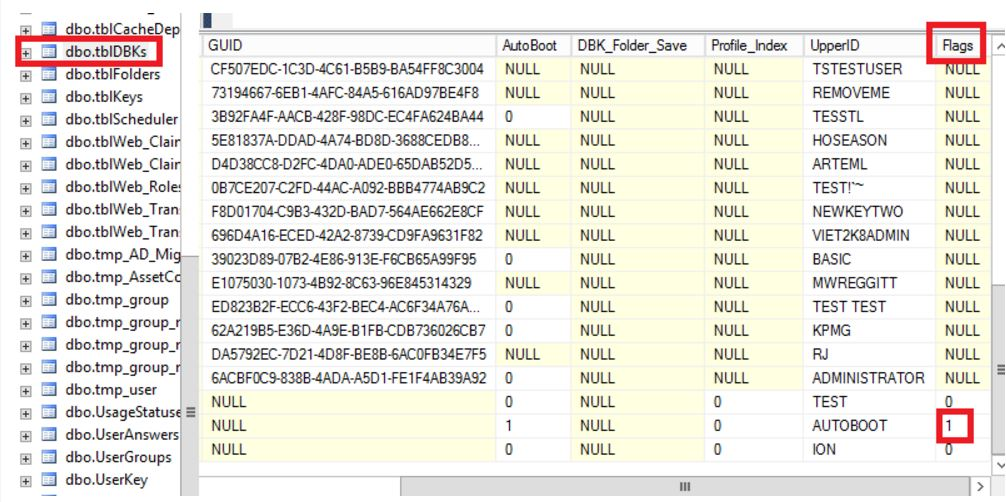
Flag=1 indicates that SES is waiting for user to send updated password (from SecureDoc client side)
Flag=0 indicates the updated password has been processed
We want to verify that flag=1 is set for account that is always prompted to update initial password.
If parameter is set to 1 then any time server send updated password or update account to each device
If the client sends the updated password but the flag remains 1 then we can set it manually to 0
Workaround
To manually set the Flag from 1 to 0
SQL script can be applied
Update dbo.tbldbks
Set Flag=0
Where DBK_ID=’username’
Then flag is set to 0.
After account is updated on SQL side the admin would need to send or force