Issue:
Getting the following Warning in SDConnex Eventlog View, "Password Fail password Rule check for user index xxx"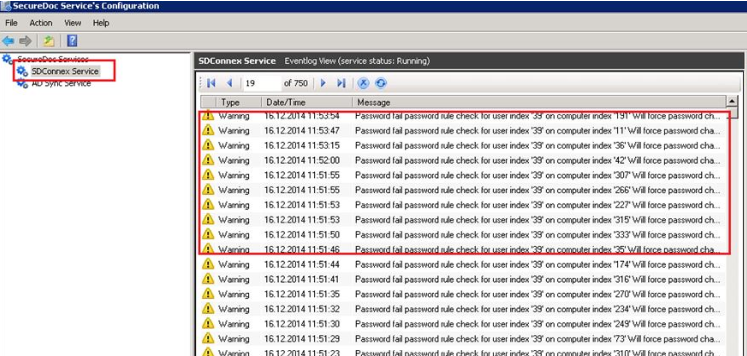
Symptom:
- Warning message "Password fail password rule check for user index X on computer index X Will force password change" is shown in SDconnex logs.
- But on client device, login at BootLogon(PreBoot) with the user, SecureDoc application does NOT prompt to change password.
Probable Causes:
Whenever an end user logs in with a newly created keyfile and password, it will trigger a password check, which when failed will force a password change.
This will be done for any keyfile, regardless of protection type.
Another possible cause is that "Password Complexity"has changed on SES side and existing accounts need to be updated.
Product version affected:
Reported in SES 6.5 and 7.1 ver
Environment:
All Windows OS and devices
Informational Gathering and Troubleshooting:
1. Obtain the SDConnex detailed traced log
2. Capture the error message from Windows when inputting the password for the key file
3. Obtain a screen shot of the password rules in SES
3. Confirm if the end user's password meets password rules
Resolution:
The warning will prompt until password is updated on user side.
If Password Sync is enabled then user can perform a password change via CTRL ALT DEL and update users password to meet new SES Password rules complexity.
Internal reference:
SD-16268, SD-11794