Topic:
The SES administrator may not be able to locate a specific user, device, key or drive within the SES console, if there are than 1500 objects in that view.
SES has a built-in default SQL result-set limiter that is pre-set to fetch no more than 1500 rows when retrieving data from the SES database. The result of this can be that, for larger companies, the SES administrator is not able to locate a specific user, device, key or disk within the SES console, if there are than 1500 rows. The requested item may be alphabetically or numerically beyond the maximum 1500 rows fetched from the database.
This article describes how to either alter this default limit, or to use the filter function to filter the database for the specific information required, ensuring that the desired information is within the filtered result-set.
Product version affected:
All SES versions
Environment (OS/hardware/software):
Please refer to http://www.winmagic.com/support/technical-specifications for system requirements
Requirement:
- Master SES admin login account with administrative rights to create admin users.
- Access to the SES console
Steps to follow:
1. From the SES Console > Tools > Options > General
Change the value from "Show top 1500 records in table views" to a higher value.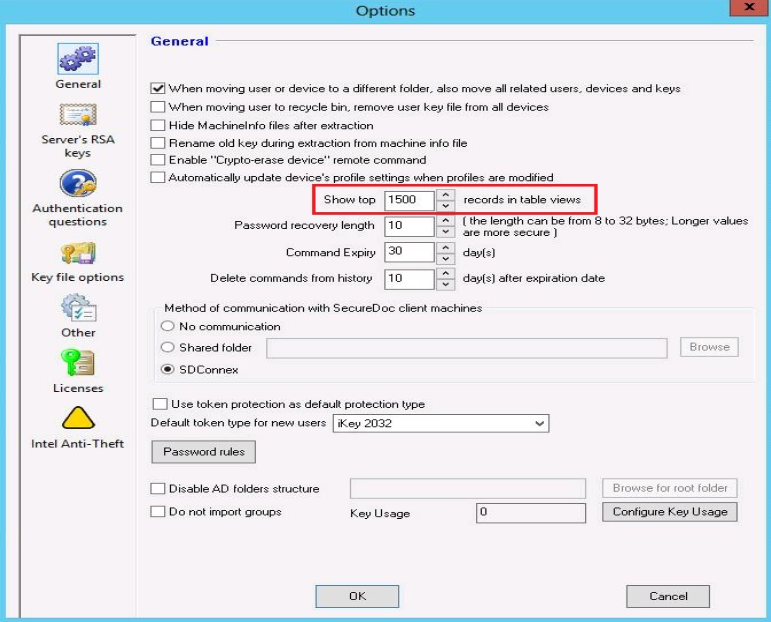
2. Alternatively, from the All Folders > Users Tab > Right click and select "Set Filter"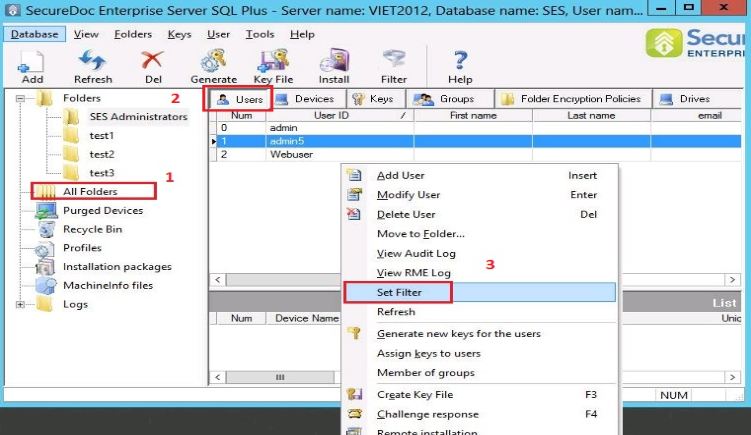
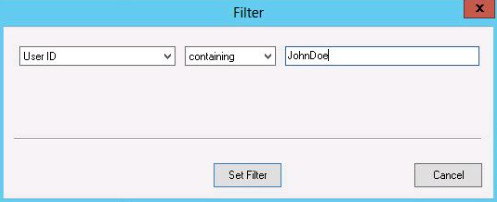
Enter a user account i.e. JohnDoe > Click Set Filter