Issue:
This How-To Article provides the steps to disabling the ADSync log if it grows too big.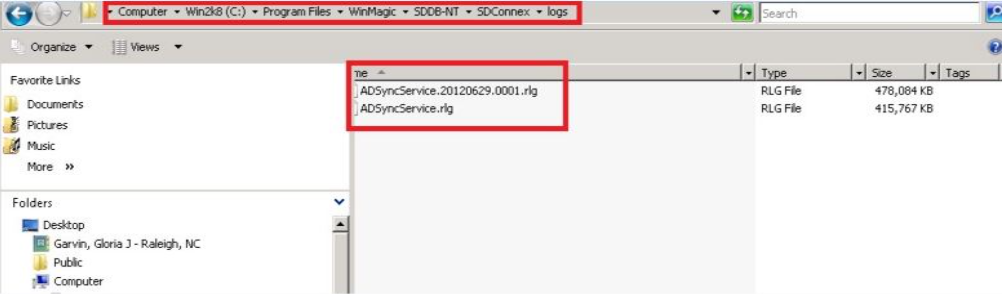
Product version affected
All SD versions
Environment (OS/hardware/software):
Please refer to the latest system requirements from
http://www.winmagic.com/support/technical-specifications
Procedures:
Step 1.
Open the following file:
WinMagic->SDDB-NT->SDCOnnex-> WinMagic.SecureDoc.ADSync.Service.exe.config
Step 2.
Look for the following lines in the file:
<listenerGroups active="Release">
<group name="Release" enabled="true" maskIdentities="false">
<destinations>
<destination name="BinaryFile" enabled="true" filter="" details="BinaryFile[path=$(workingdir)\logs\ADSyncService.rlg; autoSave=save1]"/>
<destination name="Viewer" enabled="true" filter="" details="Viewer[spawn=false]" />
<destination name="EventLog" enabled="true" filter="" details="EventLog[source=ADSyncService; eventID=9002; categoryID=0]"/>
</destinations>
</group>
</listenerGroups>
Step 3:
Disable the binary logs:
<destination name="BinaryFile" enabled="false" " filter="" details="BinaryFile[path=$(workingdir)\logs\ADSyncService.rlg; autoSave=save1]"/>
Reference Material:
CRM KB 179