Unable to decrypt a partially-encrypted USB drive
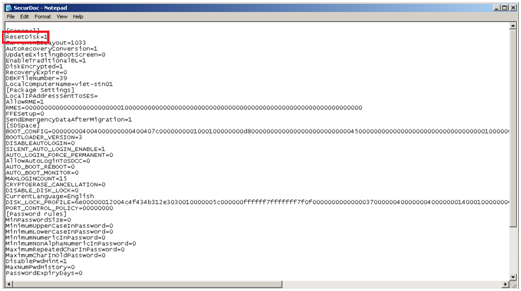
Symptom Unable to decrypt a partially-encrypted USB drive. Cause The drive may have been removed during the encryption process. Resolution Reset the disk in the SecureDoc Control Centre and then re-format it. To reset the disk, you must enable the reset disk option in the SecureDoc Control Centre: 1) Open the SecureDoc.ini file (C:\Program Files\WinMagic\Secure-Doc\UserData 2) Locate SecureDoc.ini , open it with notepad and add value ResetDisk=1 right under [General]
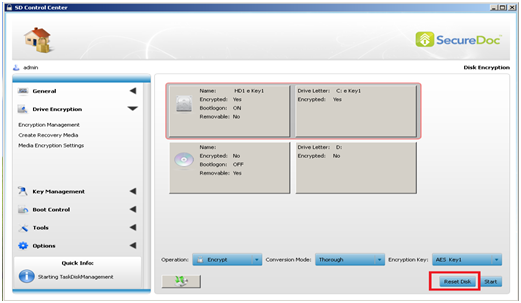
3) Save the file. 4)Open SecureDoc control Center with admin account. 6)Select your USB or external hard drive (Hd1 is reserved for OS drive) and ResetDisk
|
Custom Fields
|