Issue
After performing a kernel update on a RHEL 9 system (that has SDLinux installed), when the system is rebooted, the user is able to login at preboot successfully however it does not boot the user back to the OS but instead boots them in an Emergency Mode shell prompt.
Cause
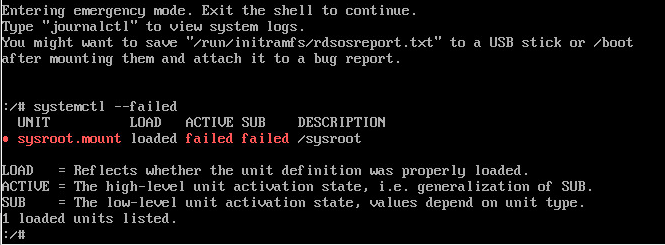
During the kernel update, the grub parameters may have been overwritten during the update and is now missing the UUID of the root partition that causes the system to not boot correctly. This is also confirmed by running the command: systemctl --failed
Workaround
There are two ways to by pass the Emergency mode after performing a kernel update to enable you to boot back to the system.
Method 1
Manually mount sysroot at the Emergency mode shell prompt. This method will allow you to get past the Emergency mode error and boot to the OS on the current/latest kernel version.
Run lsblk command to identify the root partition. In the example below it is the encr_sd0
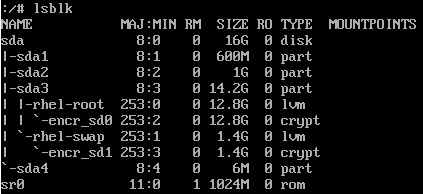
Run the command below to mount sysroot
mount /dev/mapper/encr_sd0 /sysroot
Run the systemctl --failed command once more to confirm there are no more failures
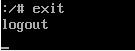
Type ‘exit’ and press enter to continue.
Note: This process may take a few minutes to complete so please patiently wait for it to complete.
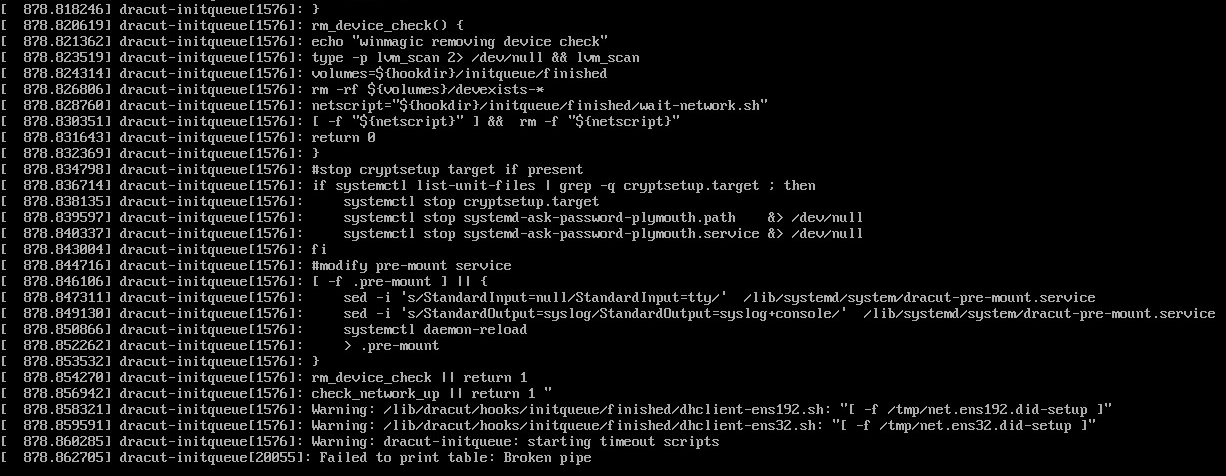
You may also start to see some warnings displayed like the one below, these are just white noise and can be ignored.
Method 2
Boot back to the previous kernel version prior to the update. When you reboot your system, simply select the previous kernel listed on the Grub menu and this should allow you to login at preboot and boot back to the OS. Booting to the older kernel is only temporary so you have access to the terminal to apply the fix.
Fixing the boot up issue
To permanently fix the issue so the system boots normally to the latest kernel after reboot, we will need to manually add the root partitions UUID into the linux grub menu.
Run lsblk -f command to identify the root partition and its corresponding UUID. In this case it will be the encrypted root partition.
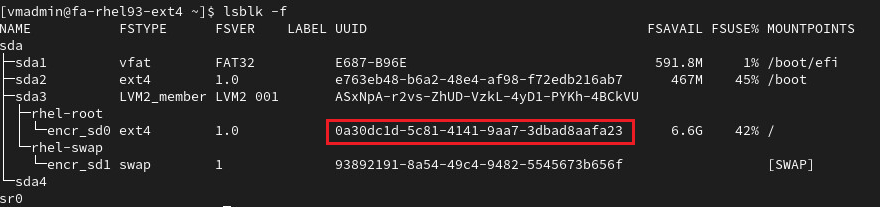
Next use the grubby command to manually add the argument to the kernel on start-up
grubby --args=root=UUID=<UUID_of_partition> --update-kernel /boot/vmlinuz-<current_kernel_version>
Example:
grubby --args=root=UUID=0a30dc1d-5c81-4141-9aa7-3dbad8aafa23 --update-kernel /boot/vmlinuz-5.14.0-427.26.1.el8.x86_64
To verify that the update was successful, run the command below to check that the argument was added to the boot entry properly.
grubby --info /boot/vmlinuz-<current_kernel_version>
Example:
grubby --info /boot/vmlinuz-5.14.0-427.26.1.el8.x86_64
Once you reboot the system, your system should boot normally to the OS now after logging in at preboot.