SDLinux - Collecting preboot logs without USB access
Saving the support.tar.gz file on the existing boot partition
Reboot client machine
At start-up press 'e' at the grub menu and add the following parameters in the kernel command line: “rd.break=pre-mount rd.debug=1“ (see example below)
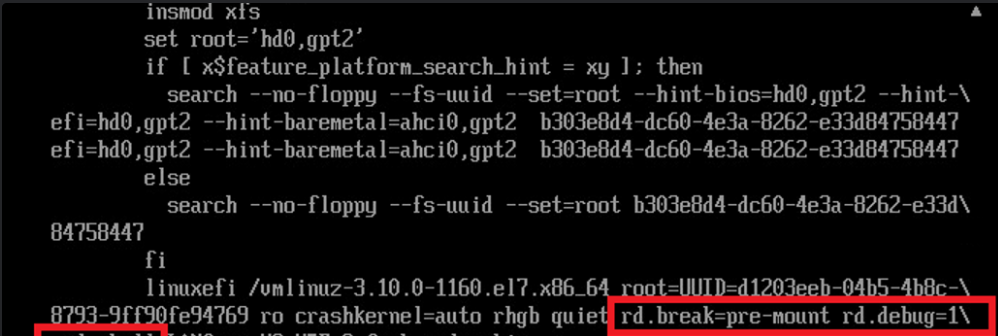
Press ctrl-x to continue
Once it drops to pre-mount shell, mount the boot partition to /mnt
Example: if boot partition is in /dev/sda2
mkdir /mnt
mount /dev/sda2 /mnt
check and confirm drive is mounted with ‘lsblk’ command
type 'exit' and press enter to exit out of shell and bring you back to preboot
At preboot, press F7 to collect support logs
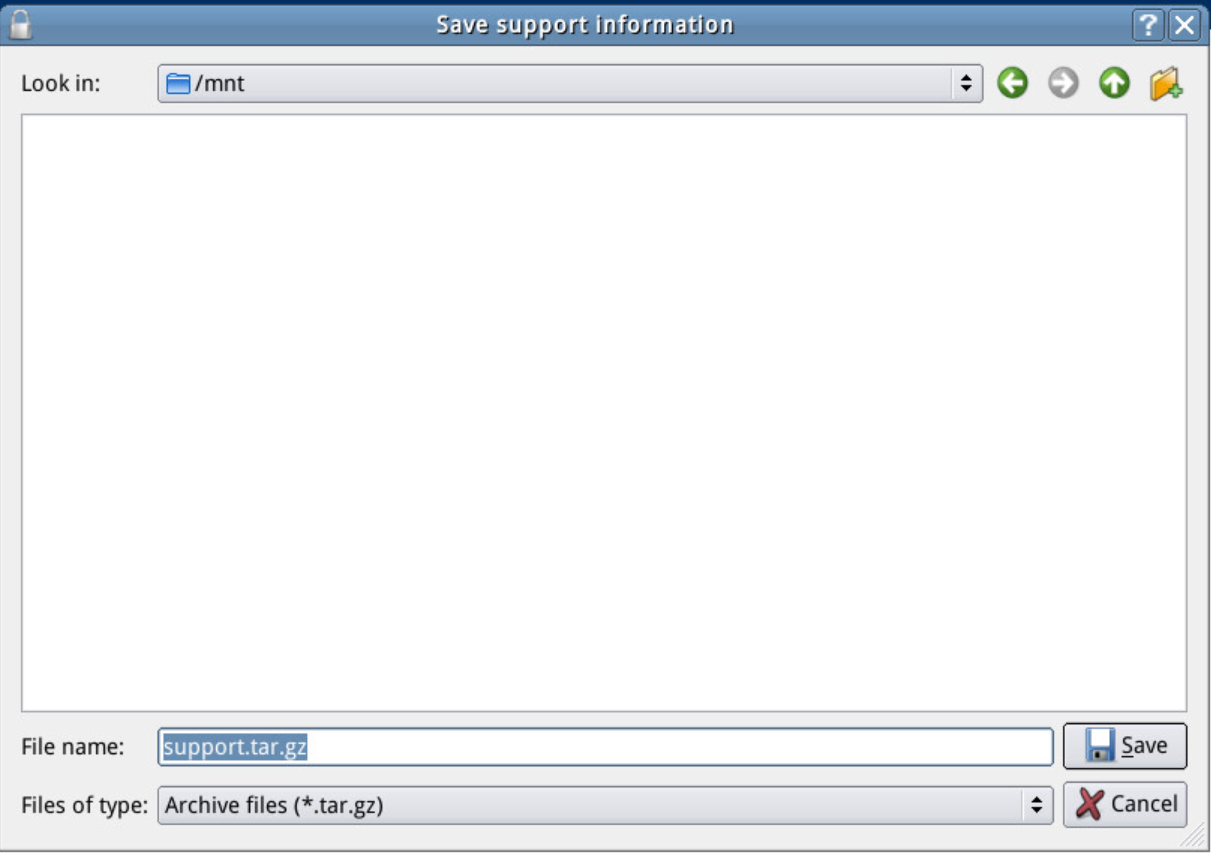
This should allow them to save the support logs at /mnt
After saving the preboot logs, login at preboot manually
Login to the OS Mount
Navigate to /boot and copy the support.tar.gz file there