Title: Password sync not functioning with Windows 11.
Topic: Password sync not functioning with Windows 11.
Background
The “Enable MPR notifications for the system” GPO setting was added in the Windows 11 22H2 baseline to prevent attacks on logon credentials:
Please see: Windows 11, version 22H2 Security baseline - Microsoft Community Hub
"The legacy Multiple Provider Router (MPR)<https://docs.microsoft.com/en-us/windows/win32/secauthn/multiple-provider-router> provides notifications to registered credential managers or network providers when there is a logon event or a password change event. MPR was created so that providers that need a user's password can collect and store credentials. This functionality is used by legitimate applications, but it can also be abused by attackers to harvest logon credentials.
A new setting Enable MPR notifications for the system, located under Windows Components\Windows Logon Options\ is used to disable MPR notifications.
We recommend that you configure this setting to block password disclosure to providers."
SecureDoc password sync is affected by this.
Environment (OS/hardware/software):
SES Server v9.0 and later versions
All Windows Server OS
All client devices running Windows 11
Workaround:
Windows 11 22H2 baseline Introduces a number of new Group Policy settings. 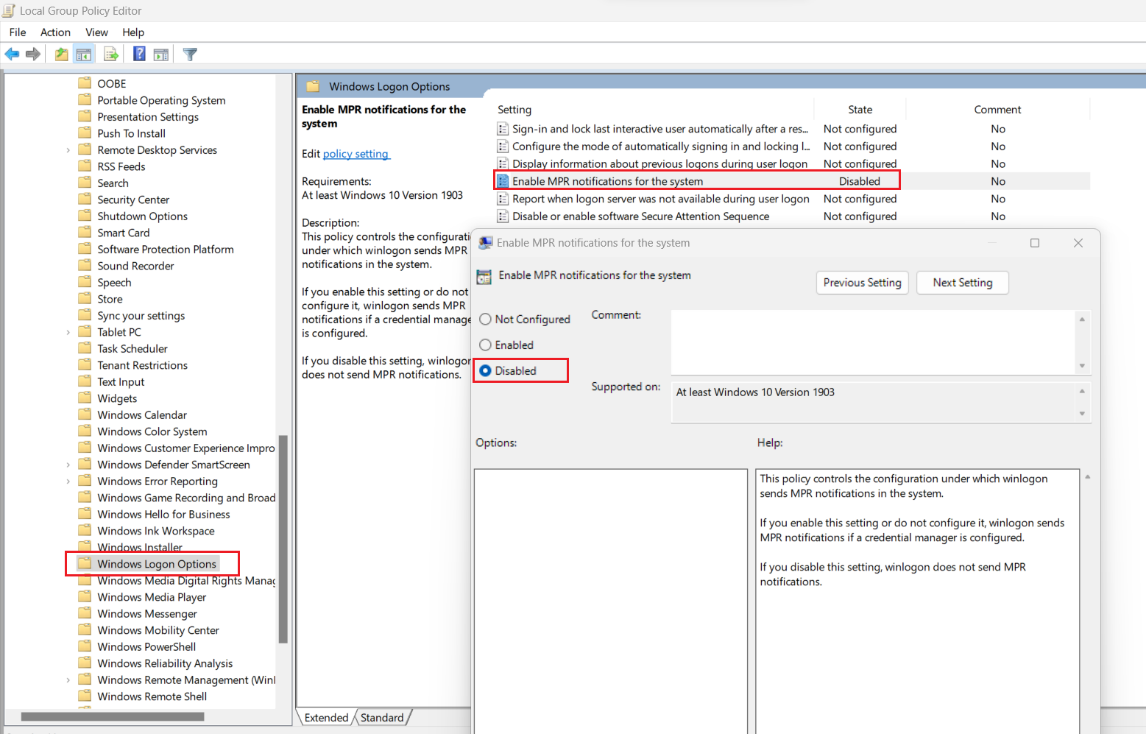
“Enable MPR notifications for the system” must be ENABLED. The default value of this setting is Disabled. When this GPO is enabled SecureDoc Pw Sync then is able to receive notifications and function properly.
The exploitation of this GPO setting being Enabled would be extremely hard for an attacker to use. They would need to obtain admin privileges and install a malicious logon provider that must be signed by at least two signatures, one of them is controlled by Microsoft. As the process of getting such signatures is controlled by MS, it is restrictive enough.
Path to the policy is: Computer Config/Administrative Templates/Windows Components/Windows Logon Options
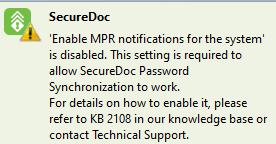
Please note, A pop up message is being added to SecureDoc v9.1 SR1 and v9.2 when password sync is being used and SecureDoc detects the "Enable MPR notifications for the system” GPO setting is not in our desired state. Example below
NOTE:
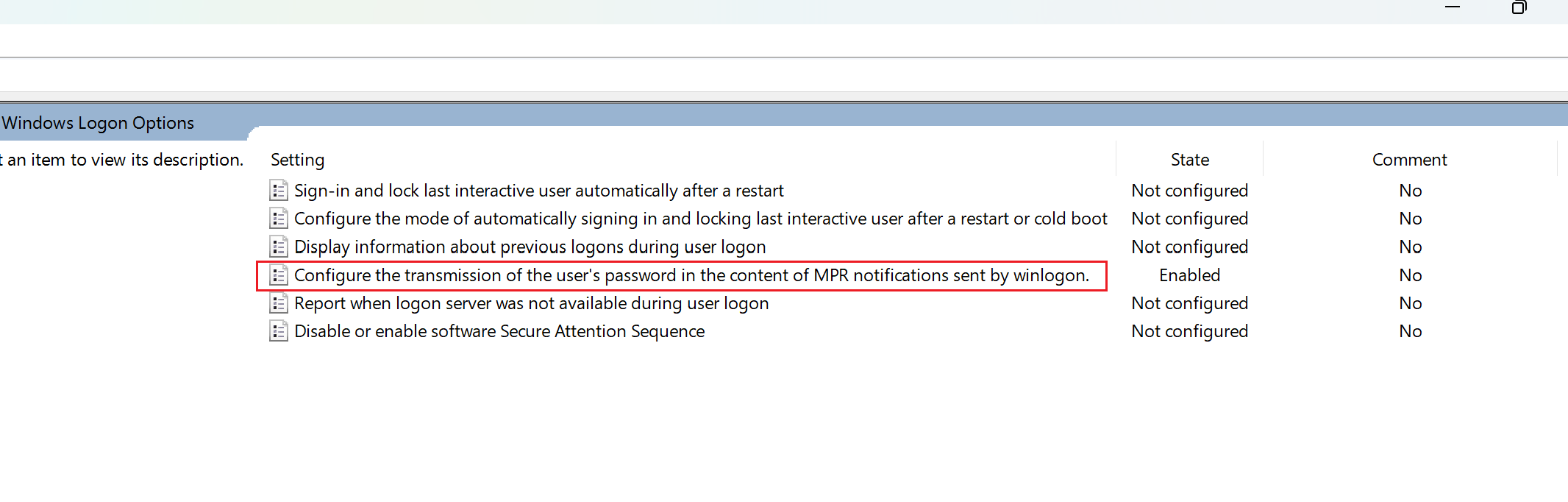
As of Windows 11 24H2 the policy name “Enable MPR notifications for the system” has changed to “Configure the transmission of the user’s password in the content of MPR notifications sent by winlogon.“
//refer to the screenshots below
On a German System, the screenshot looks like this: 

For more, please see SD-48087
Article Document
Title
Password sync not functioning with Windows 11 22H2
URL Name
Password-sync-not-functioning-with-Windows-11-22H2