Affected Version: Applied only for SecureDoc 8.6 SR1 Issue: Where User Credentials can be changed (e.g. Administratively) outside of windows, (e.g. from Active Directory or from a third-party password management website) the company help desk would instruct the user to lock and unlock the device using the new Credentials, successfully authenticating to windows using the new password. In this scenario, Windows will update its password, but windows would not communicate that password change to SecureDoc. Solution: WinMagic has implemented a new SecureDoc Credential Provider in the SecureDoc 8.6 SR1 client in order to enable password synchronization on an unlock event. Note, that this does change windows to use an alternate credential provider, which could exhibit compatibility issues with other 3rd party credential provider solutions. It is recommended to test this option if using 3rd party credential providers, e.g. multi-factor authentication as those cases may not require this feature to allow password synchronization on an unlock. This feature can be enabled by manually adding the following parameter to the Device Profile, under the [SecureDoc CP] section: UsePwSyncCP=1 Once this profile option has been applied, the user must log off and log on for the option to take effect. Note: Currently there is no way to enable the PwSync CP via UI. It can be enabled by manually altering a profile on SES. Steps: 1. Double-click to open the profile. 2. On the lower corner click Edit Manually.
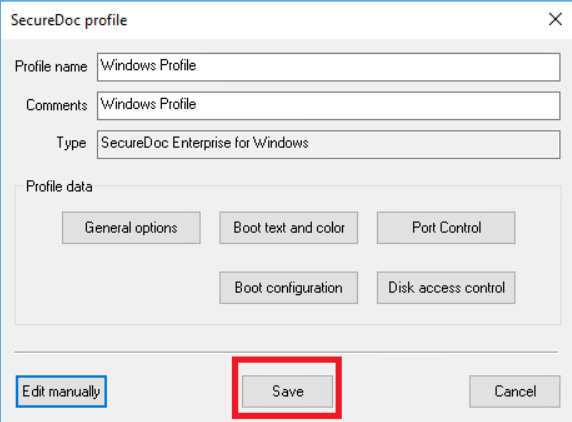
3. A notepad will open. Click Edit -> Find.. and Type in SecureDoc CP and click Find Next4. Add UsePwSyncCP=1 under [SecureDoc CP] section. 5. Click File and Save then close. 6. Save the Profile.
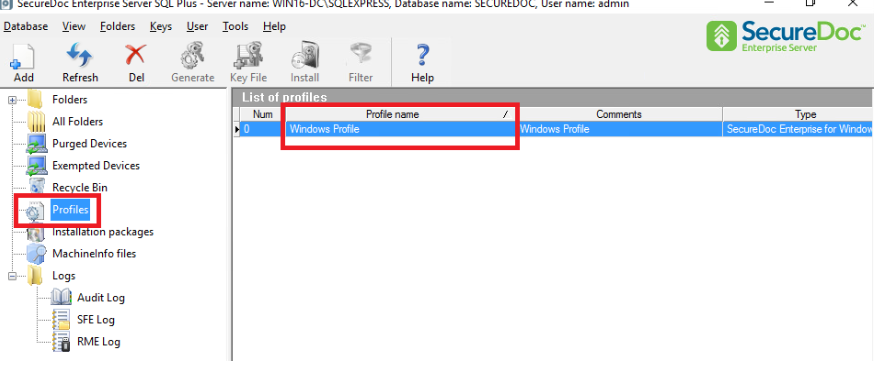 2. On the lower corner click Edit Manually.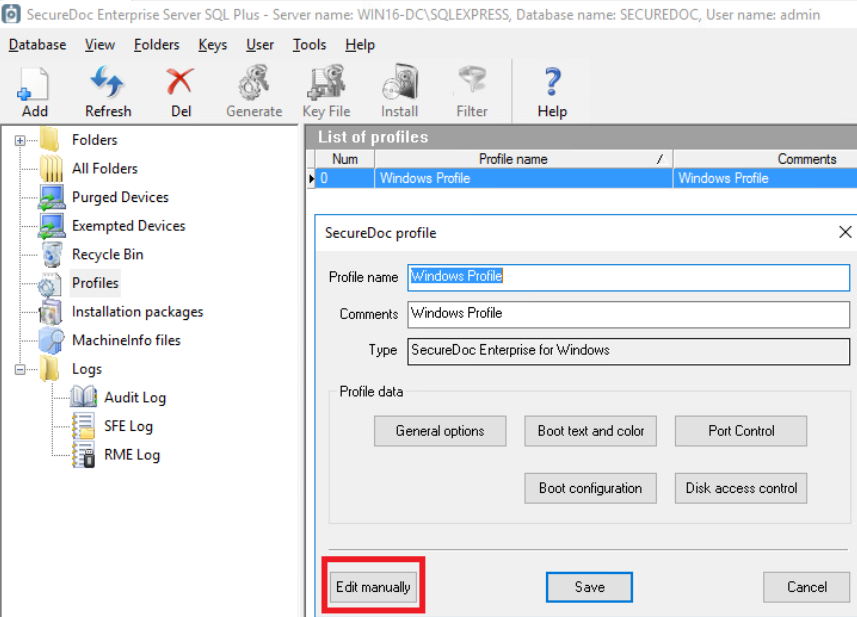
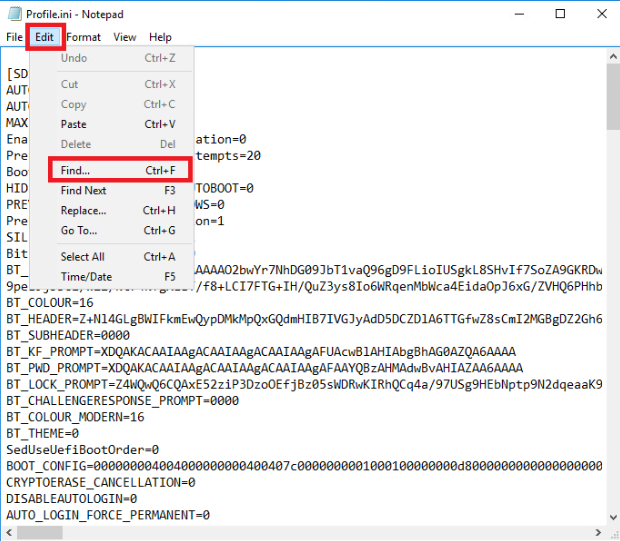
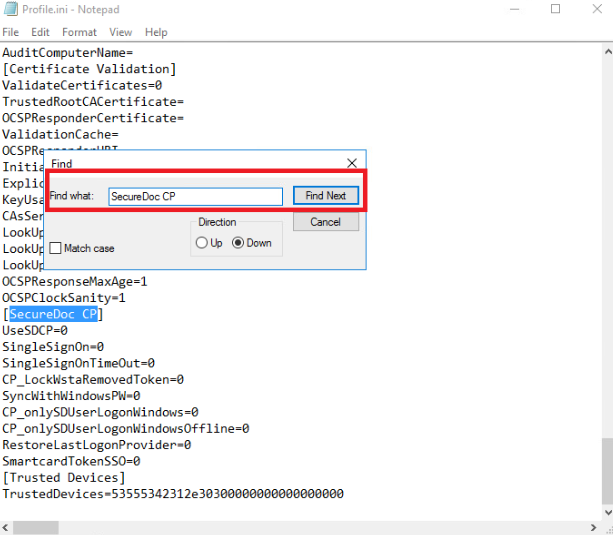 4. Add UsePwSyncCP=1 under [SecureDoc CP] section.
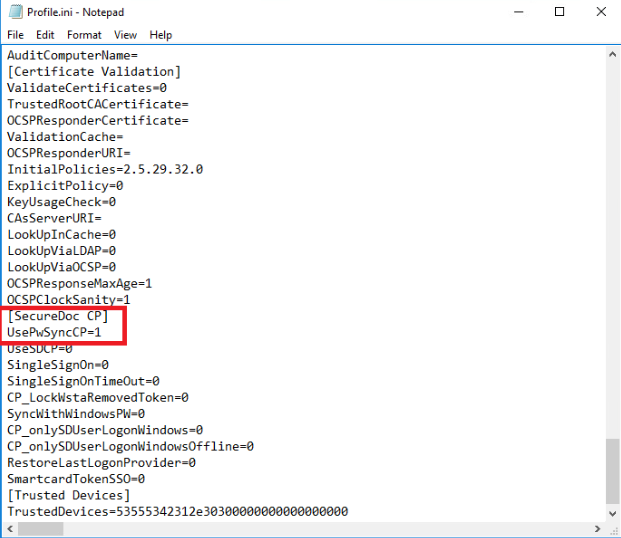 5. Click File and Save then close.
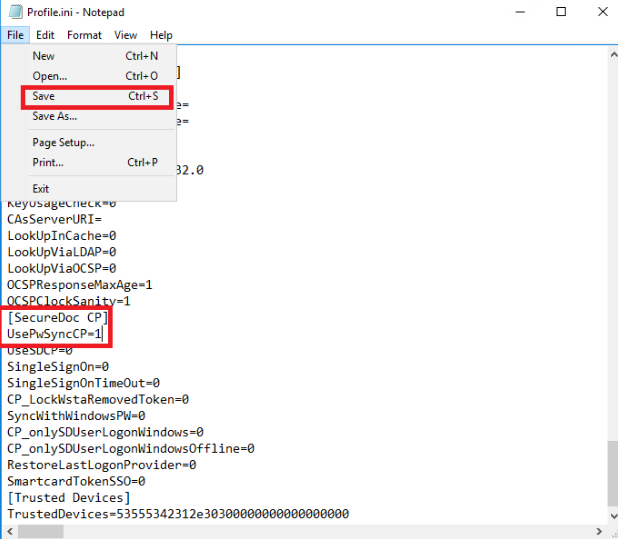 6. Save the Profile.