Title: Unable to boot following a Windows update – Secure Core
Topic:
Following a Windows Update some devices (ie.MS Surface Pro 9) experience a boot loop after displaying Windows icon. SD preboot does not appear.
Background
Windows 11 device had SecureDoc installed and was functioning properly. After a Windows update, device no longer boots.
Environment (OS/hardware/software):
SES Server v9.0 SR4 and higher
All Windows Server OS
All Devices
Workaround:
Windows update may enable a BIOS setting called “Secure Core”. Secure Core is different than Secure Boot – may cause a boot loop once SD Boot logon is installed.
- Go To Bios by holding the volume up button
- Go to SECURE CORE TAB – DISABLE SECURE CORE
- Go To Security TAB - Ensure Secure Boot is set to “Microsoft & 3rd party CA key configuration.
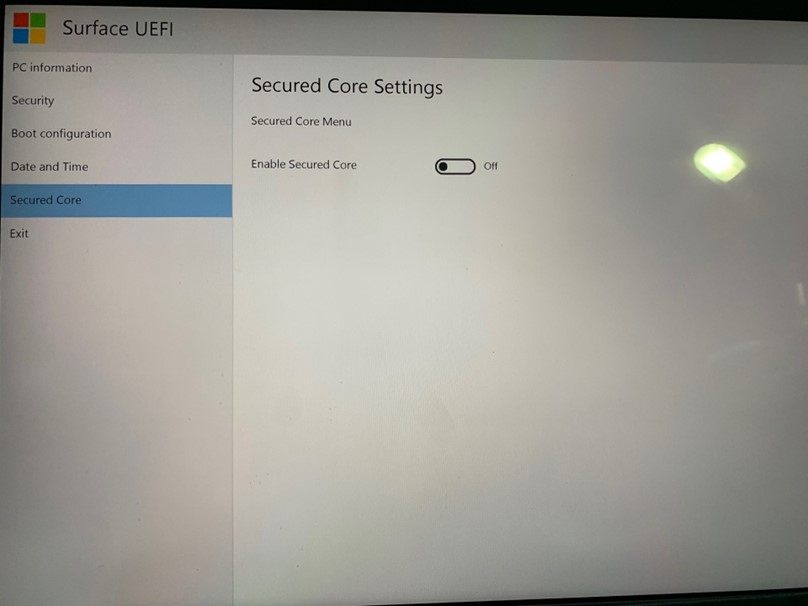
Once Disabled - Issue resolved.
See SD-47374