How to check if Windows is installed under UEFI or Legacy
How to check if Windows is installed under UEFI or Legacy
From an elevated command prompt run bcdedit /enum Please review the screenshots to see the expected output for UEFI and UEFI Legacy modes
If the the Path reports \Windows\system32\winload.efi, the system has been configured under UEFI.
If the the Path reports \Windows\system32\winload.exe, the system has been configured under UEFI Legacy Mode.
UEFI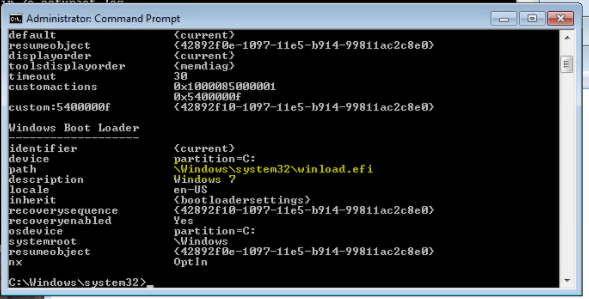
Legacy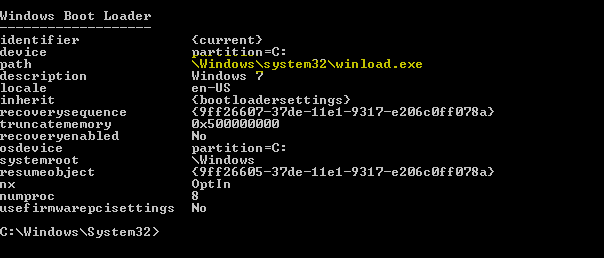
Custom Fields
|