Title:
V9.1 option to force software encryption on system with BlockSID turned ON
Topic:
This How-To article provides steps to show how to force software encryption on system with BlockSID turned ON
Background
Some client devices (For example, NEC / Panasonic) do not have an item in the UEFI menu to disable Block SID. For these systems, if an Opal SED is built in customers experience unexpected problems due to these missing UEFI menu options. WinMagic does support TCG OPAL drives with native Hardware Encryption, but there is a support limitation is because of NEC / Panasonic.
Environment (OS/hardware/software):
As of v9.1 and higher of SD
All Windows OS
All Devices
Steps to follow:
Within the SecureDoc Profile on the SES Server, General Options button, General tab is the following setting
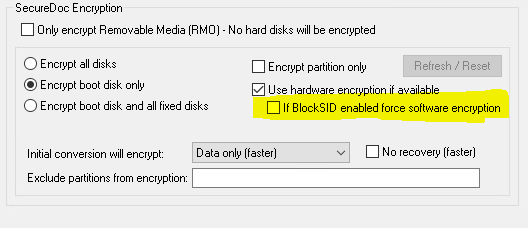
This setting is DISABLED by default. When enabled, during installation of SecureDoc if the hard drive is an Opal SED but the BIOS has BlockSID enabled, the installer will force a software encryption.