How to create DOS Bootable USB drive
Topic:
This How-To article provides instructions on how to create DOS Bootable USB drive using Rufus. This is required to run WinMagic recovery utility such as BuildMBR.exe, RemoveBL.exe and SDEmgRec.exe.
Requirements:
FAT32 formatted USB Drive any size
Rufus. Download and install Rufus from https://rufus.ie/
Steps to follow:
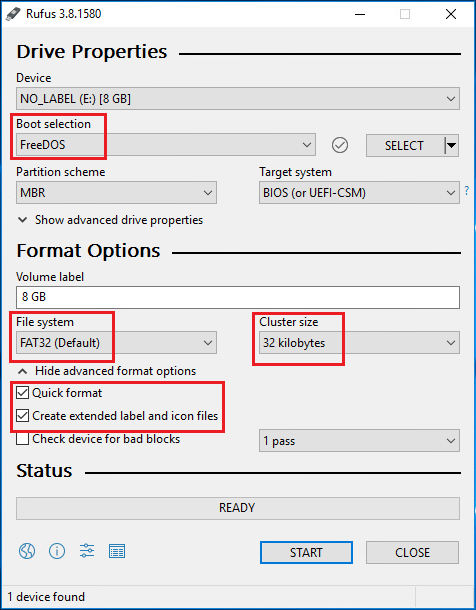
Configure Rufus with the following settings then click start
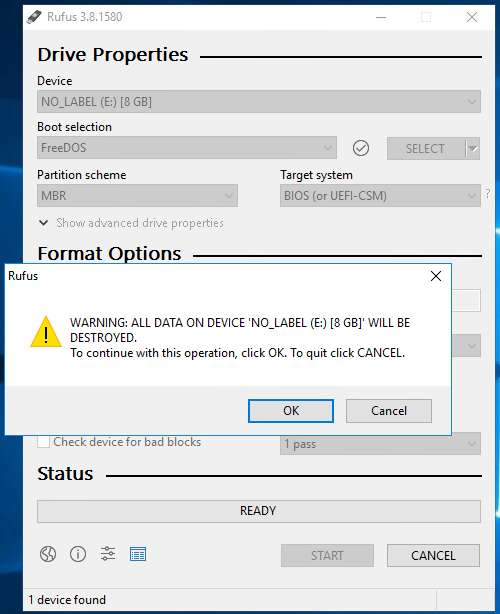
ATTENTION: This will Format the Drive. To confirm Click OK.
It may take a few seconds then the Status will change to Green.
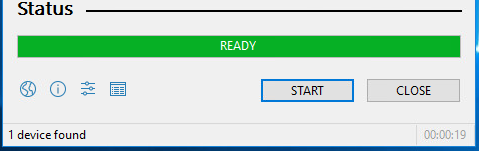
DOS Bootable USB Drive is ready.
To Boot the USB Drive on the device the BIOS must set to the following:
- BIOS Startup set to Legacy Boot or Both Legacy and UEFI
- Boot order Priority is set to USB HDD