Article Summary:
The Build MBR is a repair utility used to correct issues or rebuild of the MBR (Master Boot Record) in where SDSpace.dat resides. This article provides instructions on how to configure and execute the buildmbr.exe utility file.
Notes:
The Buildmbr.exe file is located in C:\Program Files\WinMagic\SecureDoc-NT folder and is labeled with the file extension *.dos
Product version affected:
All SD versions
Environment:
All Windows OS and devices.
Steps to follow:
- Please refer to the website http://www.bay-wolf.com/usbmemstick.htm on how to create a DOS bootable USB stick.
- Copy the buildmbr.dos file from C:\Program Files\WinMagic\SecureDoc-NT folder to the DOS bootable USB stick.
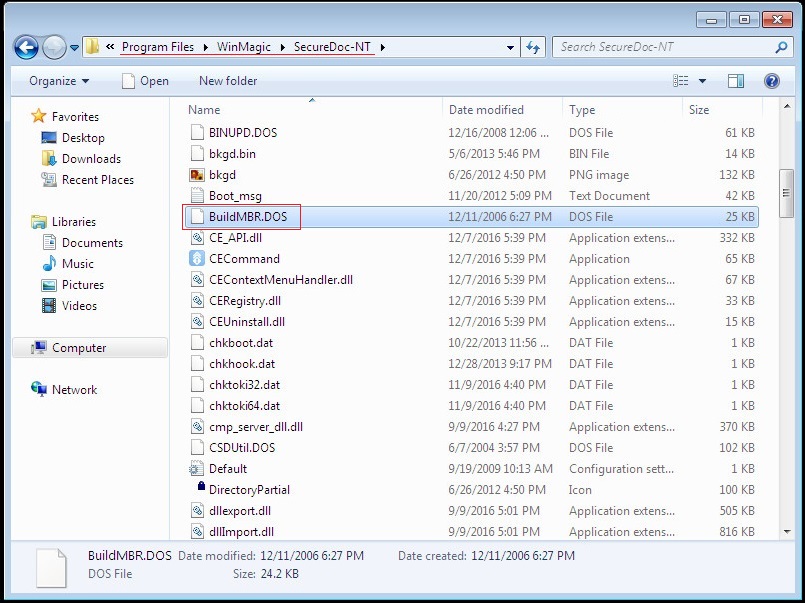
- Rename file extension from buildmbr.dos to buildmbr.exe.
- Boot the device from the USB stick
- At the DOS Command Prompt, execute the command buildmbr.exe /2

Note: When running from a Virtual Machine, it potentially can takes between 10 to 15 minutes to find the MBR, however, on a real physical drive, it can take up to 5 hrs.
Switch Legends:
/2 > – main drive
/1 > – usb
/3 > – slave drive