Issue:
Client who recently setup SESWeb and received the following 500 error: CREATE QUEUE permission denied in database when accessing the SESWeb. 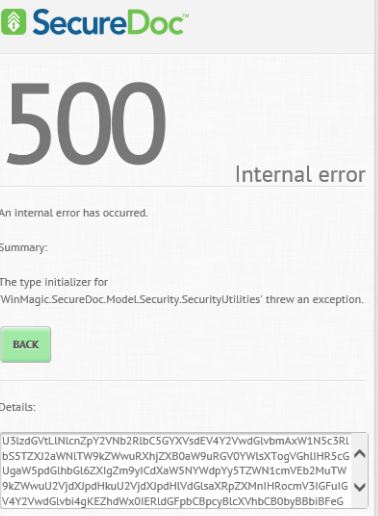
Upon Decoding the Detailed information:
System.ServiceModel.FaultException`1[System.ServiceModel.ExceptionDetail]: The type initializer for 'WinMagic.SecureDoc.Model.Security.SecurityUtilities' threw an exception. (Fault Detail is equal to An ExceptionDetail, likely created by IncludeExceptionDetailInFaults=true, whose value is:
System.TypeInitializationException: The type initializer for 'WinMagic.SecureDoc.Model.Security.SecurityUtilities' threw an exception. ----> System.Data.SqlClient.SqlException: CREATE QUEUE permission denied in database 'XXX_DB'.
at System.Data.SqlClient.SqlConnection.OnError(SqlException exception, Boolean breakConnection)
at System.Data.SqlClient.SqlInternalConnection.OnError(SqlException exception, Boolean breakConnection)
at System.Data.SqlClient.TdsParser.ThrowExceptionAndWarning(TdsParserStateObject stateObj)
at System.Data.SqlClient.TdsParser.Run(RunBehavior runBehavior, SqlCommand cmdHandler, SqlDataReader dataStream, BulkCopySimpleResultSet bulkCopyHandler, TdsParserStateObject stateObj)
at System.Data.SqlClient.SqlDataReader.ConsumeMetaData()
at System.Data.SqlClient.SqlDataReader.get_MetaData()
at System.Data.SqlClient.SqlCommand.FinishExecuteReader(SqlDataReader ds, RunBehavior ...).
Product version affected:
SD 7.1 and up
Environment (OS/hardware/software):
Windows OS Servers
Solution/Workaround:
Step 1: Review KB article: 1449 - "SQL Rights and Windows Managed Service Accounts" to ensure that all permissions are added to the service account running SDConnex.
For example: Check for dbowner, sd_admin, sd_user, and public added to the service account running the SDConnex.
Step 2: Stop/Restart SDConnex and IIS and try logging in into the SESWeb.
Step 3: If the error still persists, please extract the logs for Winmagic support to investigate.
a. Take a screenshot of the 500 error message like the one above.
b. Copy and paste the details to Notepad and send it to [email protected] for investigation. 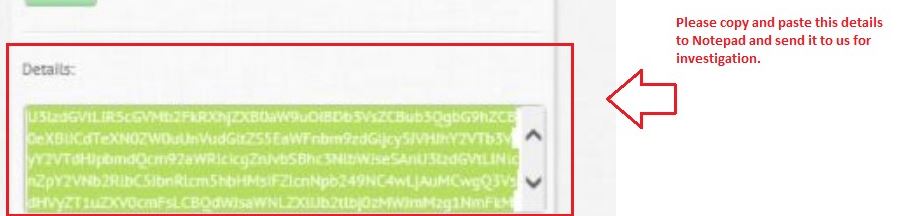
c. Enable the SESWeb logs from SDWeb Configurator. Stop and start the SDConnex and restart the Internet Information Server.
d. Once the error has been reproduced, stop the SDConnex, extract the called SESWebAppTrace.svclog from C:\program files (x86)\Winmagic\SDDB-NT\Logs and send it to [email protected]. Then restart the SDConnex service.
Referencing:
SF: 95251 & SD-26217 - Error 500 Invalid Configuration
1800 Internal Error 500 Invalid When Accessing SESWeb: Resulting in (CREATE QUEUE permission denied in database)
- Updated on Feb 6, 2026
- 1 minute(s) read
- VN
Was this article helpful?