Why am I encountering error 0x7c03 when trying to add keyfile to a device?
Problem Scenario:
When user creates a new user keyfile and then adds it to the device, client noticing when checking show commands, the following error is showing:
"Status Executed - Error: 0x7c03 - Command is assigned to another PC”
Probable Cause:
The mostly likely reason why error 0x7c03 was generated could be due to a mismatch between the ComputerUniqueId that the client was sending back to the SES Server vs. what the client was running under when it was 1st installed. A possible underlying factor that may have triggered this could be due to communication errors between client and SES.
Proposed Solutions:
There are 2 possible solutions which could be tried:
- Decrypt and uninstall and reinstall the endpoint
- The other involves correcting the mismatch on the endpoint device.
How to correct the mismatch with the ComputerUniqueID:
From the affected device which is encountering the error:
- Browse to C:\Program Files\WinMagic\SecureDoc-nt\UserData
- Locate and open file name “SecureDoc.ini”
- Locate and copy the entire String “after ComputerUniqueID” to UniqueID_Converter.xlsx
- UniqueID_Converter.xlsx will generate UniqueID that will be referenced on SQL side
From your SQL Database Server:
- Run SQL Query:
- Select * From Dbo.Computers where PC_ID = ‘computername’
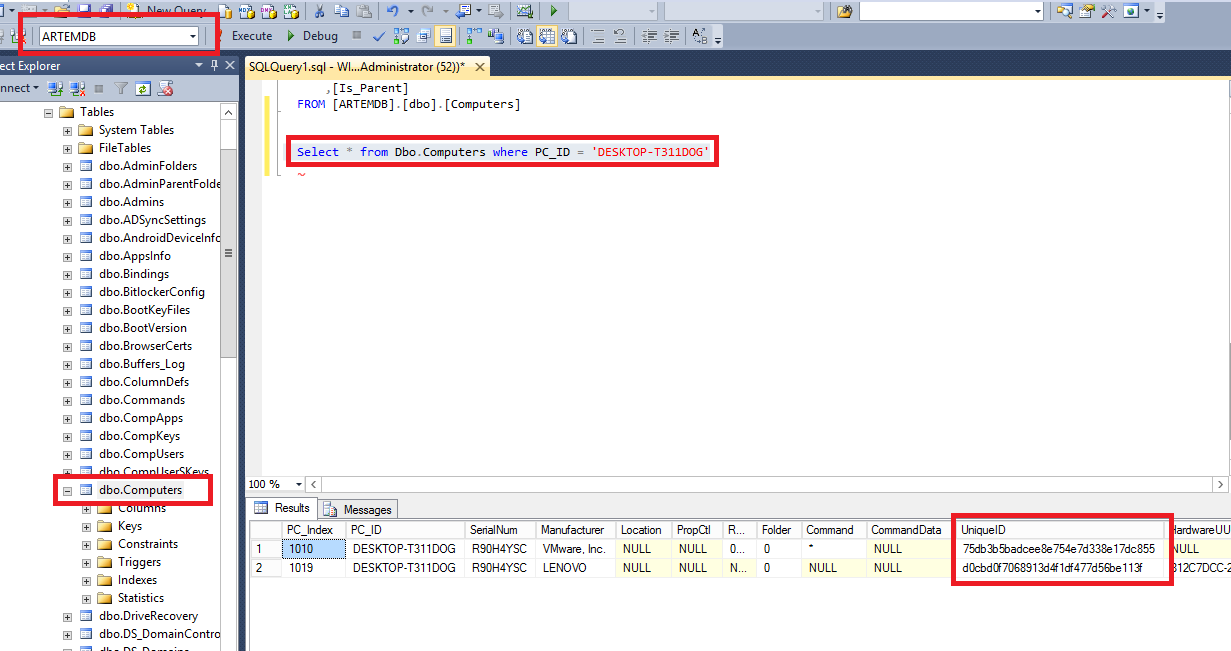
- Ensure SES Database is selected at top left-hand corner (in our example you will see Artem)
- Ensure that if duplicate device exists then device with most recent communication timestamps is used
- Compare value of UniqueID generated from SecureDoc.ini+Converter vs what SQL has for this device
In our example scenario shown below, there are duplicated devices but PC_Index 1019 is most recent device with correct communication time stamps
e.g.
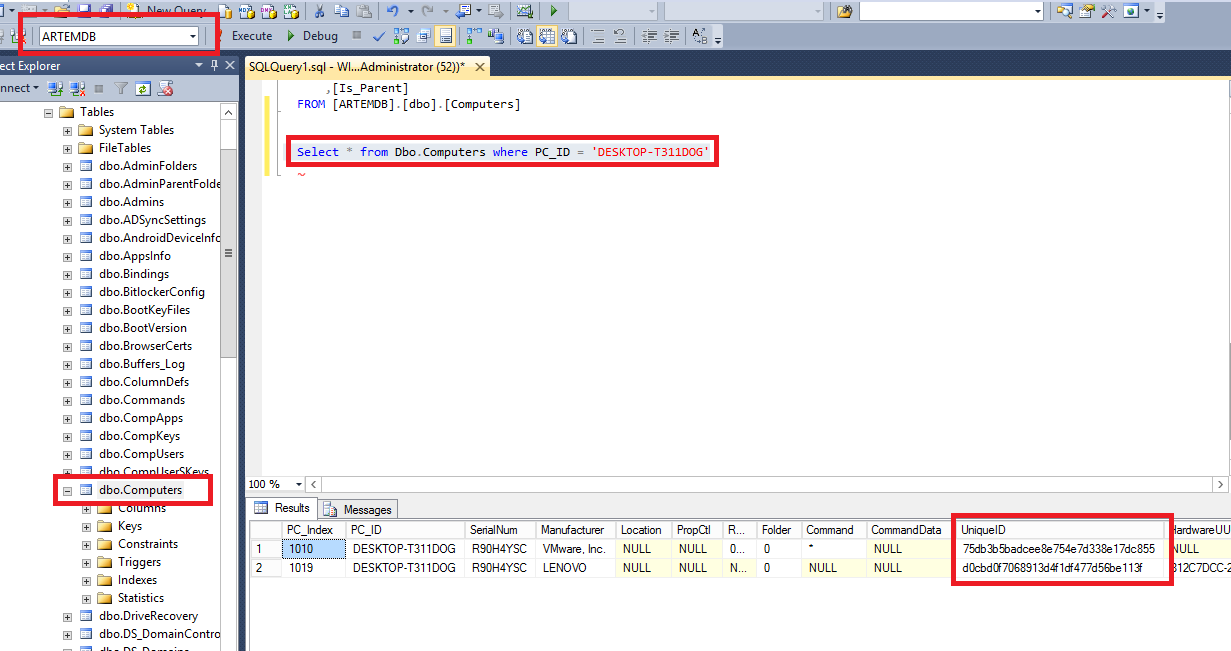
- The ComputerUniqueID: c2f0cf8a2feb0eeaefb450c2bca3edba which was showing for the endpoint client is actually different than the computer UniqueID showing up on the SQL database: d0cbd0f7068913d4f1df477d56be113f
- The UniqueID_Converter.xlsx is now required to convert SQL UniqueID for that device d0cbd0f7068913d4f1df477d56be113f to value what SecureDoc.ini will require
- Pasting SQL Unique ID inside UniqueID_Converter.xlsx generates a new string that will be replaced on client side
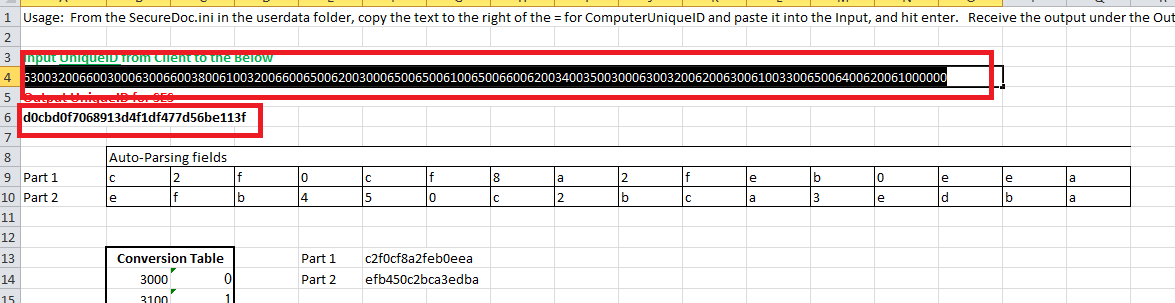
- You will need to copy the new ComputerUniqueID String from UniqueID_Converter.xlsx to Sucuredoc.ini value on client device and save

5. In order for the changes to take affect client device will need to be restarted
Upon restart of the device, you can now try issuing new commands to the device to verify if the issue
is resolved.