Why am I getting ‘Unable to add computer, Skipping’ in my event logs?
Error details:
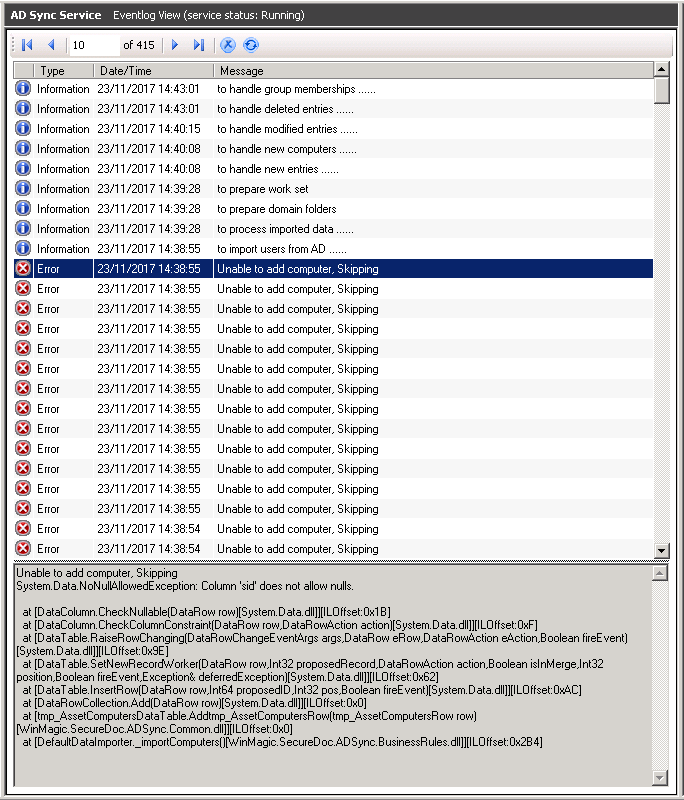
Unable to add computer, Skipping
System.Data.NoNullAllowedException: Column 'sid' does not allow nullls….
Screenshot Example:
Probable Causes:
This error is generated as a result of using SES Compliance feature in SDWeb.
Proposed Solution:
This is a known error which can be ignored. You can essentially add a filter for this event to no longer generate in event logs: adsync.ldap.filter.computer (&(objectClass=Komputer)(|(objectCategory=computer)(isDeleted=TRUE)))
Here are the Steps by Steps instructions to add filter:
- Launch SecureDoc Service’s Configuration
- Select AD Sync Services
- On right section – click on Sync Config
- Expand “Root of Tree View”
- Select your <<named>> directory server and then right click for dialog option:
- You will then see dialog options as shown:
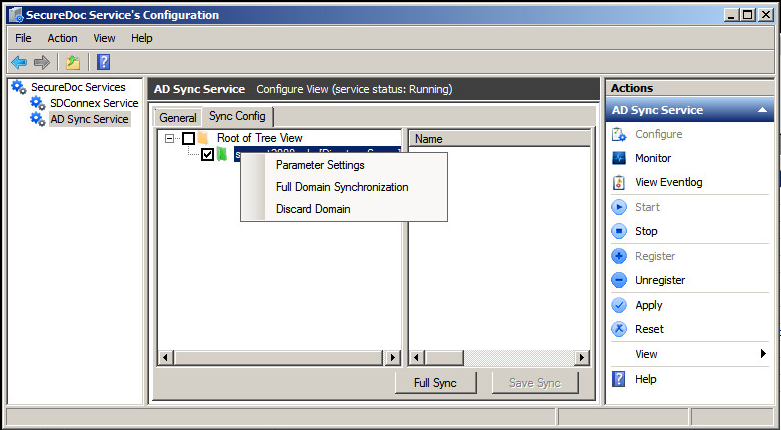
- Click on Parameter Settings
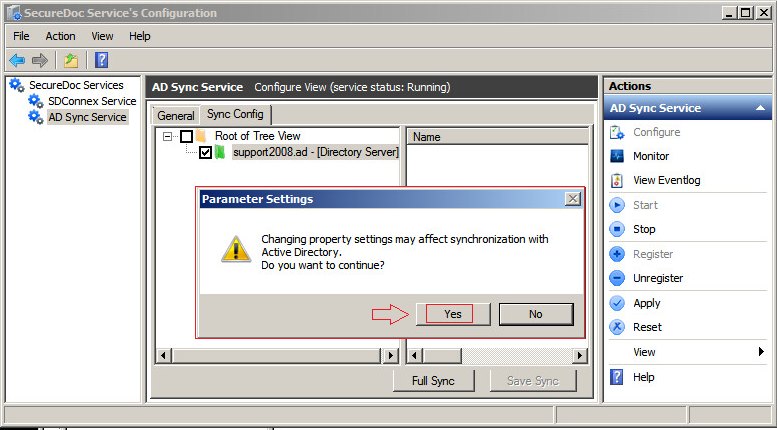
- You will receive 2nd dialogue message
- Click on Yes to continue….
Within Parameter Setting- In lower section:
Click on empty Field as shown in example
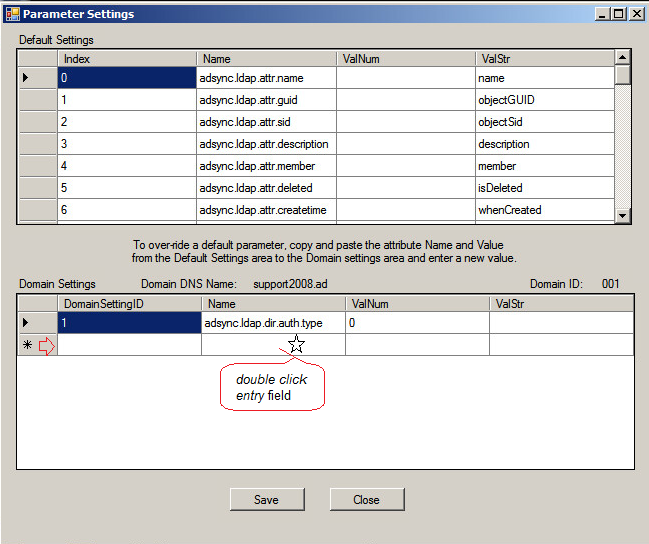
Paste the following text into the entry field:
adsync.ldap.filter.computer
- Paste the following value in ValStr entry field (&(objectClass=Komputer)(|(objectCategory=computer)(isDeleted=TRUE)))
If your entry was completed successfully, you will see the following dialogue.
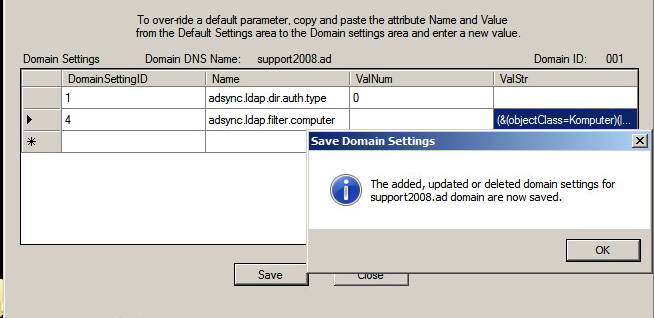
Upon confirming entry was completed successfully:
- Stop and Start AD Sync Service
Please now try to resync AD:
- Check and confirm event is no longer being generated in event logs.