Issue:
There could be a time when SES Master\Root account is forgotten, lost password,information not shared or documented by previous admin and we need to gain access to it.
SES Master\Root account credentials are saved inside Mastername.dbk file that are then mapped to SQL database records.
Mastername.dbk can be recreated if certain conditions are met
Requirements:
SES Master\Root account can be regenerated if
1)SES console access with different account (that is able to find users)
2)or SES WEB Admin account that is able to create key file for that root user
New MasterName.dbk file is created and new connection is created to SES console using that dbk file
Note:If access to SES Console or SES WEB is not available then we are unable to recreate the account
Procedure:
1) In following screenshot two account are available in SES Console and from SQL dbo.Admins table
Master >being Root Account
VietAdmin>secondary Admin who has access to SES Console 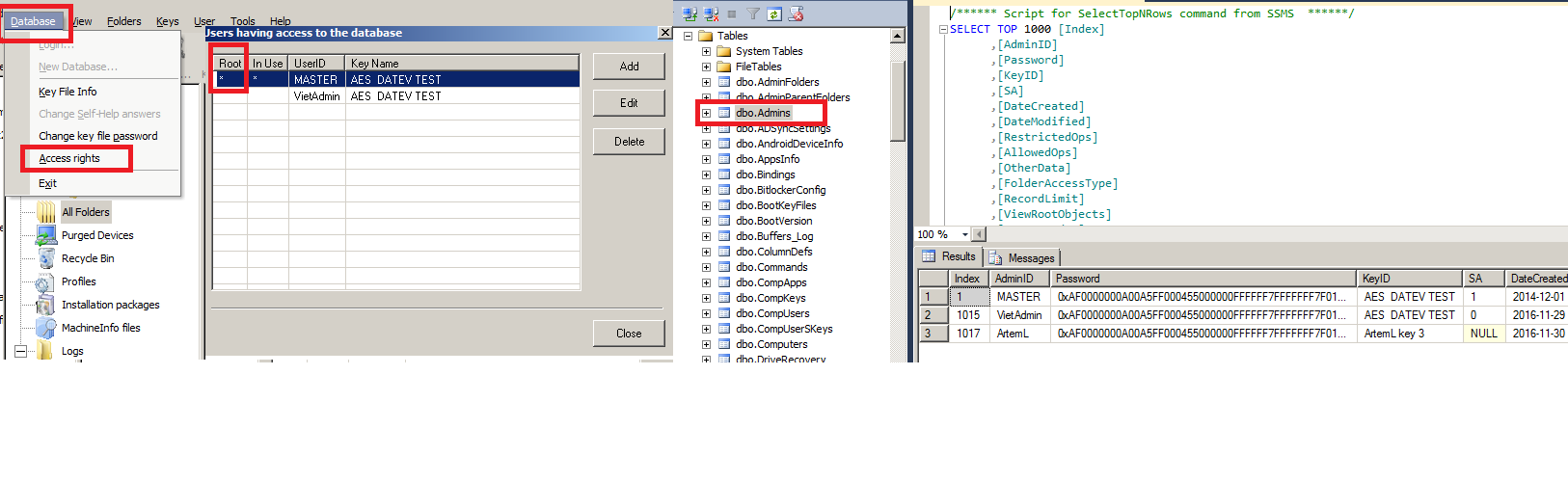
2) Assuming VietAdmin has sufficient rights in SES console ,new connection is established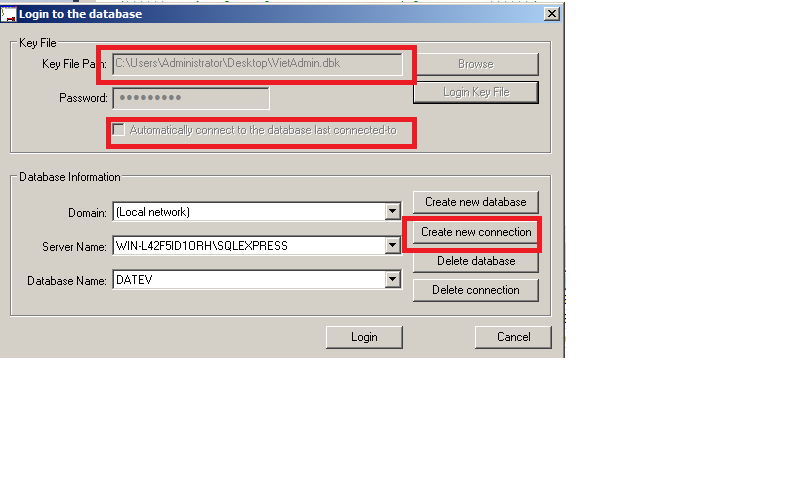
3) Select All Folders (Root account usually sits in SES Admin.. folder) , Users tab , right click on any area (where users are displayed) and select Set Filter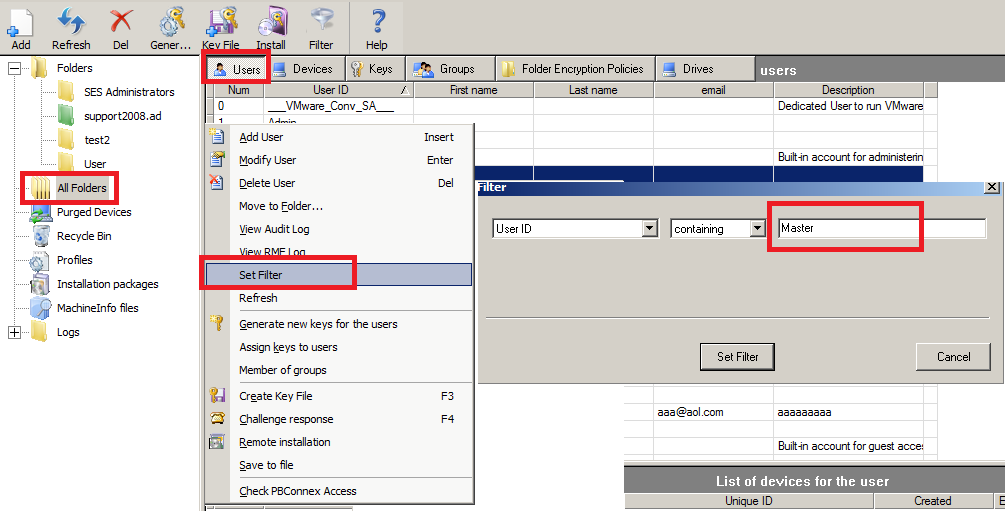
4) Once the user is found double click on it or right click and Modify
5) Ensure that this account is Full admin , has AES XXX XXX under account (should match the AES key in Step1
if some of information is missing , please update it to match screenshot below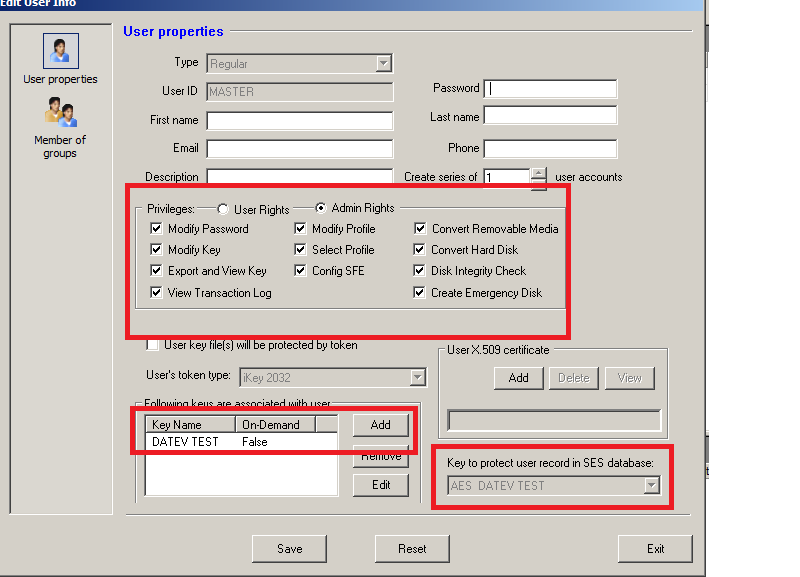
6) Once account is updated to match step 5 , right click on the account and select Create Key File
Save Mastername.dbk to desktop (or local directory)
Provide password (that you can document) and remove Change Initial Password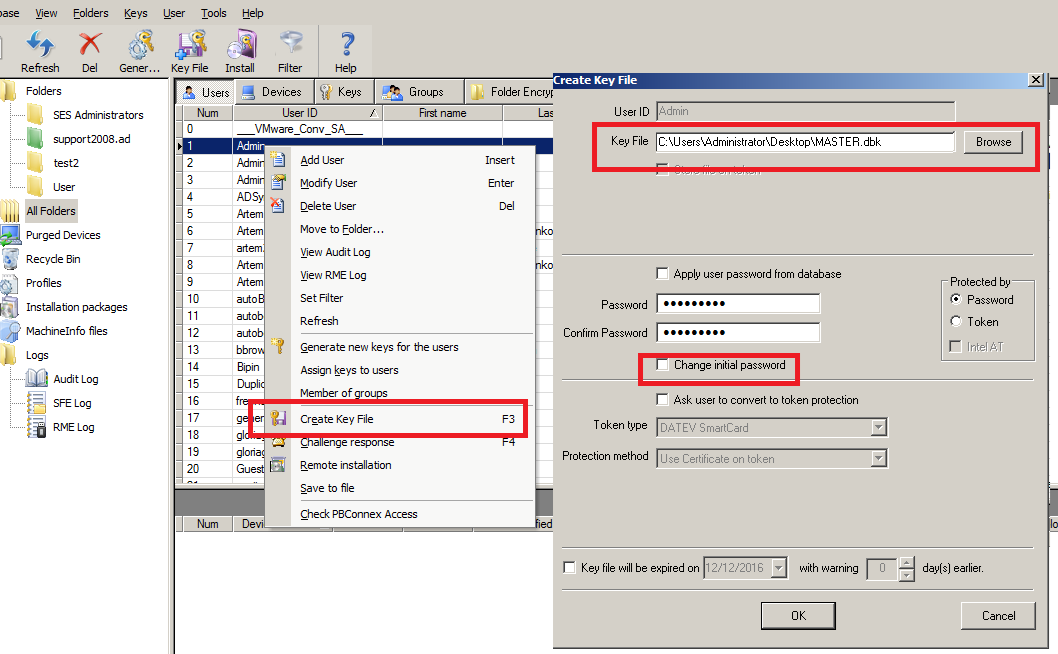
7) Once Mastername.dbk file is created , repeat step 2 using new Mastername.dbk to establish connection
Root Account is now restored.
Using SES WEB
1) Open SES WEB with any admin user (if sufficient permissions exist)
2) Perform Search for the Mastername userId.
Verify AES key exists under Properties (matching step 2 from SLQ view if SES cant be open )
If Key is missing ,select assign key to user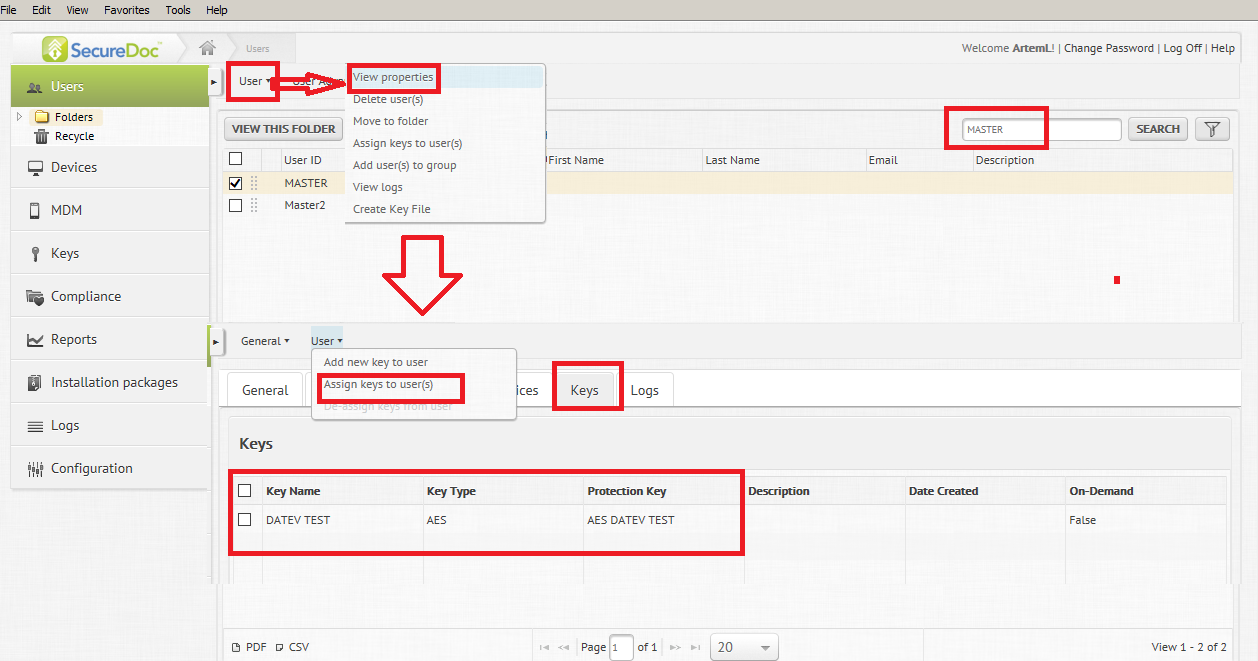
3) Select the MasterName account ,hit User>Create Key file
Populate new password
remove "change initial password"
and hit Save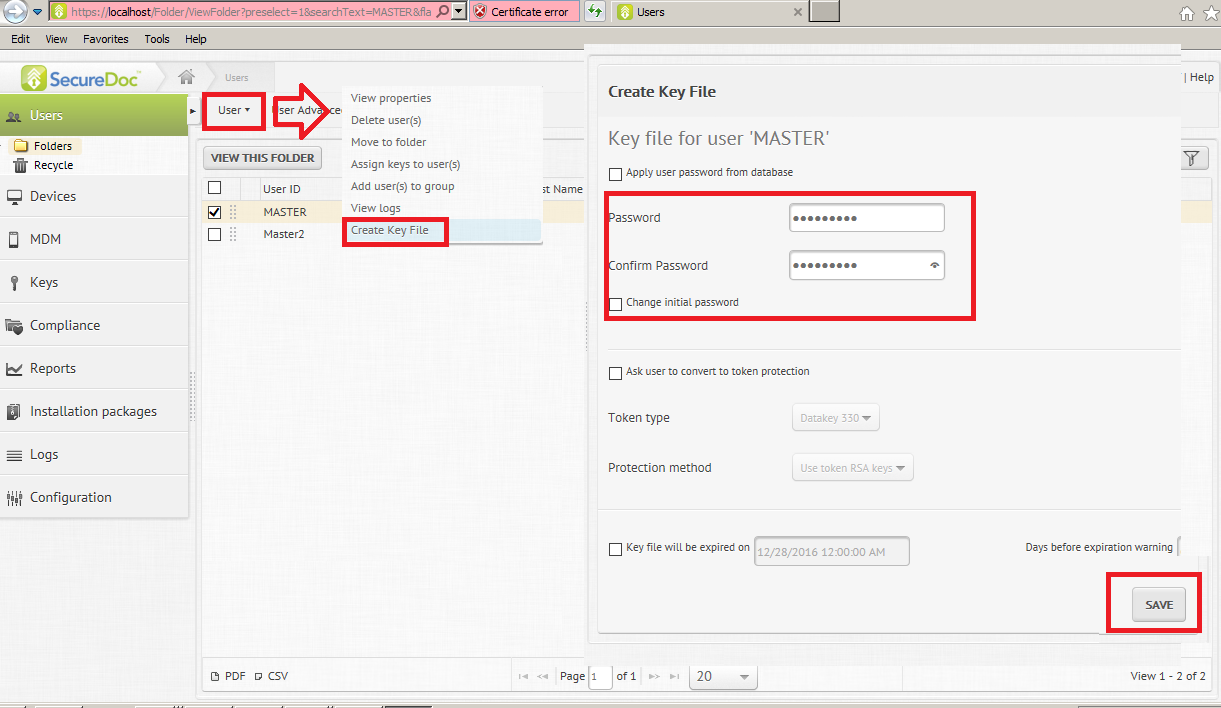
4) Key file can be saved locally to default location (then renamed) or select "save As" and provide
specific location and distinct name
5) Bring the new Mastername.dbk created Via SES WEB and attempt to make new connection using that DBK file under SES Console
Search keywords root,master dbk file
1677 How To Recover SES Master\Root account
- Updated on Feb 6, 2026
- 1 minute(s) read
- VN
Was this article helpful?