Topic:
This How-To article provides instructions on how to increase the timeout session for SESWeb console.
Product version affected:
SES 6.3 and newer versions
Environment (OS/hardware/software):
Please refer to http://www.winmagic.com/support/technical-specifications for Server requirements
Steps to follow:
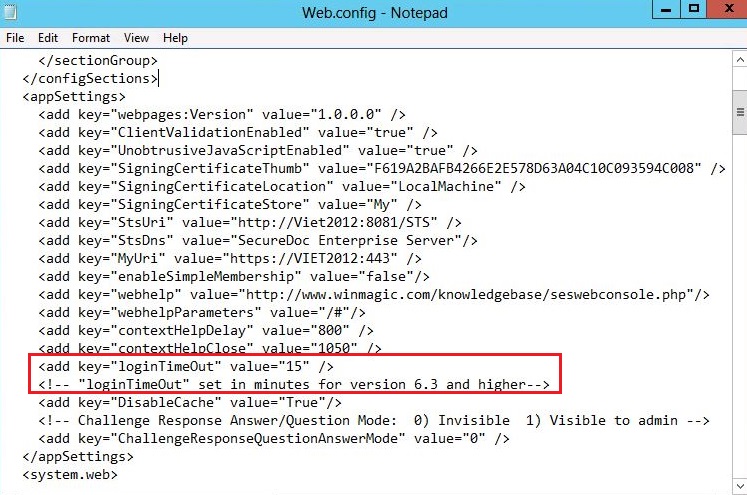
There is a “loginTimeOut” key in the web.config file located in the C:\program files (x86)\WinMagic\SDDB-NT\SDWeb folder.
Customer can change the default value 15 to any other specific number in minutes.
SES version 6.3 or newer of the web console accepts a “loginTimeOut” value in minutes.
Changing this value is not officially supported in 6.2 and older versions. In 6.2, it accepts a value of millisecound (eg. 900000).