Issue:
Customers that use SESWeb frequently will notice that the SESWeb session will time-out more frequently than is desirable.
This article discusses how to eliminate many of these time-outs.
Cause:
We have identified this can be caused by a mismatch between Web Application Pool Identity and the Service Account under which SDConnex executes.
Solution:
The service account used to run SDConnex must be the same as SESWeb's AppPool Identity (defined within IIS), the default for App Pool is Network Service, but if this is not used for SDConnex service then when a renewal/refresh of the session is internally requested by the web service, that renewal/refresh will fail and cause the logged on session to be ended, forcing the user to log in again.
The following changes may not resolve all SDWeb forced logoff situations, but it is definitely worth checking and applying the recommended changes below during installation/config time.
Here is a screen shot showing the use of the same service account (named SESService) under which SDConnex is configured to run, and which is also used to define the Application Pool Identity setting.
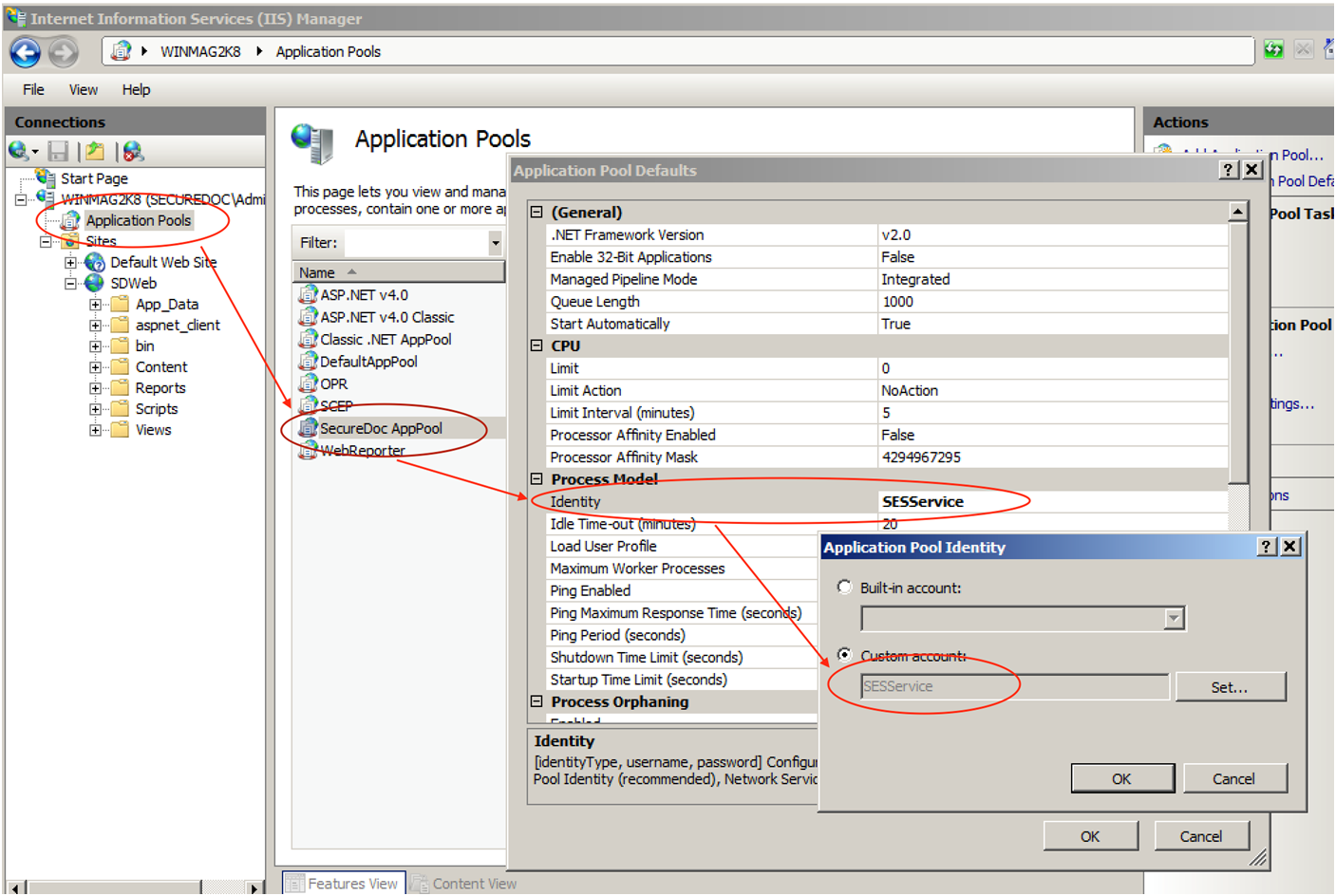
To perform this change:
1. Choose the ... in the Application Pool Identity
2. Choose “Custom Account”
3. Click on the “Set” button
4. A panel like the following will appear
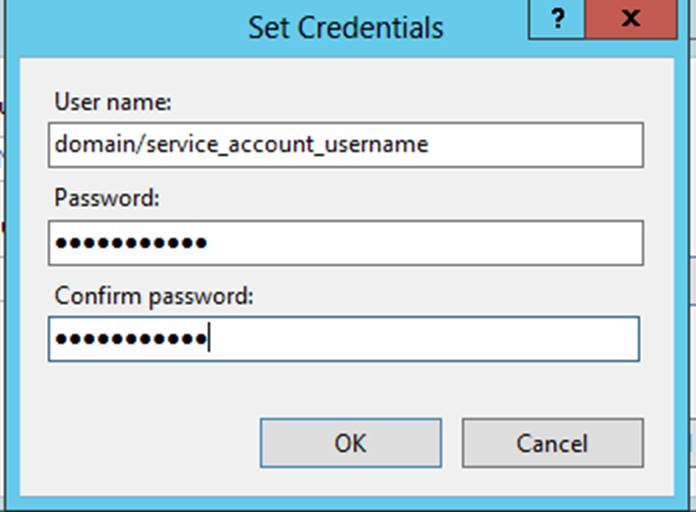
5. Enter the desired Domain Service Account used within the configuration of SDConnex
6. Enter and confirm the password
7. Click OK and save all changes.