Issue:
Customer using the SES console to create a new user id but is getting the 0x7608 no key found.
From the SDConnex’s view Eventlog, customer is getting the error when generating keyfile --- continuing--- 0x7608 no key found
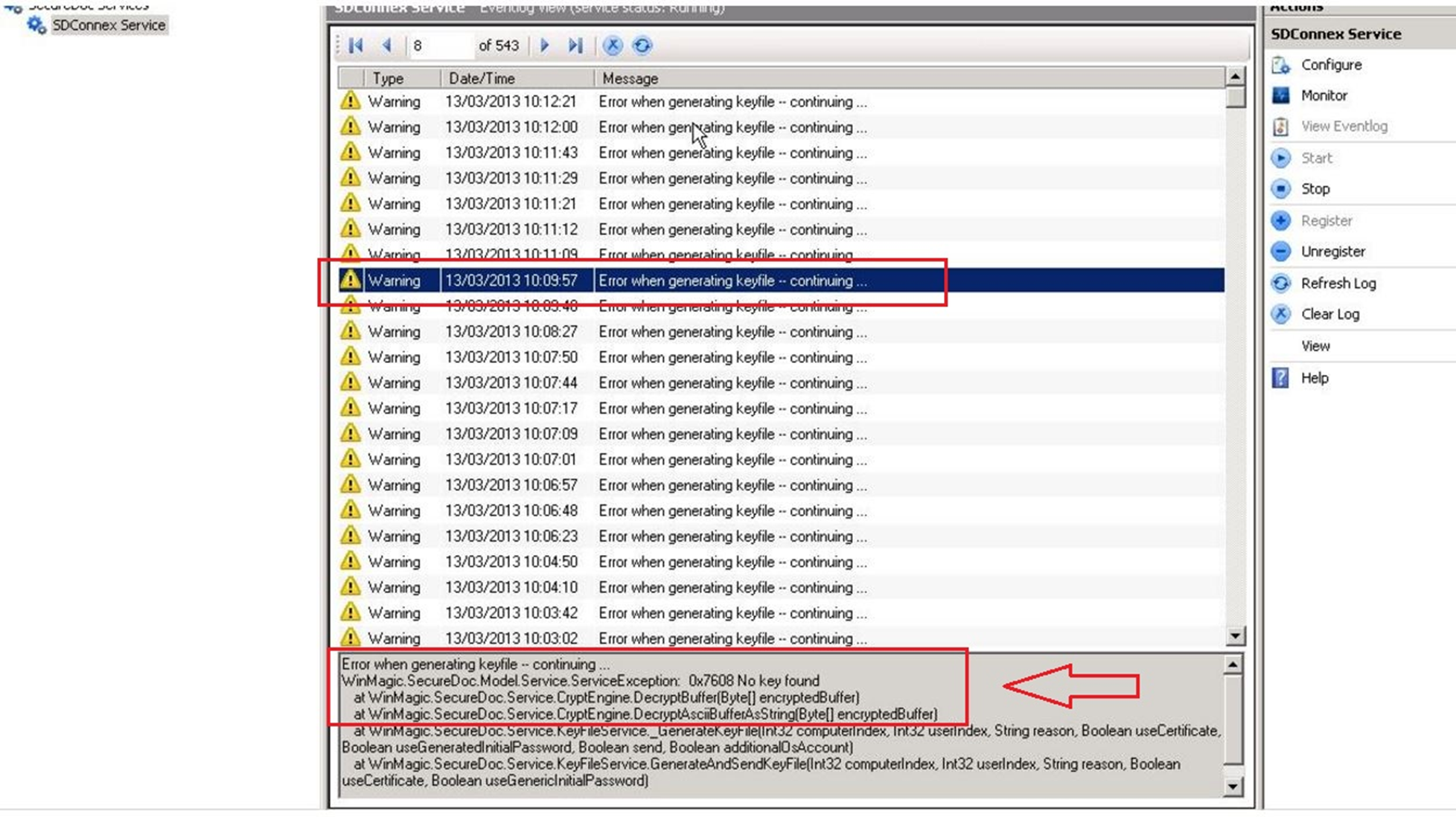
Probable Causes:
Customer is using the wrong protection key to create a user account
Product version affected:
- SES version up to 6.5 SR3
Environment:
- Windows Server 2008/2012
- SQL 2008/2012
Informational Gathering and Troubleshooting:
- Request the detailed traced log (SDConnexAppTrace.svclog).
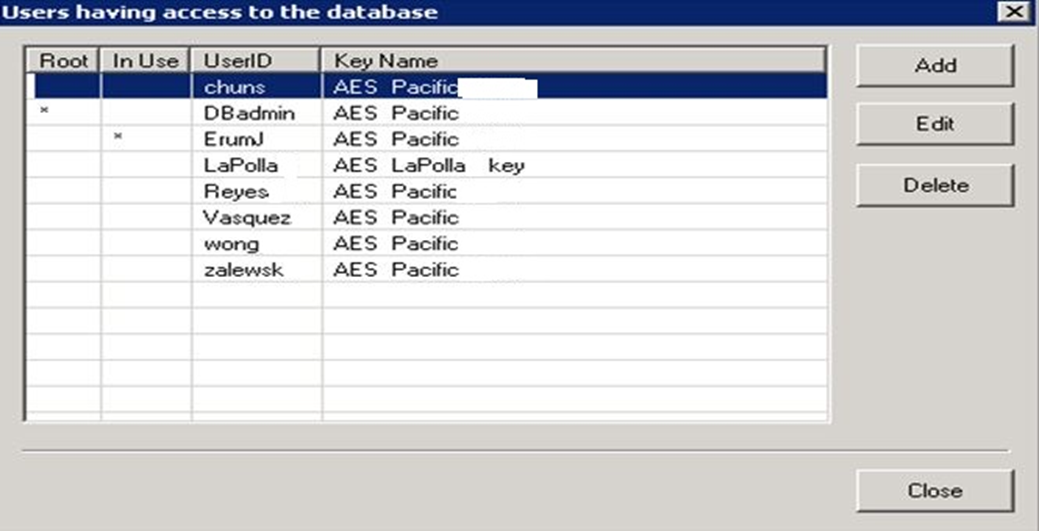
- Screen shot of from the SES console, click on Database > access rights i.e. example below
Alternatively, determine how many created SES admin accounts that are accessing the SES console via SQL management studio. To confirm this, run the query below on the SQL DB:
SELECT * FROM [dbo].[Admins]
One of the SES admin account may not have the proper protection key. Please check the accounts from the SES console, click on Database > Access Rights.
- Determine if the master key is shared by all admins and used as the protection key any of them?
- If negative, then does the key file used by the SDConnex service contain all keys used by different administrators to protect data in the database?
Solution:
Requirement:
- Locate and delete the admin account with wrong protection key
- Create a new admin account with the proper protection key
- Locate and delete the user account that was created by wrong admin account
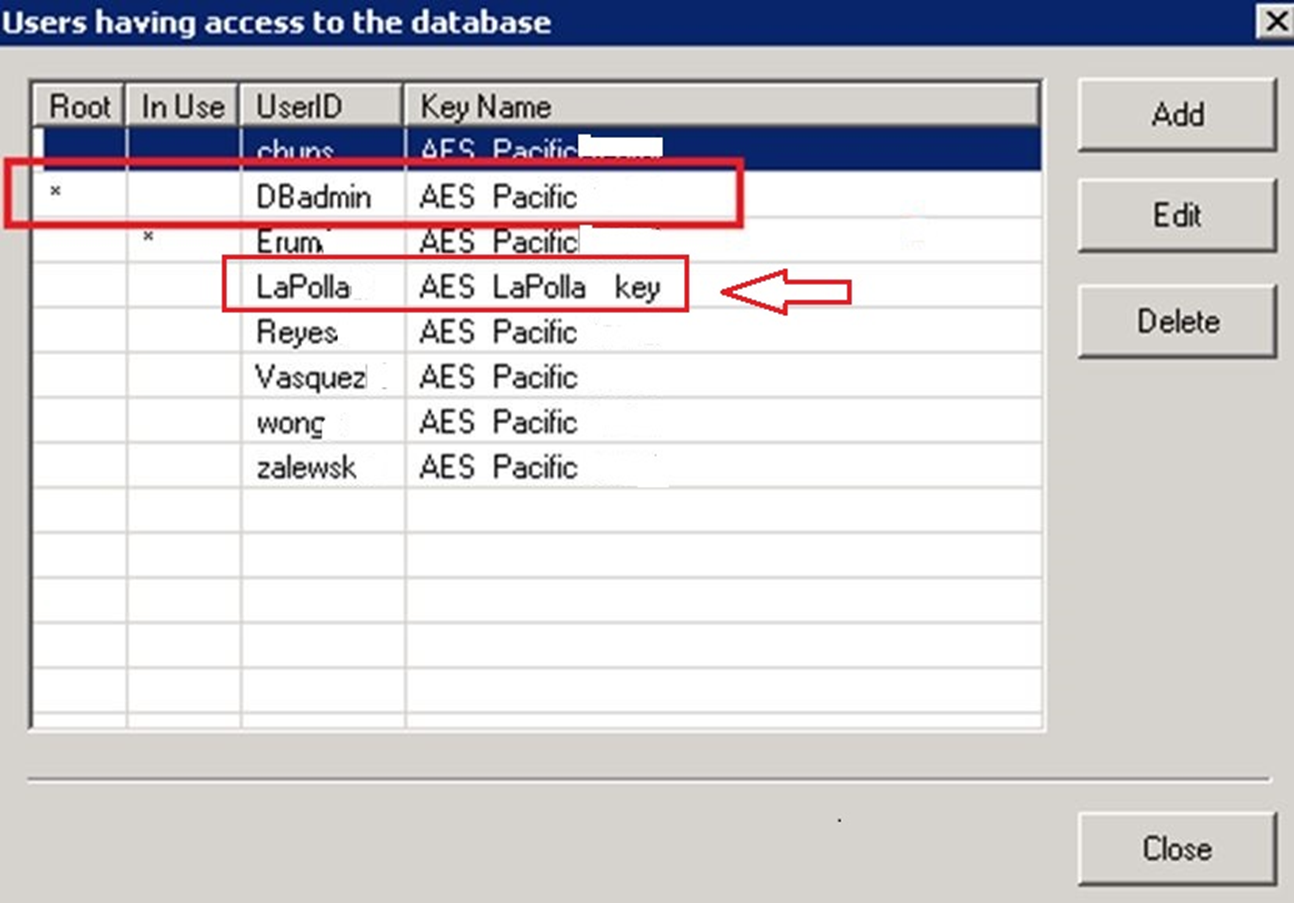
From the screenshot above, the userid “LaPolla” has the wrong protection key to the database. The customer will need to log in with the master root SES account i.e. DBadmin account to delete the existing id and create a new account for LaPolla with the protection key AES Pacific.
Please refer to “KB 1473 Remote SES admin Setup” on how to create the admin account for SES.
Delete the userID i.e. LaPolla
Note: Starting in SES 7.1, administrator will not be able to add other admin accounts that do not have the correct protection key.
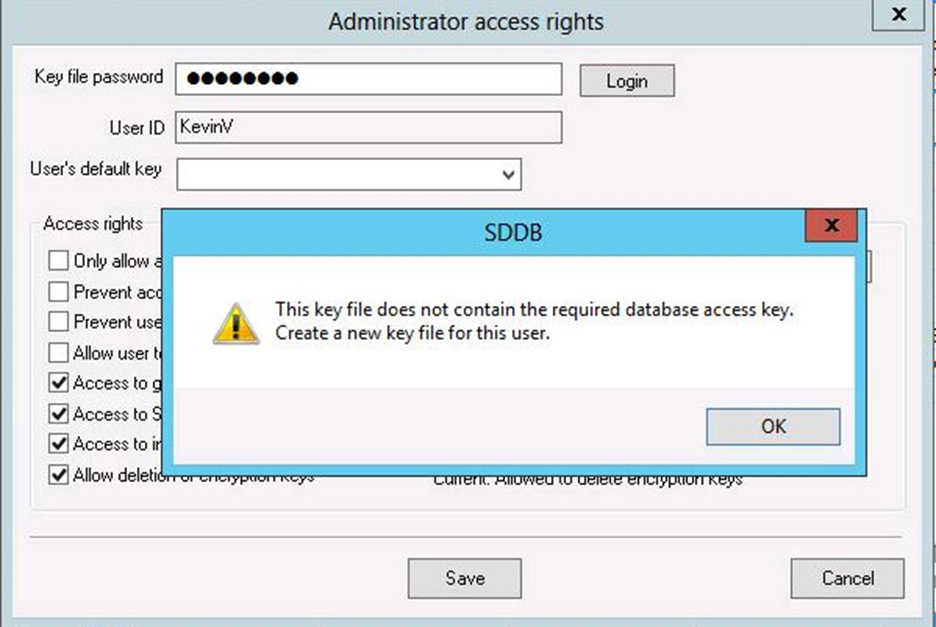
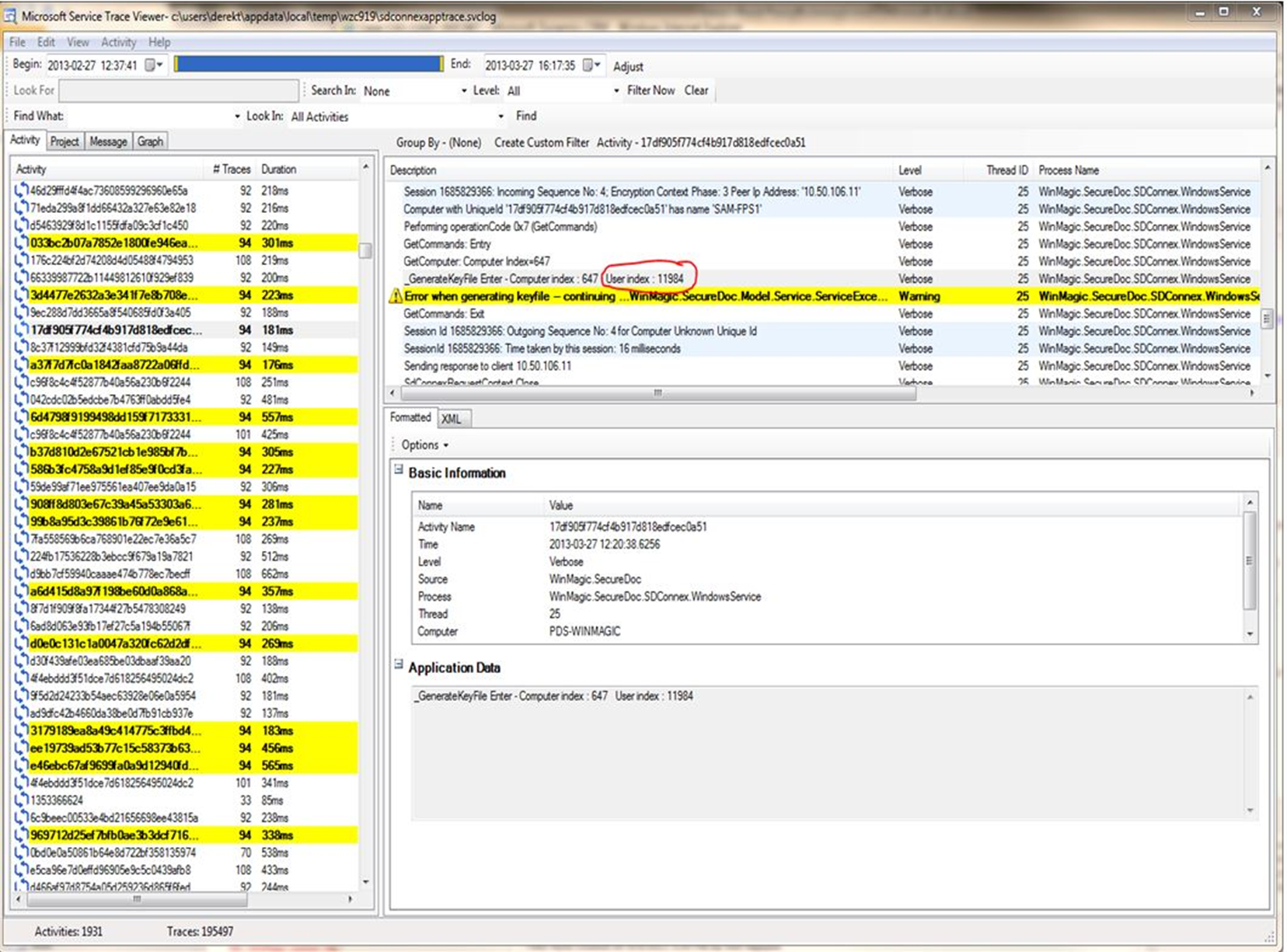
The support team will analyze the detailed traced log and looks for the (i.e. index 11984) generated error from a device. (see screenshot below)
Please execute the following query against the SES database:
SELECT * FROM [dbo].[tblDBKs] WHERE DBK_Index = 11984
Then make note of the UserID
Locate and delete the account in SES console. Recreate the account using an admin account that has the proper protection key.
Reference information:
- SD-3765
- CAS-13087-R0F2W7