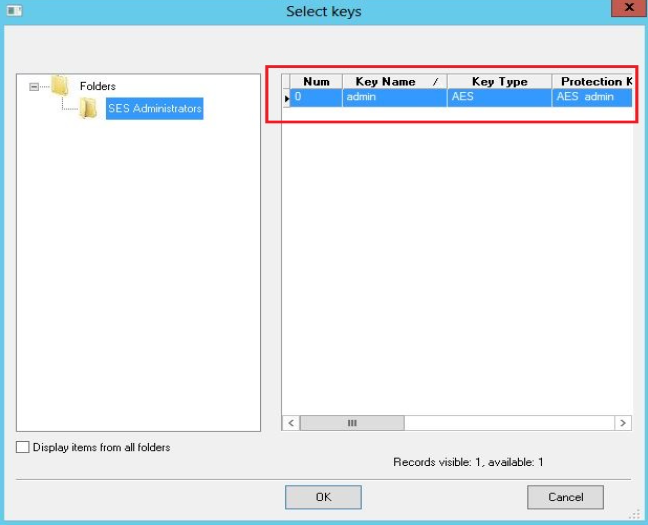
Issue:
Error 11 is a generic error that occurs when creating a new AES encryption key or when adding a user to a device. 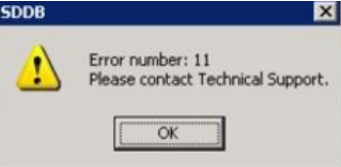
Events causing the error message:
- Upon clicking "Create button", to create an encryption key from SES console
- When adding a user to a device, there is no keyfile present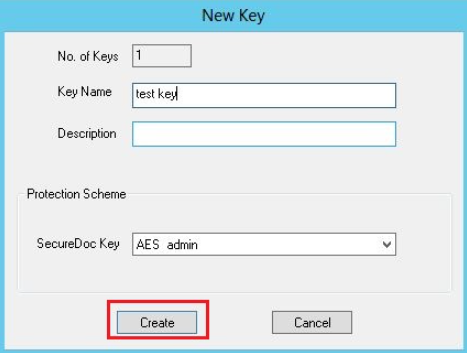
Probable Causes for the error to appear:
- The admin account used does not have all of the appropriate admin privileges i.e modify key.
- The key file does not contain the required database access key. - meaning it does not have the correct protection key to access the database.
Product version affected:
All SD version
Environment (OS/hardware/software):
n/a
Troubleshooting:
1. Determine whether the user is using the master key file and password to log into the SES console.
From SES Console > click on Database > Access Rights > If there is an asterisk beside the UserID, then it is the master account.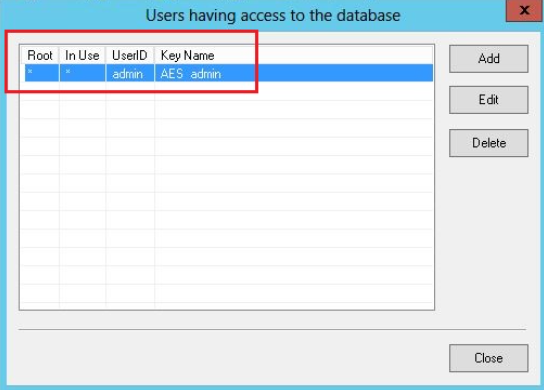
2. If it is not the master key file, then determine what admin privileges does the current key file have.
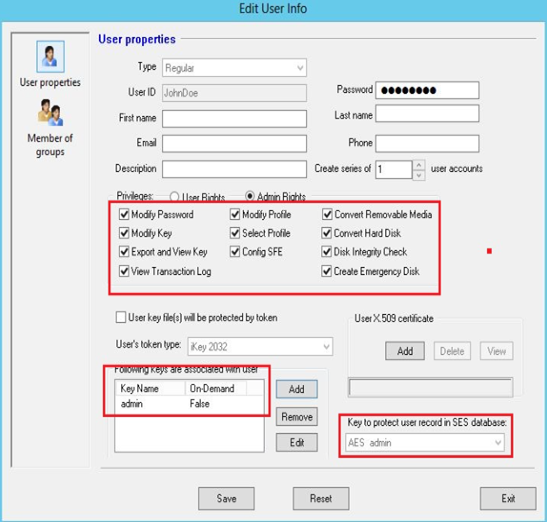
a. Right click on the user id within the SES console > select Modify user. Determine whether the user has the right AES encryption key to match the "Key to protect user record in SES database" or not. (Please see the below screenshot).
b. Determine if the user has the privilege, "Modify Key" 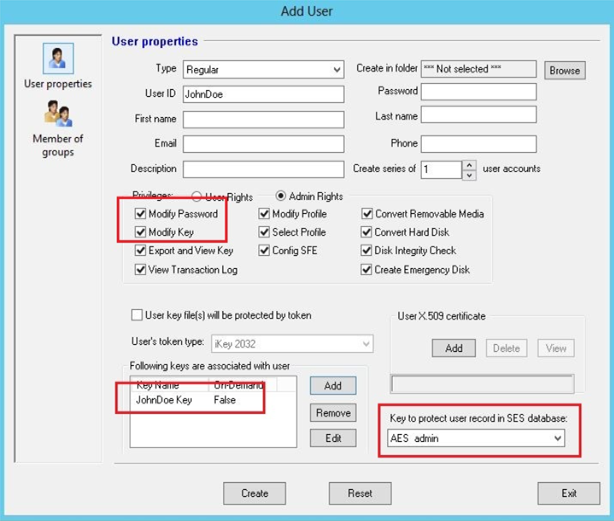
Solution:
a. Log in with the master keyfile account to create a new key file for this admin user and make sure the account has all the appropriate AES encryption key.
b. Verify that the admin user has access/ privileges to add users.
c. Please refer to the KB 1473 - Remote SES Admin Setup article.