Topic: This How-To article provides a quick guide on how to navigate to the BitLocker recovery information for a device in the SDWeb browser-based Console.
Product version affected: SD version 8.3 SR1 and later
Environment: Windows OS
Steps to follow:
1. Log into the SDWeb with the admin account.
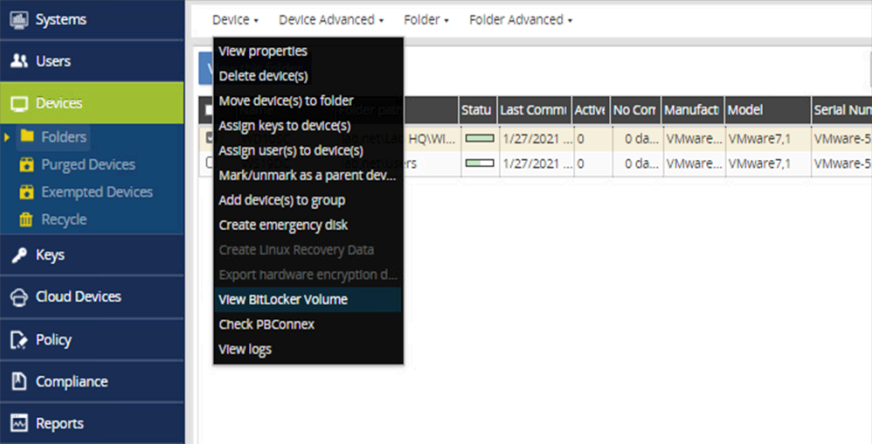
2. Under 'Devices', select Folders and locate/select the Bitlocker encrypted device
3. Click on the drop-down arrow beside 'Device' to select ‘View Bitlocker Volume’
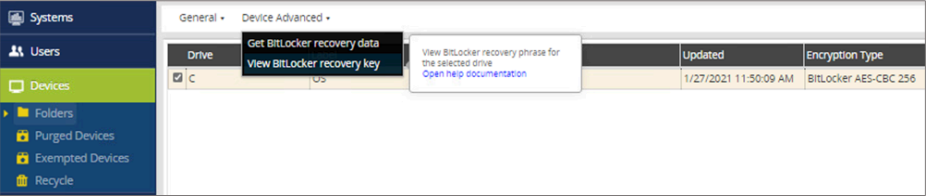
4. Click on the drop-down arrow beside the 'Device Advanced' and select ‘View BitLocker recovery key’
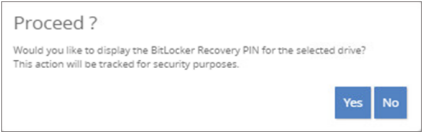
5. A message asking to proceed? Please click Yes to proceed.
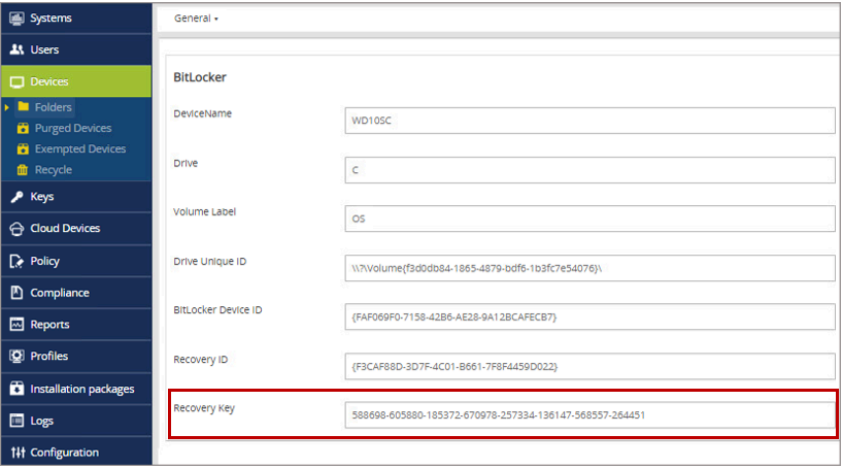
6. Provide the user the Recovery Key to unlock the disk and access the Operating System
Additional Information: Please refer to KB 1562 BitLocker Recovery Keys Not Displaying on SDWeb Causing 500 Error