Issue:
When attempting to access encrypted files inside a FFE (File and Folder Encryption) or SFE (SecureDoc File Encryption) policy-protected folder, customers may encounter the following error message: "The parameter is incorrect", as shown in the following message image.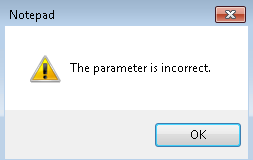
Product versions affected:
Mixed environment
This issue can appear on SES client versions ranging from V5.1 to V7.X
Environment (OS/hardware/software):
Any Windows 7 or Windows 8 clients
Any Hardware
Solution/Workaround:
This issue can occurs if client had a mix of SecureDoc Client versions that utilized File and Folder Encryption (FFE) to encrypt files.
The following chart indicates which versions of SecureDoc can view encrypted files created by a different SecureDoc version:
V7.1 can decode/decrypt files encrypted using FFE under versions V6.5 through V7.1
V6.5 can decode/decrypt files encrypted using FFE under versions V6.1 through V6.5
Only V5.3 can decode/decrypt files encrypted using FFE under versions 5.3
Only V5.2 can decode/decrypt files encrypted using FFE under versions V5.2
Workaround would be to
1) Access the files with the appropriate SecureDoc version that can decode them
2) Move all files to one folder
3) Encrypted that folder with latest SecureDoc FFE/SFE logic
4) Ensure that only devices having the latest versions of the SecureDoc Client have access to newly-encrypted FFE/SFE folders