Issue:
The error message shown below appears during the submission of the SDForm Registration:
Error 0x7815 Unable to write to file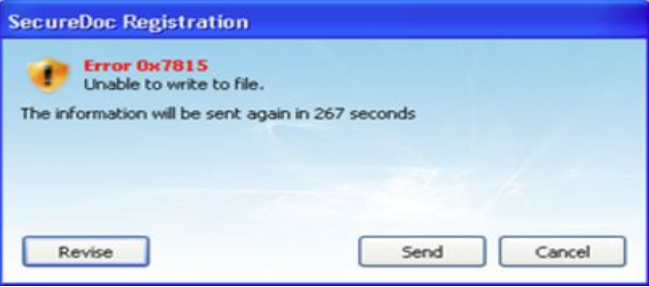
Product version affected:
All SD versions
Environment (OS/hardware/software):
All devices, & Windows OS.
Cause:
The user ID contains an unsupported character (the backslash - "\").
If the user logs into Windows using the format "domain\username" (see example below), SecureDoc picks up the user ID as "mydomain\matei.cezar” instead of "matei.cezar”. SES does not support having the backslash symbol ‘\’ in the user ID and thus the installation fails with error 0x7815.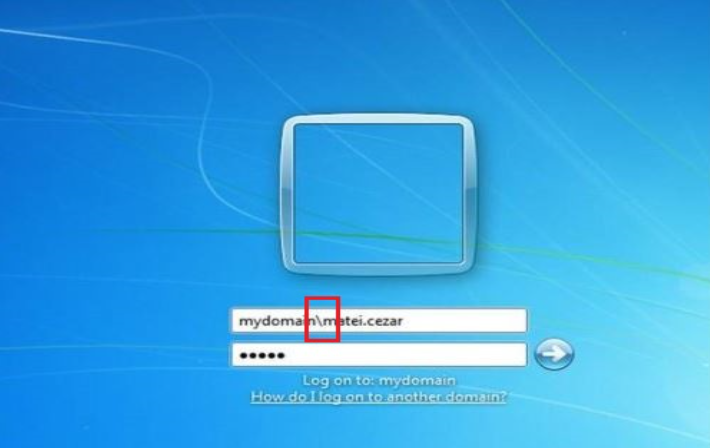
Resolution/Workaround:
Click 'Revise' in the error window and remove the domain and backslash symbol (in the example above change the user ID to "matei.cezar”).
1494 Error 0x7815 (Unable to write to file)
- Updated on Feb 11, 2026
- 1 minute(s) read
- VN
Was this article helpful?