How to Article:
The article provides steps to configuring iKey 2032 or similar Token with SecureDoc Stand Alone client. 5.x and up
Product version affected:
SD 5.x and up to 6.5SR3HF2
Environment (OS/hardware/software):
Windows 7 Professional 32 and 64 bits
iKey 2032 token
SAC 8.1 middleware
Step 1:
Install SecureDoc client on the device.
Step 2:
Create a local key file i.e test.dbk that contains the AES encryption key i.e AES test. This account must have full admin rights.
Step 3:
Install the boot logon only and then reboot the device
Please reference KB 1138 on How To Install Boot Logon .
Step 4:
Install SAC 8.1 with BSec Compatibility for the middleware component and configure the token to have a password.
In order to make ikey 2032 work on our SecureDoc when using SAC 8.x, you have to need those Legacy APEs. (BSec compatibility)
a. Insert ikey 2032
b. Run SafeNetAuthenticationClient8.1.exe
c. When installing, keep token plugged (Make sure you install using Legacy APEs (BSEC compatibility)
d. After installation, reboot the device
e. Ready to use ikey 2032
Step 5:
Log into the Control Center with the test account.
Step 6:
Under Key Management > Create Key File > Select Token-based > see screenshot below > click Next.
Remember to select Token contains PIN.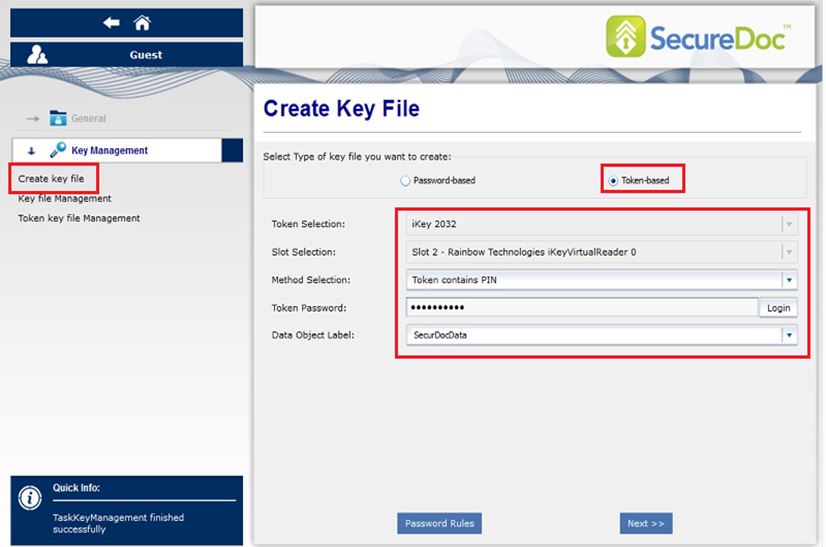
Step 7:
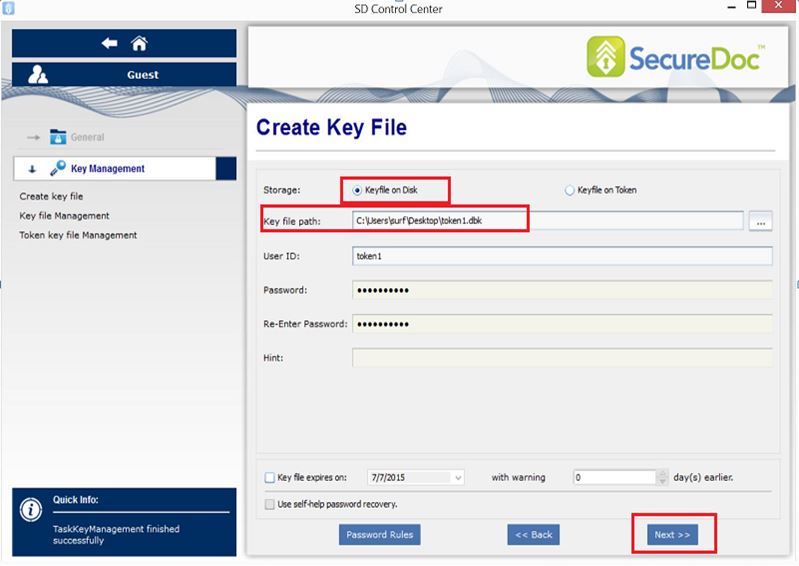
Select “Keyfile on Disk”
Keyfile path > select a location where the keyfile will be stored.
Click Next (see Screenshot below)
Step 8:
Click on Import button.
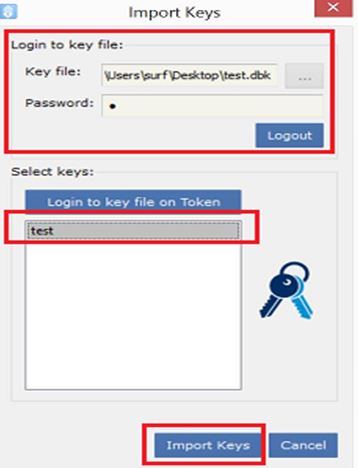
You will need to select the original keyfile i.e test.dbk
Sign in with the keyfile and highlight the AES encryption key “test” and click on Import Keys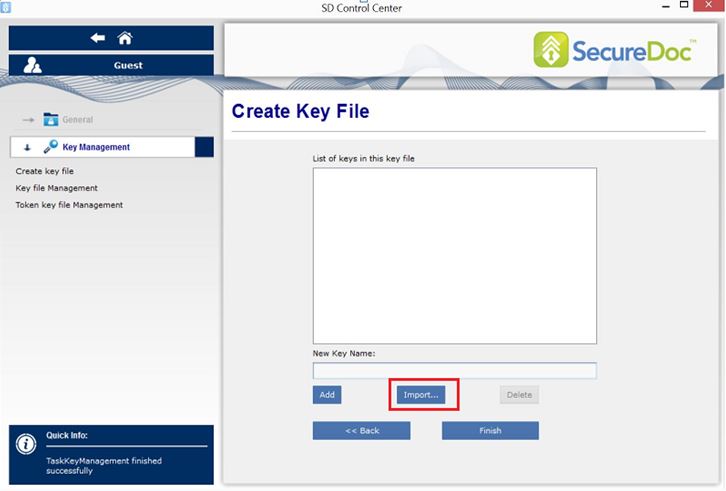
Click Finish.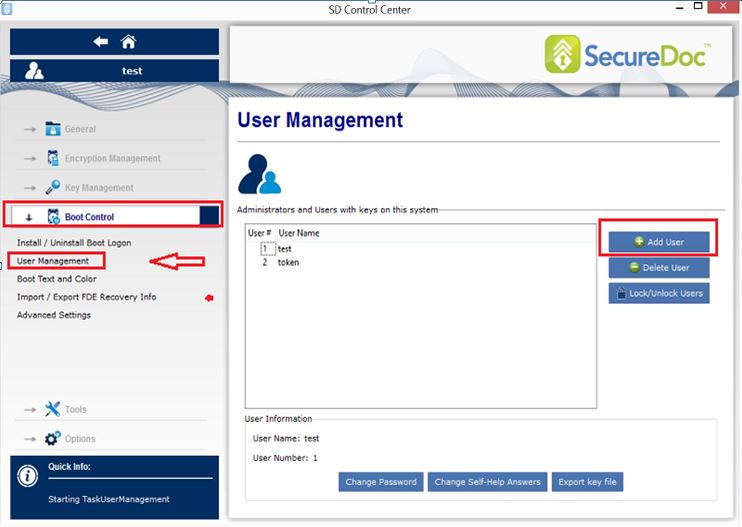
Step 9:
Click on Boot Control > User Management > Add User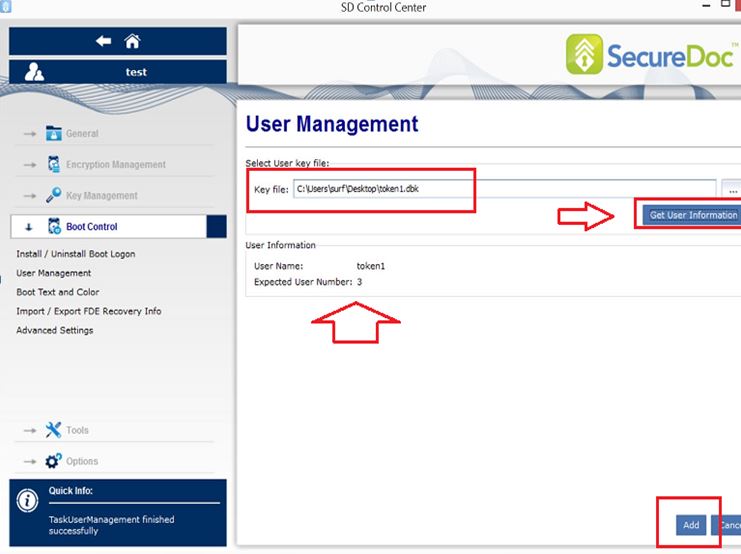
Step 10:
Browse to the location of the token key file and then click on the button “Get User Information”. You must make sure the user has a slot in the boot order. In this case it is number 3 before you click on the button “add”.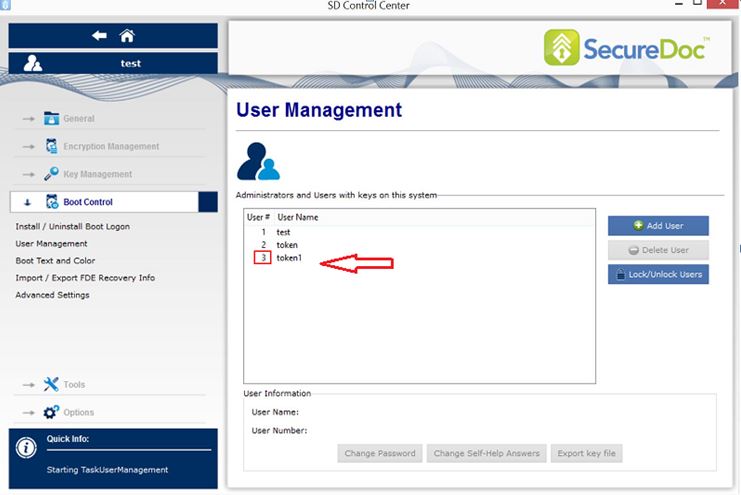 Step 11:
Once you see the user id is in the boot slot, you can then restart the device with the token plugged in.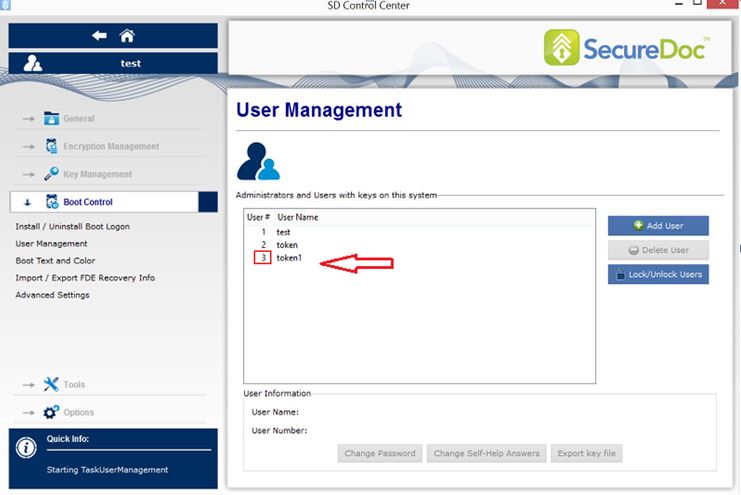
Step 12:
At the boot logon, in the user id field, you can enter the number 3 or the token name i.e. token1 and then the password.
Searchwords: Ikey 2032 Token , Stand Alone Token user .
1464 How To Configure iKey 2032 or similar Token On SecureDoc Stand Alone client 5.x and up
- Updated on Feb 11, 2026
- 1 minute(s) read
- VN
Was this article helpful?