How to enable AES-NI with SD Standalone v5.3 SR2 (x64)
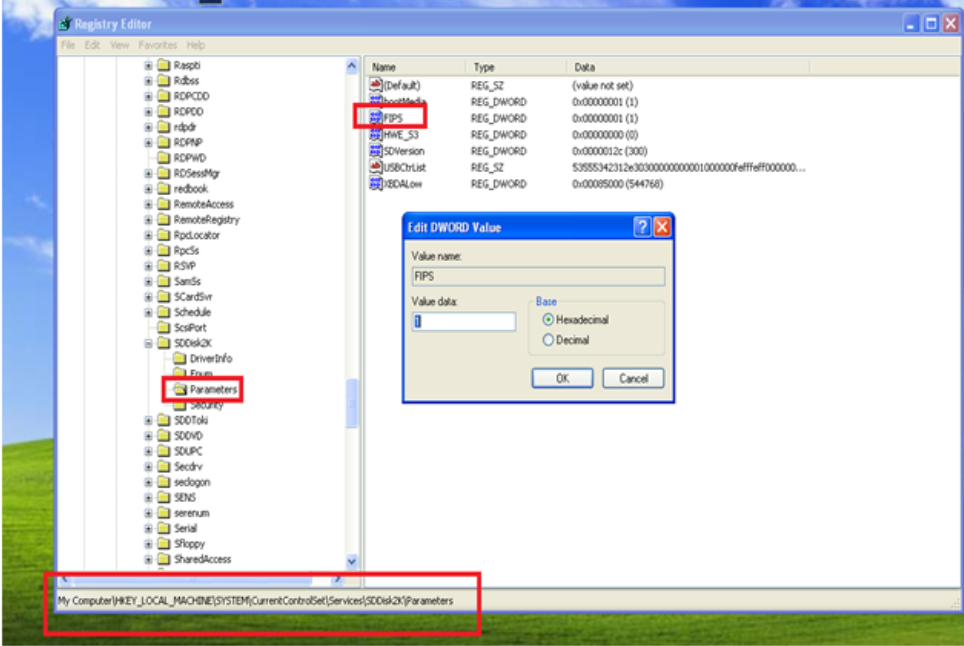
This article describes how to set up AES-NI with SecureDoc Standalone v5.3 SR2 (x64). |
Custom Fields Operating System: All Product_Documentation: Yes Version: SecureDoc 5.3 SR2 |
How to enable AES-NI with SD Standalone v5.3 SR2 (x64)
This article describes how to set up AES-NI with SecureDoc Standalone v5.3 SR2 (x64). |
Custom Fields Operating System: All Product_Documentation: Yes Version: SecureDoc 5.3 SR2 |