How to use the .WinMagicRecoveryUser account to reset local account password on a Mac device?
This document pertains to using the .WinMagicRecoveryUser account up to version 6.5 SRxx only. Possible improvement will be made in future versions of SD in the way we use the .WinMagicRecoveryUser account.

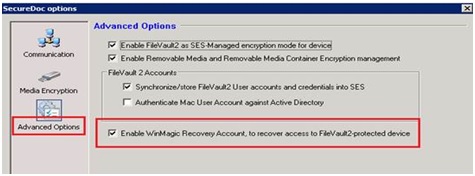
When a package is created, and the option is enabled: Enable WinMagic Recovery Account, to recover access to FileVault2-protected device.
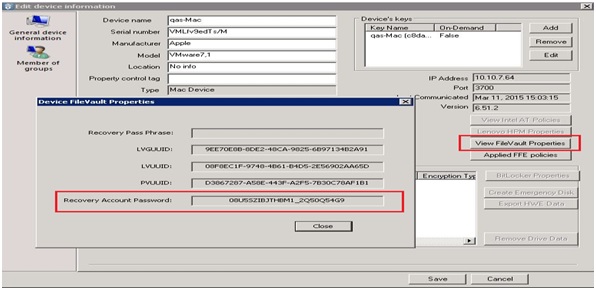
You will need to click on the View FileVault Properties to obtain “Recovery Account Password”

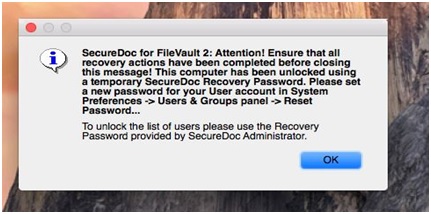
Once it allows you to get into the system, a message appears (see screenshot below). The device if connected to the network and is communicating with the server, it will submit new recovery information to the server. If you click on the “View FileVault Properties”, there will be new “Recovery Account Password”.
Do not click on OK until you have reset the local account password.
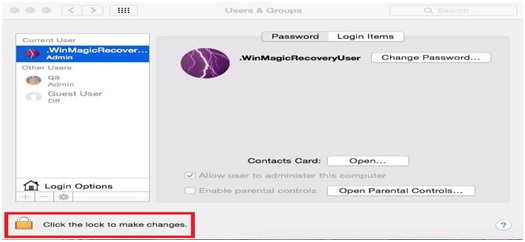
There are two ways to reset the other users account password by clicking on the “lock” icon.
- Once it has gotten into the Mac OS desktop, the device will communicate with the SES in order to send the Recovery information to the server.
Select Preference -> Users &Groups and unlock by under Key icon.
You can click on the Device Information à View FileVault Properties to obtain a NEW “Recovery Account Password”. This new password will unlock the Users & Groups preferences.
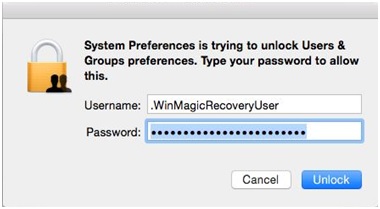
Once you enter the new Recovery Account Password it will unlock the other account.
Select user account which wanted to change password. Select Reset password and fill in a new password. Click OK on the above screen, and restart the device automatically.
- The second option is if you know any local accounts or domain accounts that can access the device, you can unlock the Users & Groups preferences.
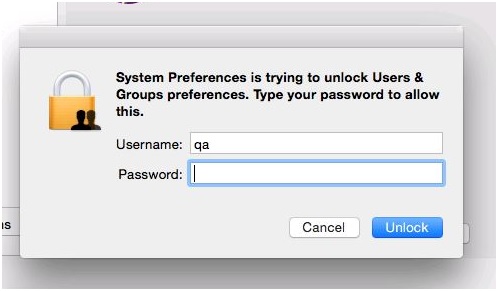
CAUTION:
In case scenario, where the device does not communicate with the server, you can only use the Recovery Account Password one time to unlock the device. But if you did not reset the user account password and decide to reboot the device, you will not be able to use the Recovery Account Password again as there was no communication back to the server to submit the latest recovery information.
In which case you will need to create emergency disk in order to unlock the device.
Custom Fields
Operating System: Mac
Version: SecureDoc 6.4, SecureDoc 6.5