Topic:
This How-To article provides steps to adjust the font size in SES console.
Product version affected:
All SecureDoc versions
Environment (OS/hardware/software):
All Windows Server OS
Issue:
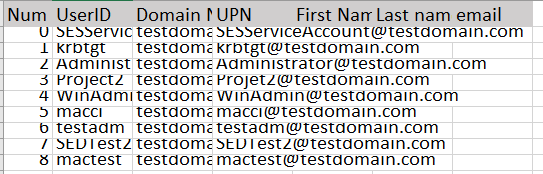
Sometimes it can happen, that the font in the SES Console does not fit into the grid. It looks similar to this:
Reason:
This has something to do with your server’s DPI settings. Try amending the DPI setting for the SES server following the steps below.
Steps to follow:
- Right click SDDB.exe (C:\Program Files (x86)\WinMagic\SDDB-NT\SDDB.exe) and go to Properties
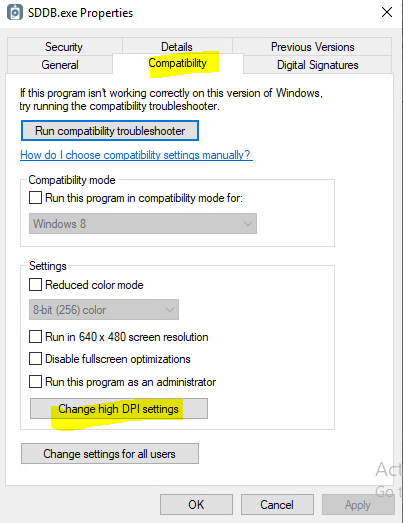
- Inside Properties, go to Compatibility > Change high DPI Settings
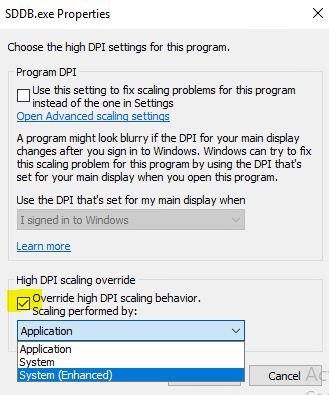
- Tick, Override high DPI scaling behavior and then select “System (Enhanced)”
- Quit and relaunch the SES server and check if your rows/columns are now showing as normal
- In case it is to small now, try if “System” works better.