"An unidentified error has occurred. Error code: 0x9B08CA" message appears, blocking ability to perform Phone-based Authentication
Presence in Bluetooth manager (under Device Manager) of "FIDOEazy" and "Your Phone" appears to block ability to complete Phone-based Authentication.
Scenario: A device has SecureDoc deployed using an Installation Package successfully. The profile used specifies use of SecureDoc Credential Provider and Bluetooth Low Energy (BLE) authentication.
1. Boot Logon is installed, the drive is successfully encrypted, and device ownership is established (the "Secure Moment").
2. The user logs in to Pre-boot, SecureDoc Credential Provider, and into SecureDoc Control Center (SDCC) - these wlil be successful and without error
3. The user paired the Phone's Bluetooth with PC for any purposes
4. The user opened SecureDoc Control Center and logged in to it.
5. At this point, the user should have been able to login to SecureDoc Control Center successfully by authenticating using WMAuthenticator on the Phone, and without error
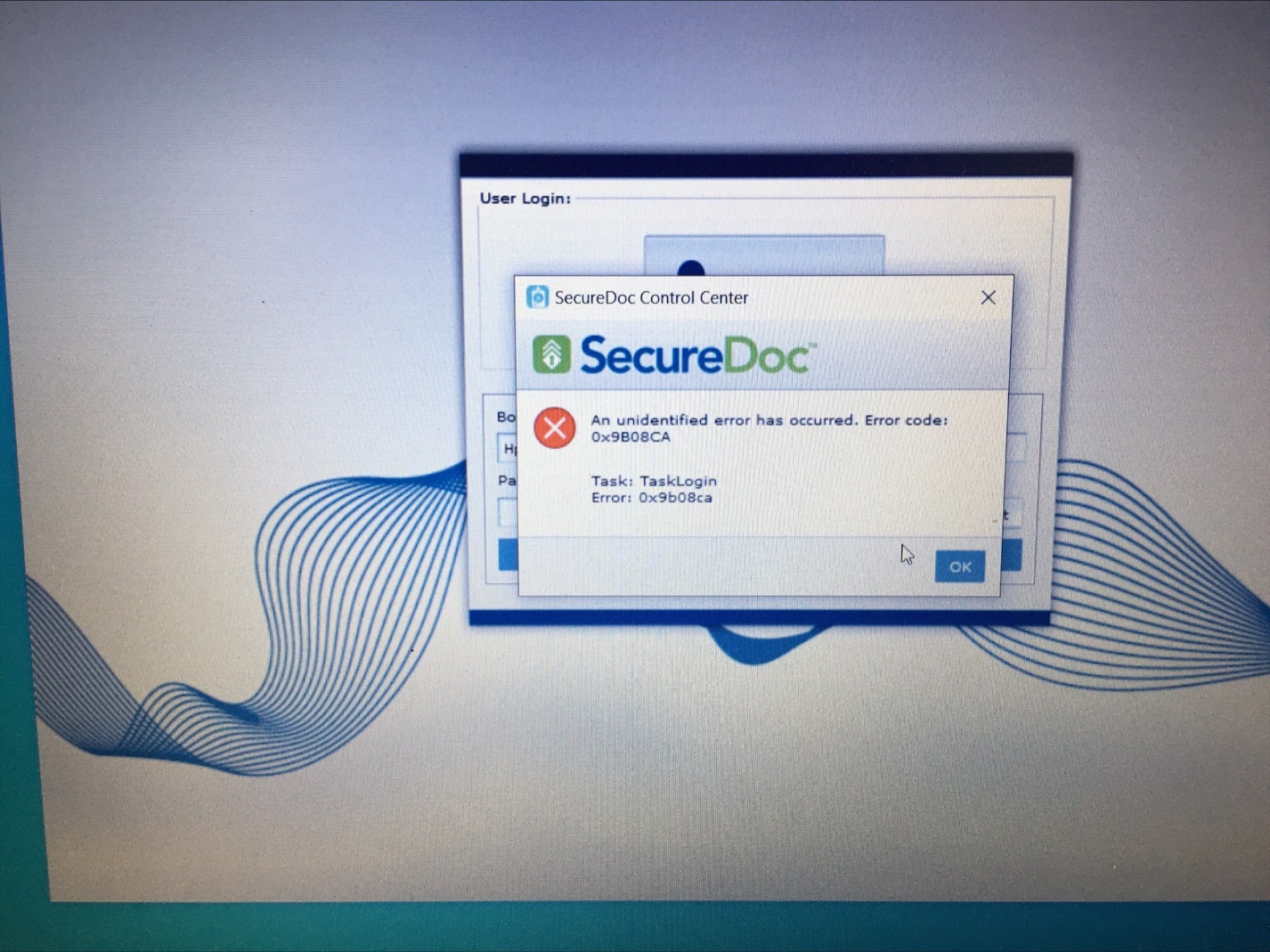
The actual result was an error message "An unidentified error has occurred. Error code: 0x9B08CA" shown.
Work-around:
6. Click the "OK" button to close this error message and close SecureDoc Control Center
7. In Device Manager, open the Bluetooth Device section and remove "FIDOEazy" and "Your Phone"
8. In Device Manager, disable and re-enable Bluetooth device
9. Reboot
10. You should now be able to successfully login at Preboot, SecureDoc Credential Provider, and to SecureDoc Control Center using Bluetooth
NOTE: After applying the work-around from steps #7 to #8, an attempt to pair the Phone's Bluetooth in the PC resulted in being unable to detect the Phone to login to SecureDoc Control Center or SecureDoc Credential Provider - it was only possible to login at SecureDoc Pre-Boot