How to correct issue where User cannot take ownership of Azure AD-joined device with provisioning package (Key Files are not being stored in Endpoint device)
Issue: Where AzureAD users attempt taking ownership of AzureAD-joined endpoint devices that are synchronized to SecureDoc Enterprise Server, the requisite Boot and Personal Key Files are not being placed into the endpoint devices so ownership is not finalized.
Work-Around:
- Add Azure AppID
- Login SES Web
- At the top right corner, Click on “NewUI” hyperlink near top-right corner of panel

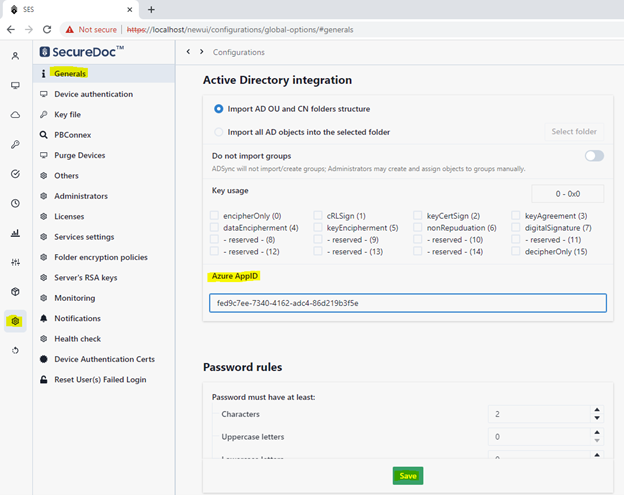
- On the left panel, select the Configuration icon.
- If not in the General menu (at left edge of panel), click General.
- On the right panel, scroll down to the “Azure AppID” option
- Enter your Azure Application ID (as shown in image below)
- Click the Save button
- Restart SDConnex
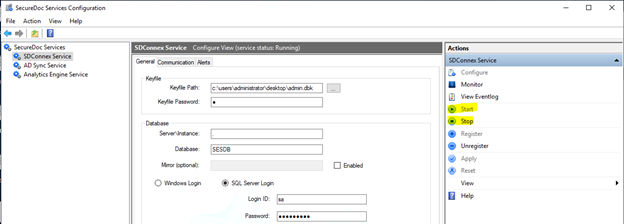
- Launch the SecureDoc Services Configuration.
- Click on SDConnex Service in the left-edge navigation to display SDConnex settings and Actions menu.
- Click the Stop option in the Actions list at the right edge of the panel.
- Wait a minute, then click Start