KB# | 1835 |
Title | How to assign a device profile to a device |
URL Name | How-to-assign-a-device-profile-to-a-device |
Summary |
Topic:
This How-To article provides steps to assign a device profile do a device.
Produce version affected:
All versions of the SecureDoc Enterprise Server
Steps to follow:
- From the Devices tab of the SES Console, Locate and Select the device you wish to assign the profile to in the SES.
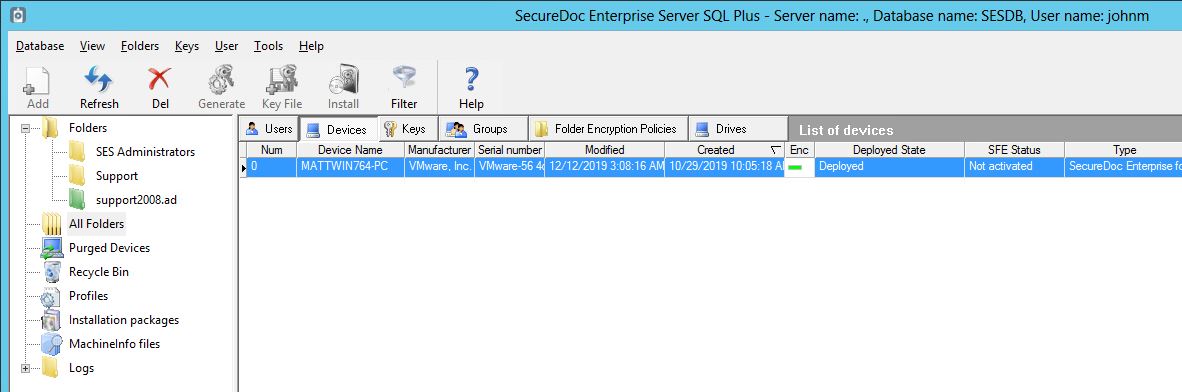
Note: You can hold down the Shift key to select multiple devices.
- Right click on the device, and Select “Assign device profile to devices”
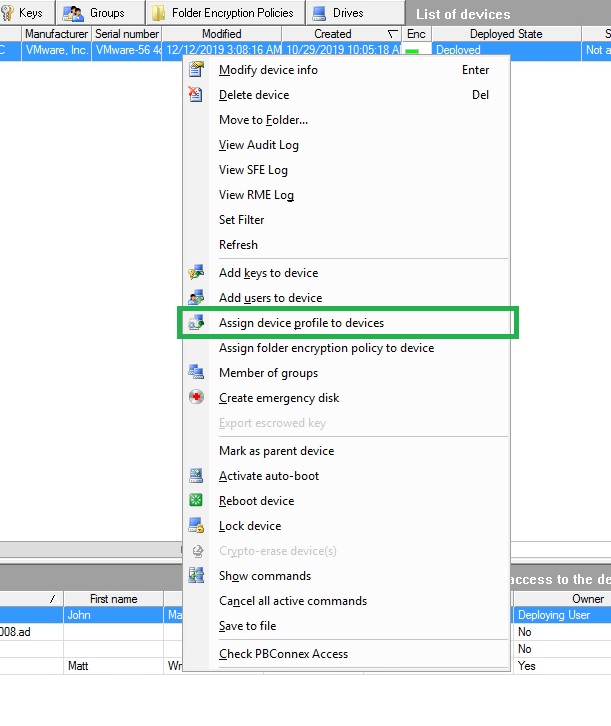
- From the Select SecureDoc profile windows, select the profile, and click OK.
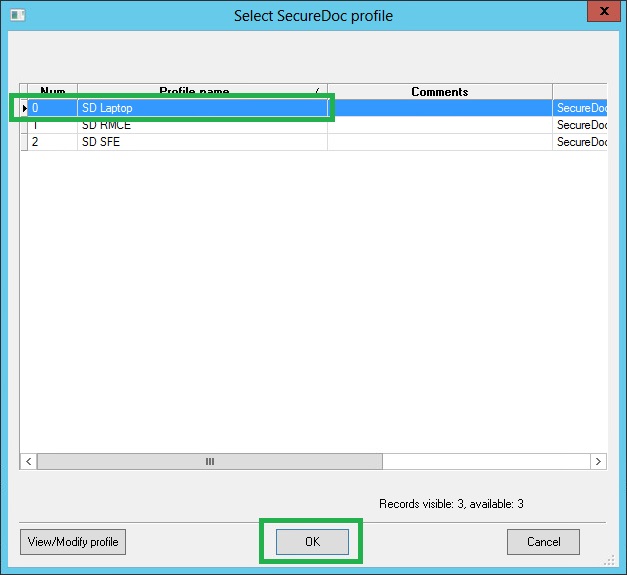
This will create a command that will be pushed to the device the next time the device checks in to the server.
To Force communication, from the device, right click on the SecureDoc icon in the systems tray, and select Communicate with server.
If the SecureDoc icon is hidden, follow KB1513.