Graphics Card | SSD: Can include 128,256,512 or *1 TB |
Initially, the Surface Laptop includes Windows 10S (Store Edition) which is not supported however, it's possible to upgrade to Windows 10 Pro to meet system requirements to be able to successfully install SecureDoc.
WinMagic recommends using our latest version of 7.5 or higher. This is to ensure you to be able to take full advantage of core features of the SecureDoc product.
Upgrading to Windows 10 Creators Edition Fall Update (RS3):
The minimum requirement for SecureDoc on Windows 10 Creators Fall Update [B1709] (RS3) is our latest version of 7.5 SR1.
Completing Setup Requirements:
From Within SecureDoc console, go to Profile >> Boot configuration:
- Within the Boot Configuration window:
- locate the UFEI Boot Loader Section and select the radio button for PBLU (Linux Pre-boot for UEFI).
This will also provide additional support for Wireless and Tokens\Smartcards devices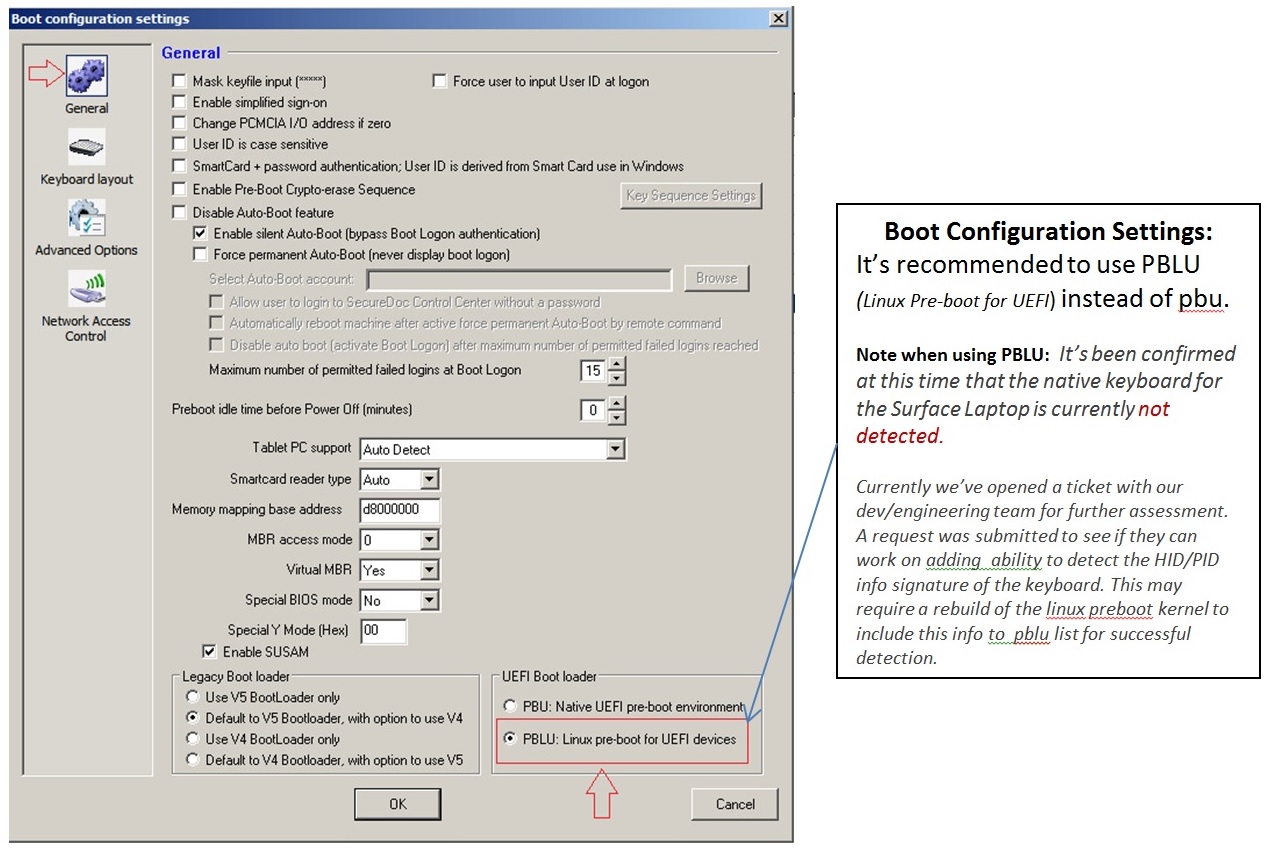
Boot Paramaters Settings:
Within the Boot Configuration Window - Click on Advance Options
Enter following boot parameters as recommended requirement:
-console=null quiet nosmp acpi=off reboot=warm,,efi,force 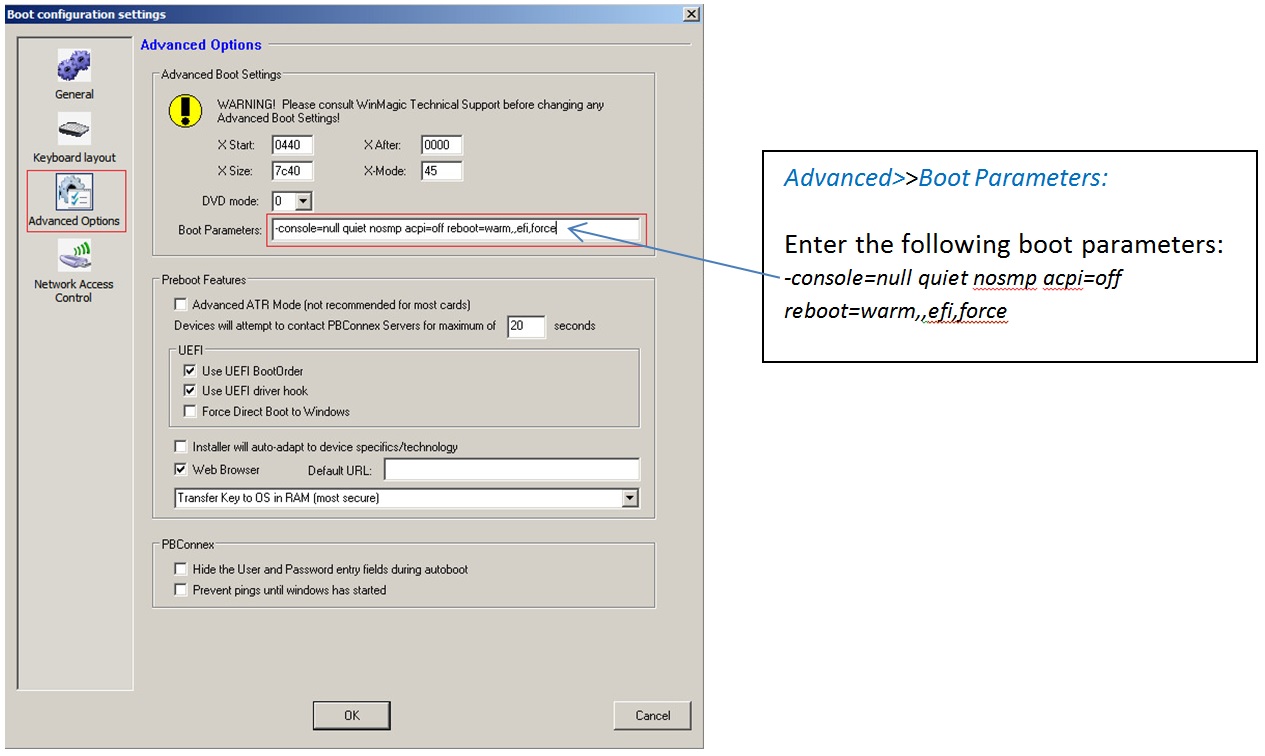
Note: During boot up process, you may see a kernel window screen which is normal behavior for this device.
To suppress the linux kernel output, you can add additional Boot Parameter “ loglevel=0”
Installation Package Settings:
You will need to configure your installation package using the 64 bit kernel settings for Pre-Boot Loader Processor Architecture.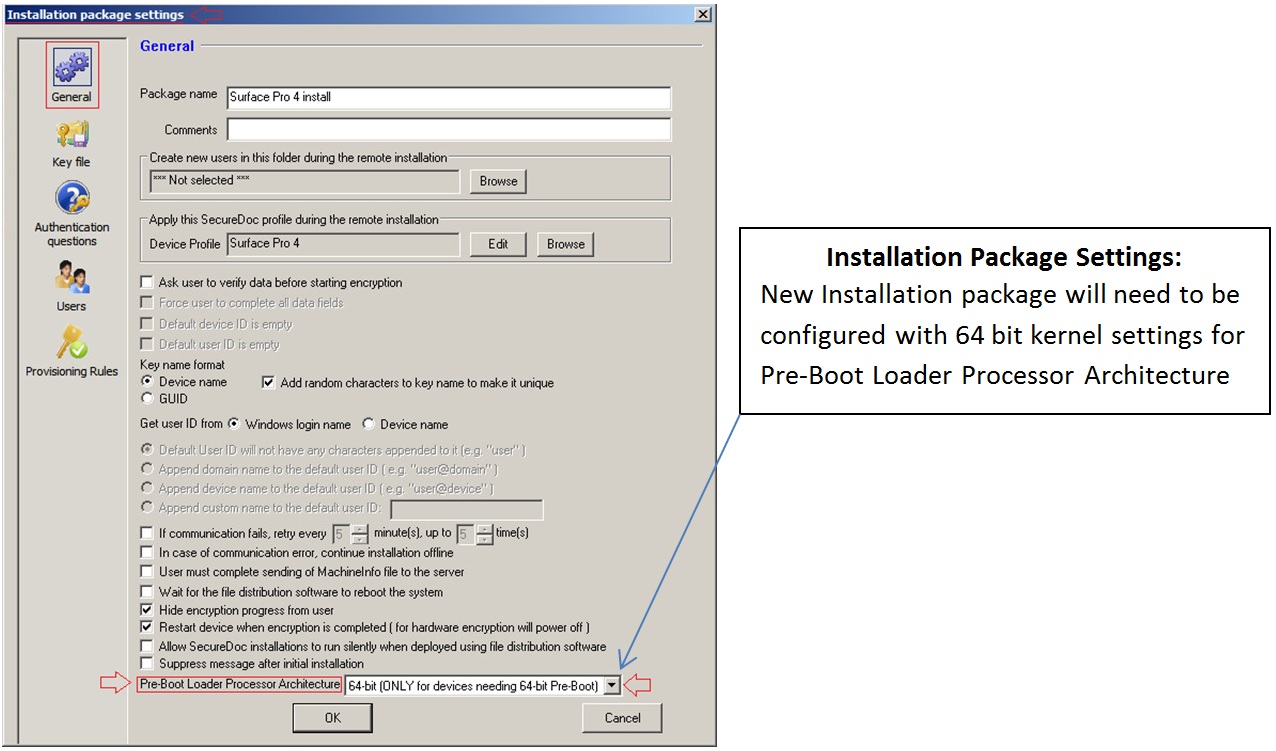
Note: At the time of writing this article, touch and wireless is not supported for PBLUx64.