The Remove BootLoader utility [RemoveBL.exe] is used to remove the boot logon on an unencrypted device with Legacy BIOS.
The file is located in C:\Program Files\WinMagic\SecureDoc-NT folder and is labelled with the file extension *.dos
Product version affected: All SD versions
NOTE: The RemoveBL utility is no longer included with SD 8.3 SR1 and up.
Environment: All Windows OS and devices using Legacy BIOS to boot
How to Instructions:
1. Please refer to the KBA 1841 on how to create a DOS bootable USB drive.
2. Copy the file RemoveBL.DOS from C:\Program Files\WinMagic\SecureDoc-NT folder to the DOS bootable USB stick.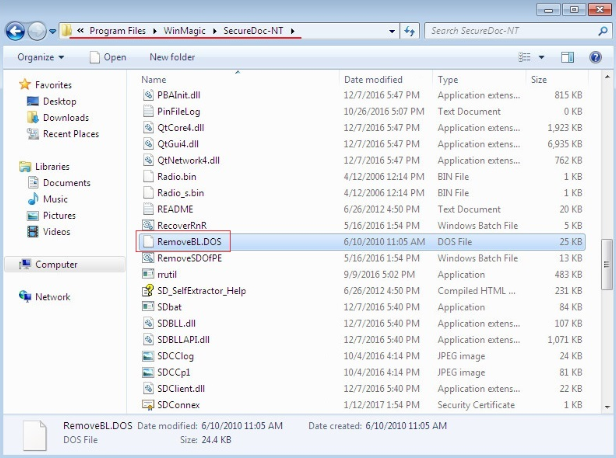
3. Rename file extension from RemoveBL.DOS to removebl.exe
4. Boot the device to the USB stick
5. Execute the following command at the DOS command prompt: Removebl.exe /2

Note: Execute the removebl.exe command ONLY if the customer knows for sure the device has been fully decrypted.
Otherwise, running removebl.exe /2 on a working encrypted SD device, will result in exhibiting “error loading operating system” event message during booting of your Operating System.
Switch Legends:
/1 > - USB
/2 > - Boot disk
/3 > - Slave disk