Issue:
Unable to generate SESWeb Reports using Windows 2012 R2 Server or Windows Server 2016
Symptom:
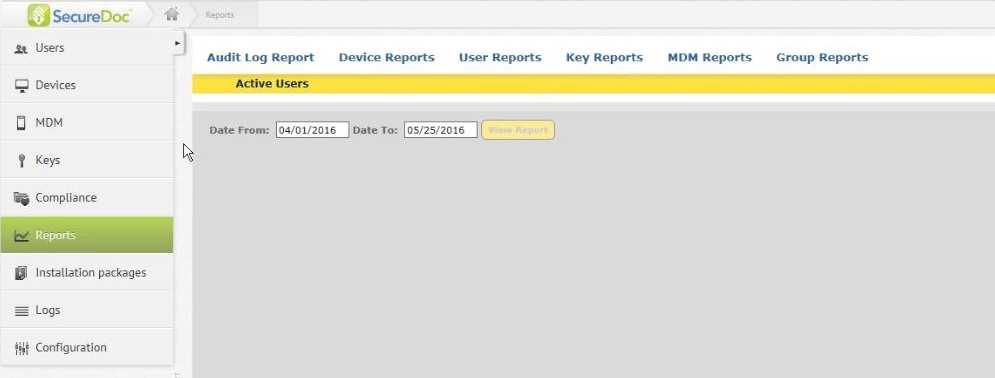
The SESWEB fails to display any reports if the customer wants to see a complete list of users and/or devices.
Probable Cause:
The issue is likely related to the customer environment having .Net Framework 4.6 or 4.7 installed on Windows 2012 R2 or 2016 server.
The CrystalReport viewer will try to find the viewer resource file(js & icon) from not existing folder: ..\aspnet_client\system_web\4_6_1069\crystalreportviewers13\
The default source code should be: ..\aspnet_client\system_web\4_0_30319\crystalreportviewers13\.
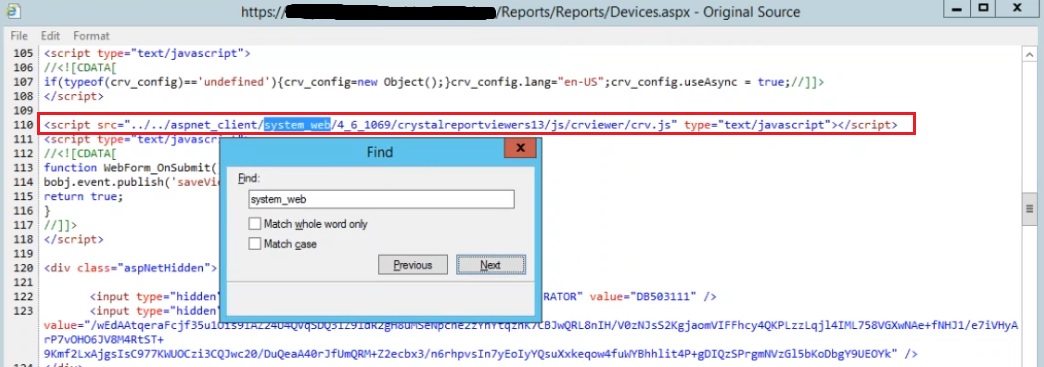
To verify the Source Code:
Step 1: In SESWeb report page, right-click page, click "view source". This will display the HTML and script source code of the displayed HTML page.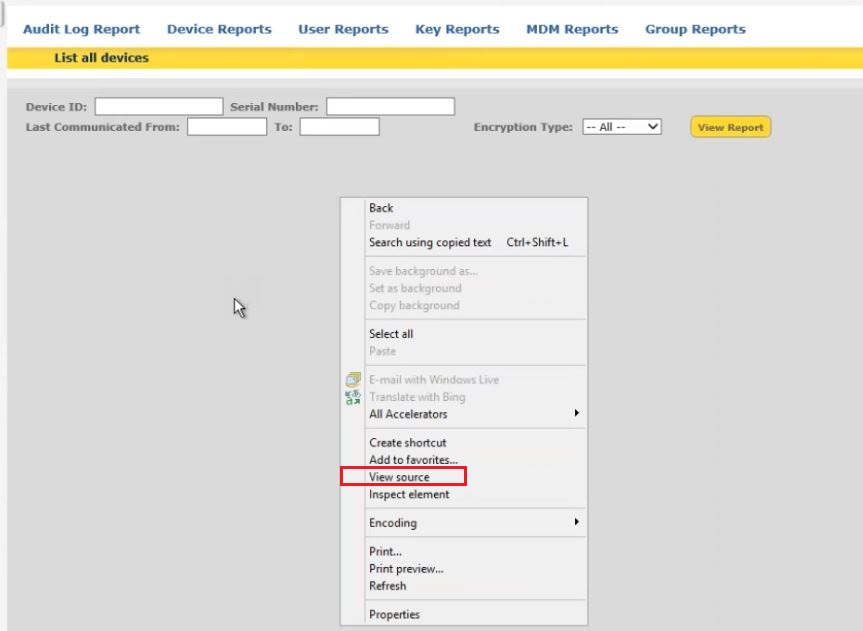
Step 2: Inside popup window, search for keyword like "system_web" and look for the line "<script src="../../aspnet_client/system_web/", check following "4_0_30319" or "4_6_xx"
If it displays as:
"<script src="../../aspnet_client/system_web/4_6_xx/crystalreportviewers13/js/crviewer/crv.js" type="text/javascript"></script>", then this will confirm the issue to be caused by installing .Net Framework 4.6.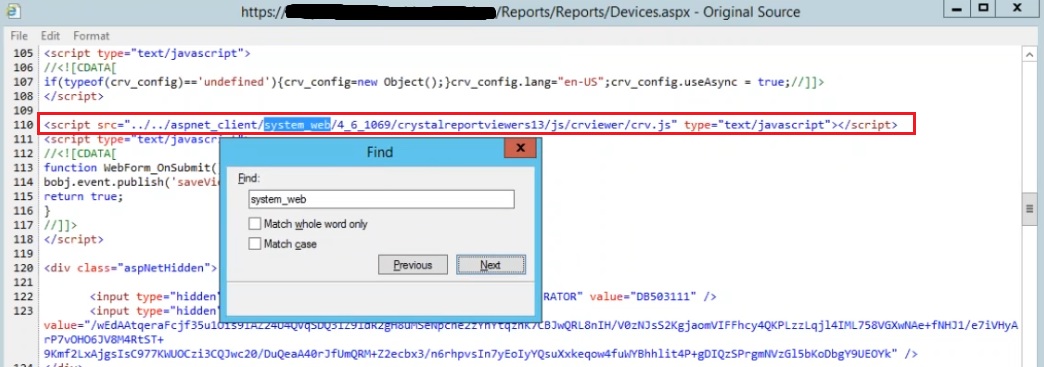
It may not be easy to uninstall .Net Framework 4.6 from Windows 2012 R2 server and install a lower-version .Net framework, like 4.5 or 4.0
Product version affected:
Reported in 7.1SRX
Reported in 7.5SRX
Reported in 8.2 (8.2 utilizes .net 4.7 now)
Environment (OS/hardware/software):
Windows 2012 R2 64 bit server
Workaround:
If the customer has already installed .NetFramework 4.6 on the server, please rename the C:\Program Files\WinMagic\SDDB-NT\SDWeb\aspnet_client\system_web\4_0_30319 folder to 4_6_1069.
Then try to reopen the web reporting again.
For version 8.2 please rename the C:\Program Files\WinMagic\SDDB-NT\SDWeb\aspnet_client\system_web\4_0_30319 folder to C:\Program Files\WinMagic\SDDB-NT\SDWeb\aspnet_client\system_web\4_7_2053 (or what is displayed in source page )
Limitation:
Please refer to the system requirement information for SecureDoc Enterprise Server on https://www.winmagic.com/support/technical-specifications
Currently, the SESWeb server requires .Net Framework 3.5 and 4.0.
Currently this may be a SAP issue as addressed in https://apps.support.sap.com/sap/support/knowledge/public/en/0002250097
Internal Reference:
SD-18615