Issue:
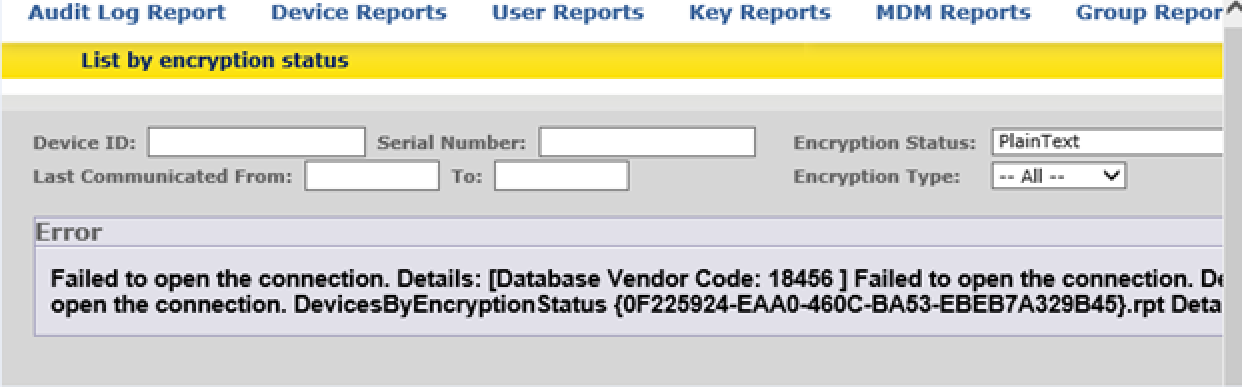
Accessing SESWEB Advanced Reports generate Access Denied or Failed to Open the connection.
Environment (OS/hardware/software):
Windows server 2008\2012
Requirements:
Starting 7.1sr2 SDConnex no longer handles the reporting piece because of this new configuration has to be applied.
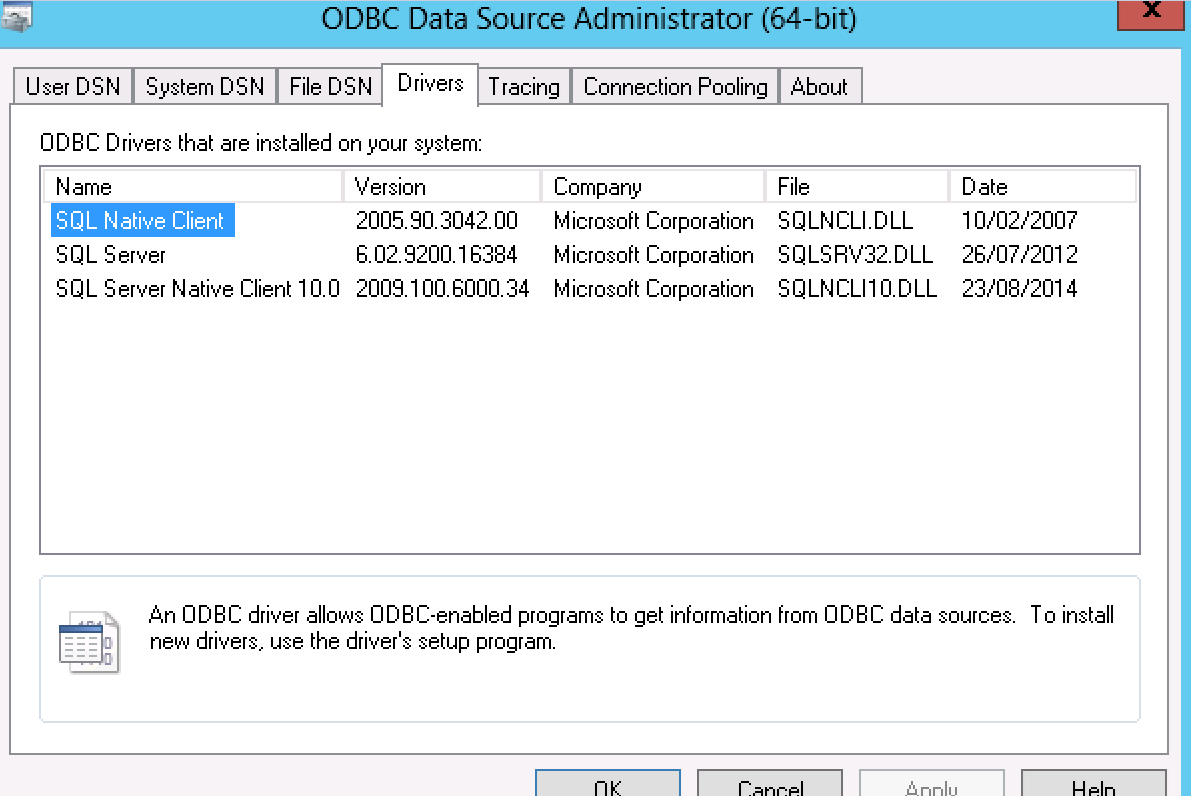
1)SQL Native client needs to be installed on device hosting IIS+SDConnex. This allows CrystalReports to use API from SQL Native Client to connect to database
this component can be installer separately from full SQL client.
example https://www.microsoft.com/en-us/download/details.aspx?id=24793
7.1sr4 will have this component added during installation
2)SDconnex Service has to be registered with domain account that contains local rights
3)IS>Application pool>SecDocApp Pool has to be configured under the same service account
Configuration:
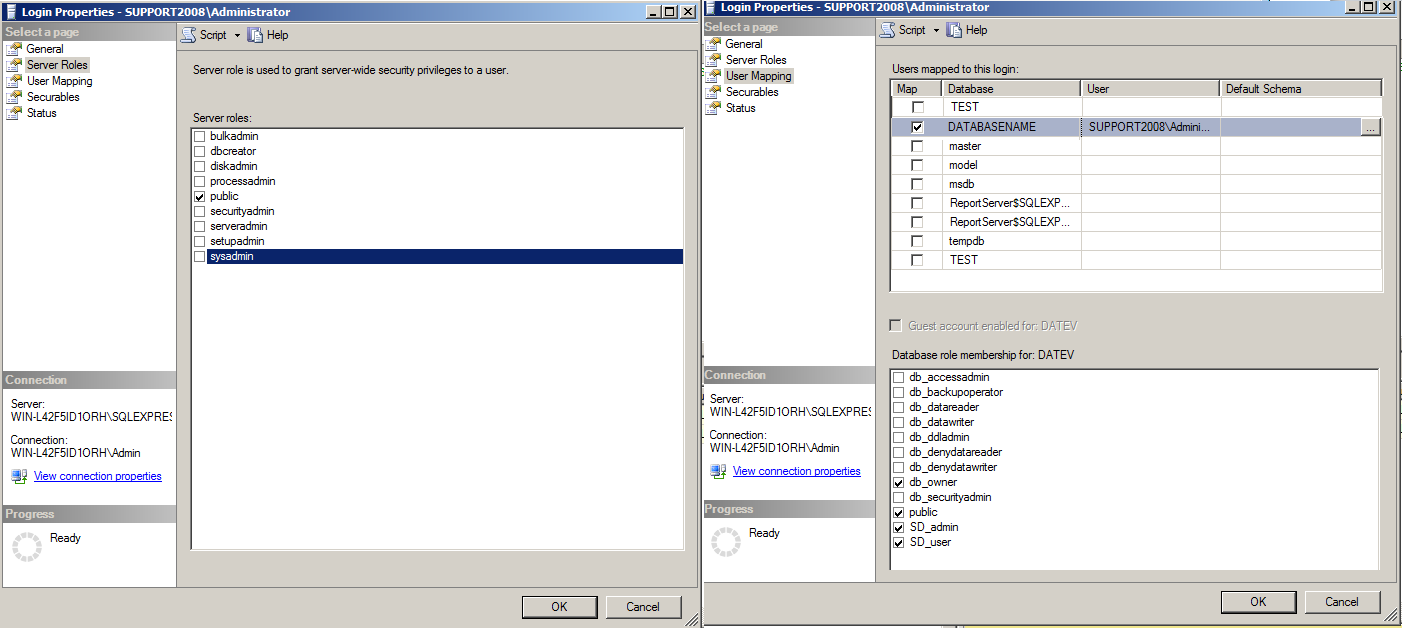
1) Domain account has to be part of local admin group and contain the following SQL rights
2) Register SDconnex service to run under that account
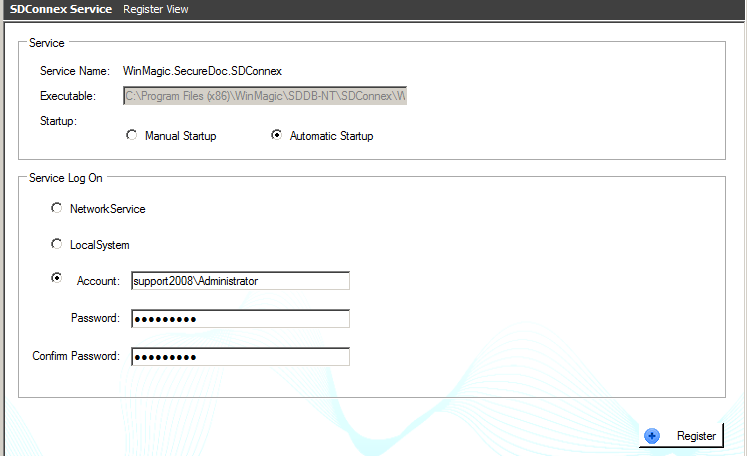
or WinMagic.SecureDoc.SDconnex service can be changed to start as that user
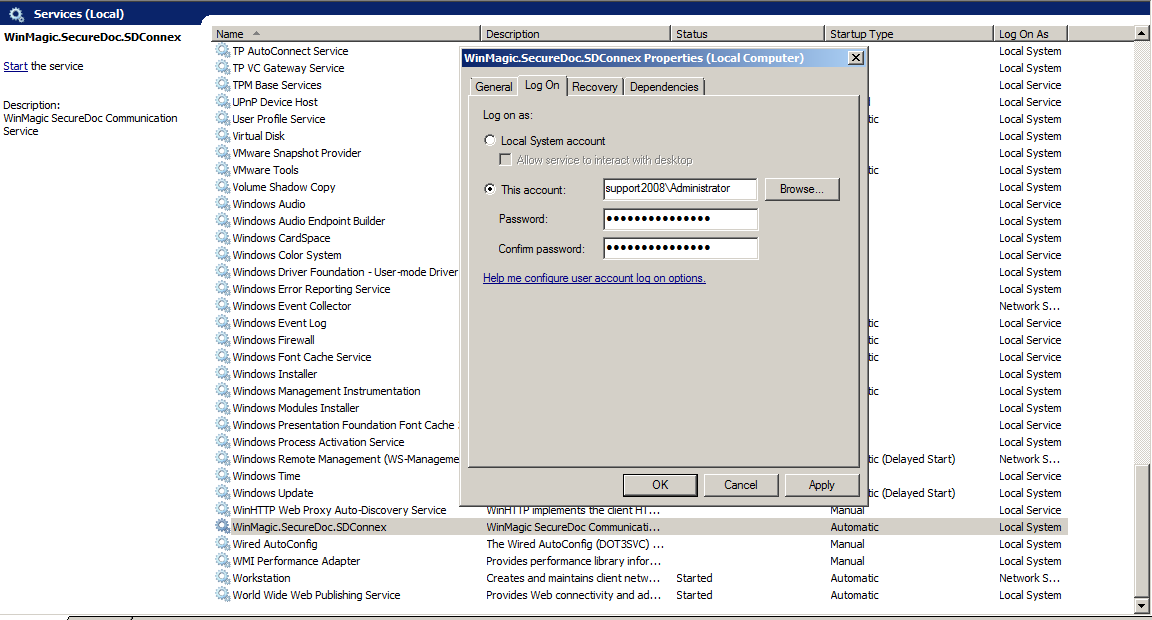
3) Once SDConnex is started and running without any issue , IIS WEB application pool can be configured now
change SecureDoc AppPool from Network Service to the domain account created .
4) Right click on SecureDoc AppPool >Select Advanced Settings> change Identity from Network service to Domain account
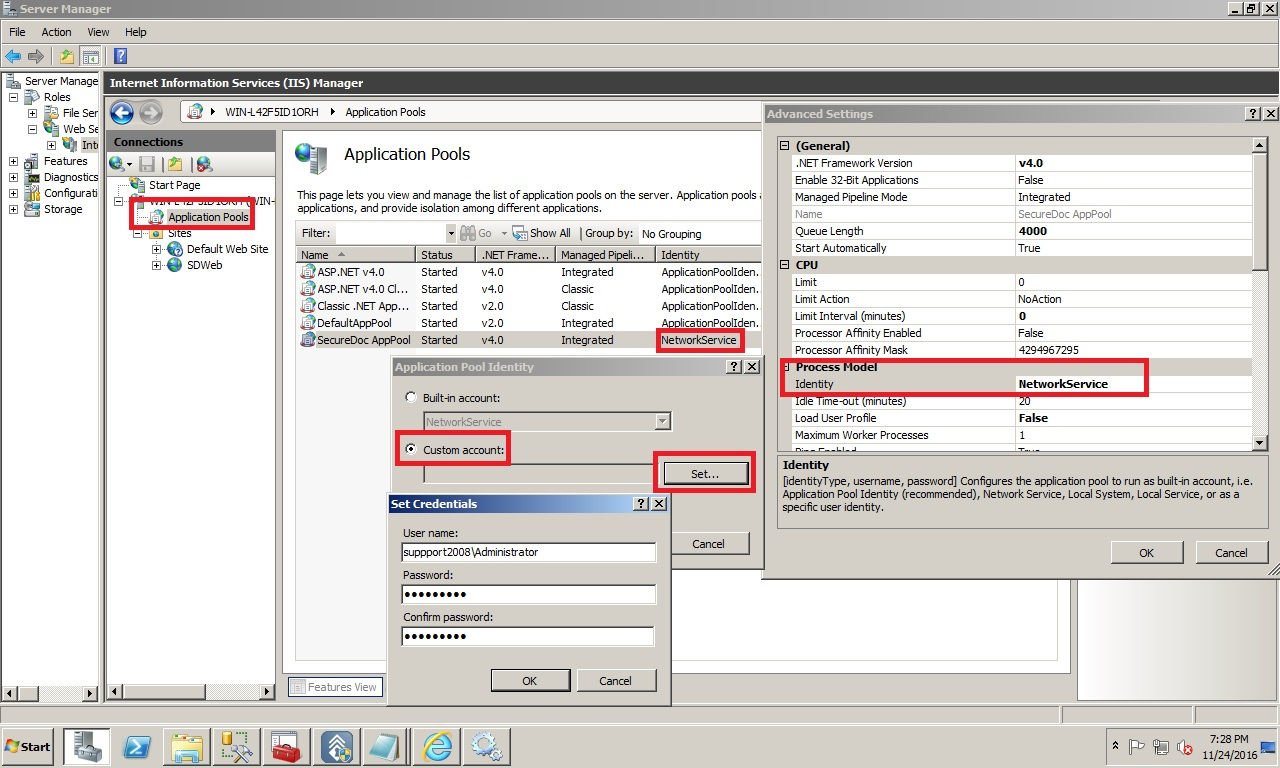
5) Save configuration and restart the IIS
6) SESWEB Reports should now be displayed when clicked on subsections
Searchwords: Database access denied Report Reports Failed to open the connection