This article provides detailed description of the SFE color lock icon overlay features displayed in both the SecureDoc Folder Encryption Manager and on individually encrypted folder.
Product version affected:
All SD versions
Environment (OS/hardware/software):
All Windows OS and Hardware devices
SecureDoc Folder Encryption Manager:
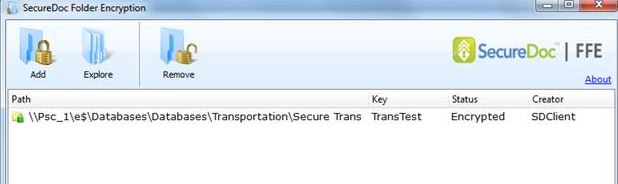
This status icon indicates that the folder is currently undergoing conversion
This status icon is displayed if the conversion has either failed or it didn't get encrypted
This status icon indicates that the folder has been successfully encrypted
2. For Individual folders:
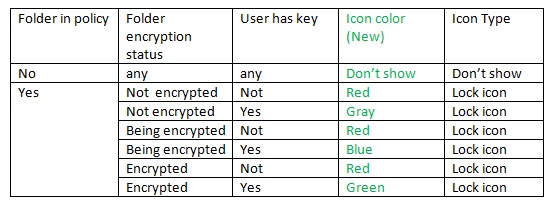
FFE Icon overlay features legend list The different color lock icons provide different SFE status on the encrypted/non-encrypted folders.
Note: Description of folder encryption status:
Not encrypted: all files under the folder haven’t be encrypted; Being encrypted: files under the folder are being encrypted, or some files’ encryption failed; Encrypted: all file under the folder have been encrypted
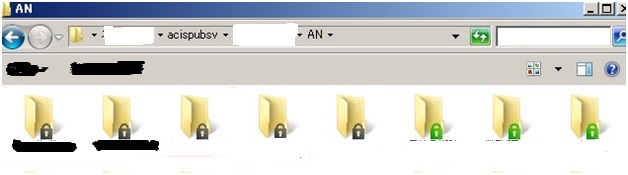
For example: The SFE folders display black/gray and green color status icons. The gray status indicates that it has not started with encryption yet but it has the correct key. In order to troubleshoot the issue, please determine what maybe hindering it from being encrypted or is in the process of encrypting. Please check for permission and privileges of the folder and file(s). What types of access are assigned to the folders and files?
 This status icon indicates that the folder is currently undergoing conversion
 This status icon is displayed if the conversion has either failed or it didn't get encrypted
 This status icon indicates that the folder has been successfully encrypted