Topic:
After consulting with the technical support, in some situations the SUSAM or Y-mode values (4 or 40) may allow for a successful installation of SD on a target device.
This How-To article provides instructions on how to manually install SD on a standalone device with the SUSAM or Y-mode values pre-enabled.
Product version affected:
All SD standalone versions
Environment:
All Windows OS
All devices
Steps to follow:
Please follow the KB 1531 article on "How to manually install SD on a Standalone device".
After successfully creating the keyfile and before proceeding to installing the boot logon, please follow the steps below:
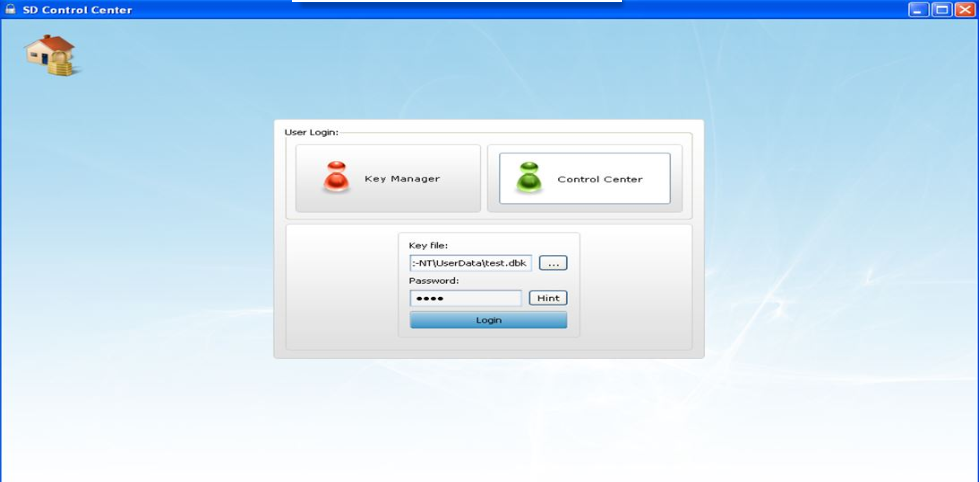
At the main control center screen, click on the control center, and enter test.dbk key file path, and password--> click Login
Go to Boot control > Advance Settings > change the SUSAM from 0 to 1.
For Y-mode either 4 or 40 is entered.
Please consult with the technical support before setting one of these values.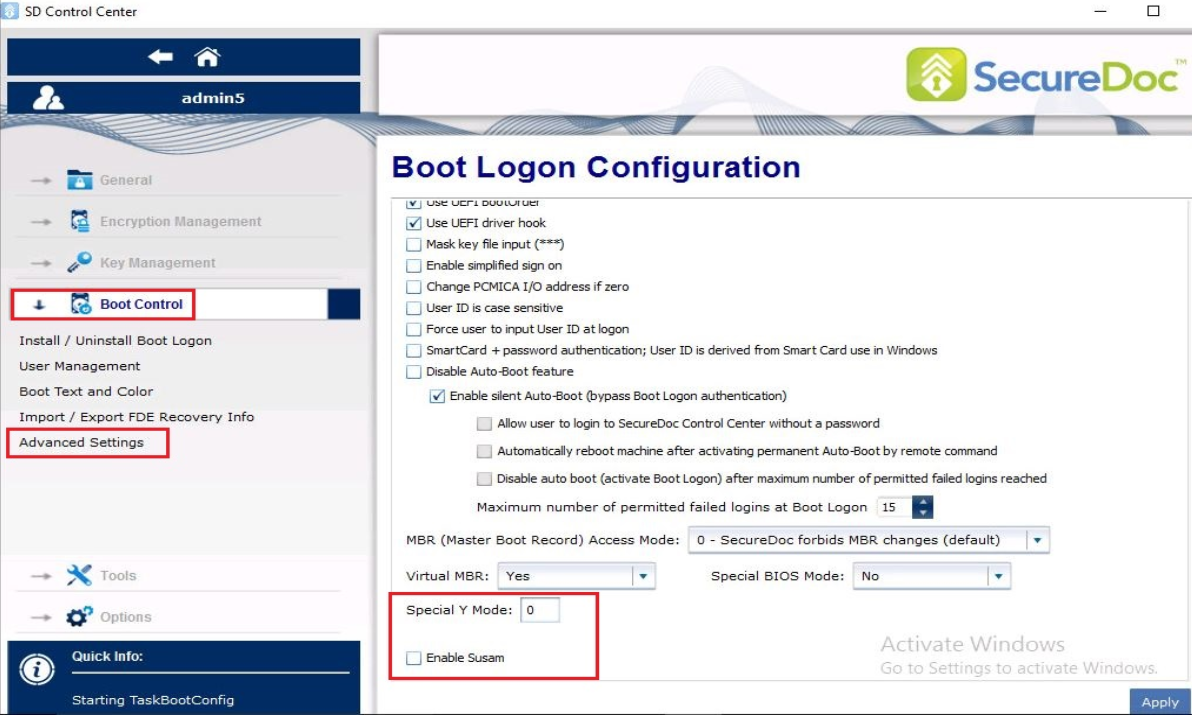
After changing the value, please proceed with the rest of the instructions from KB 1531 to complete the installation.
Reference Article:
KB 1531 "How to manually install SD on a Standalone device".
1607 Manual Installation of SD Standalone Using SUSAM or Y-Mode Values
- Updated on Feb 6, 2026
- 1 minute(s) read
- VN
Was this article helpful?