Topic:
This How-To article provides instructions on how to use SQL queries to search the History Log or Audit Log in the SecureDoc SQL Database.
Supported Product version:
- All SES versions
Environment:
- SQL express and full version of SQL 2008/2012
Steps to follow:
- Please execute the search command for example: Where Description like '%sesadmin%' on these two tables:
(The sesadmin account is the admin account (application user account) that executed the commands within the SES Console)- dbo.Event_Log
- dbo.Hist_Event_Log
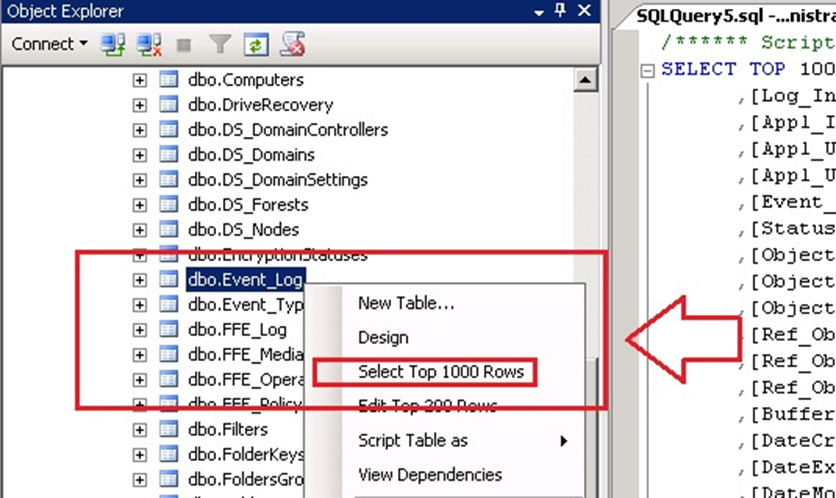
- Select the SES database > click on the + button on the “Tables” > right click on i.e. dbo.Event_Log and click on “Select Top 1000 Rows”.
- At the bottom of the table, please enter the following command: Where Description like ‘%sesadmin%’
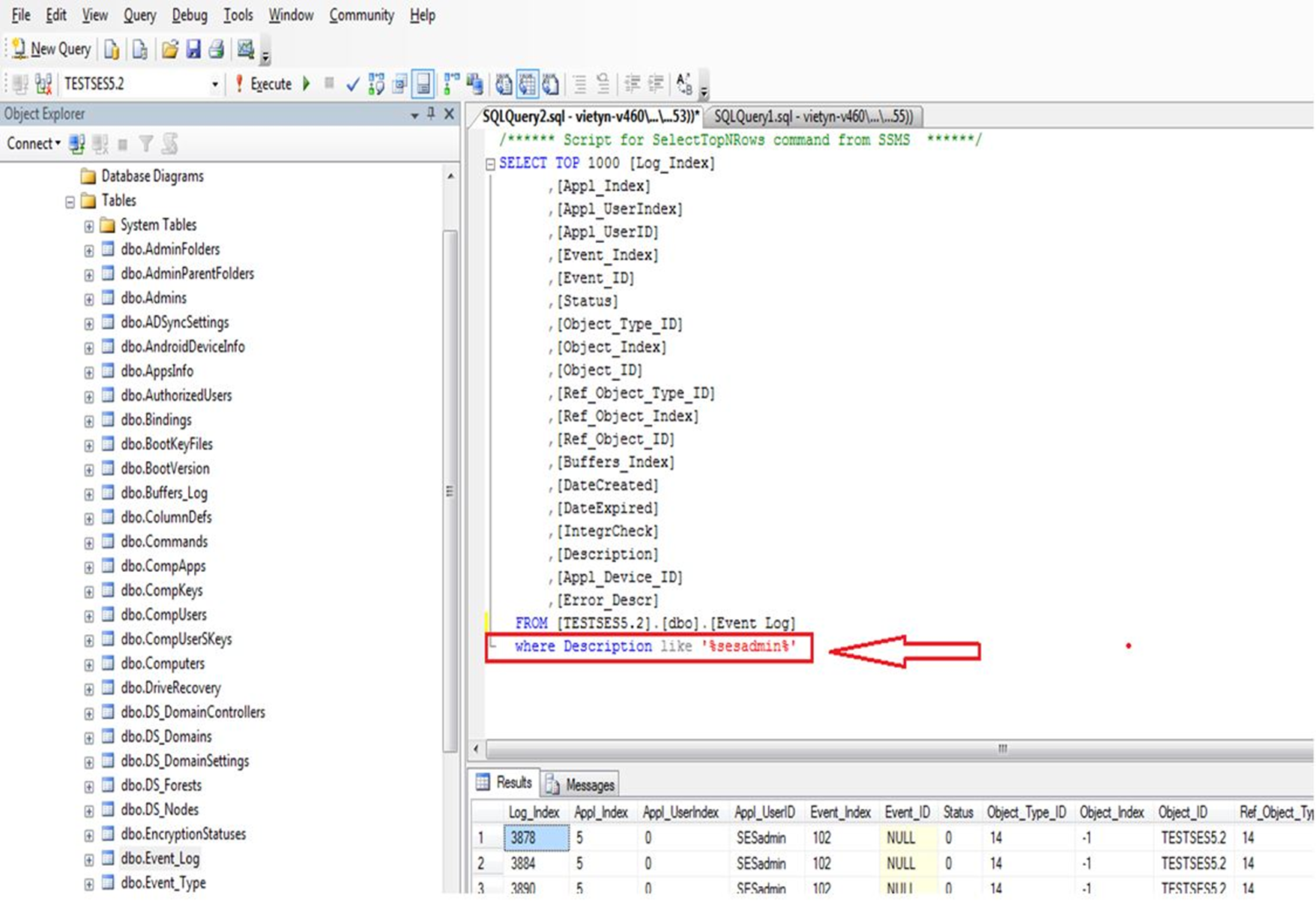
- Highlight the whole line and then click on button Execute
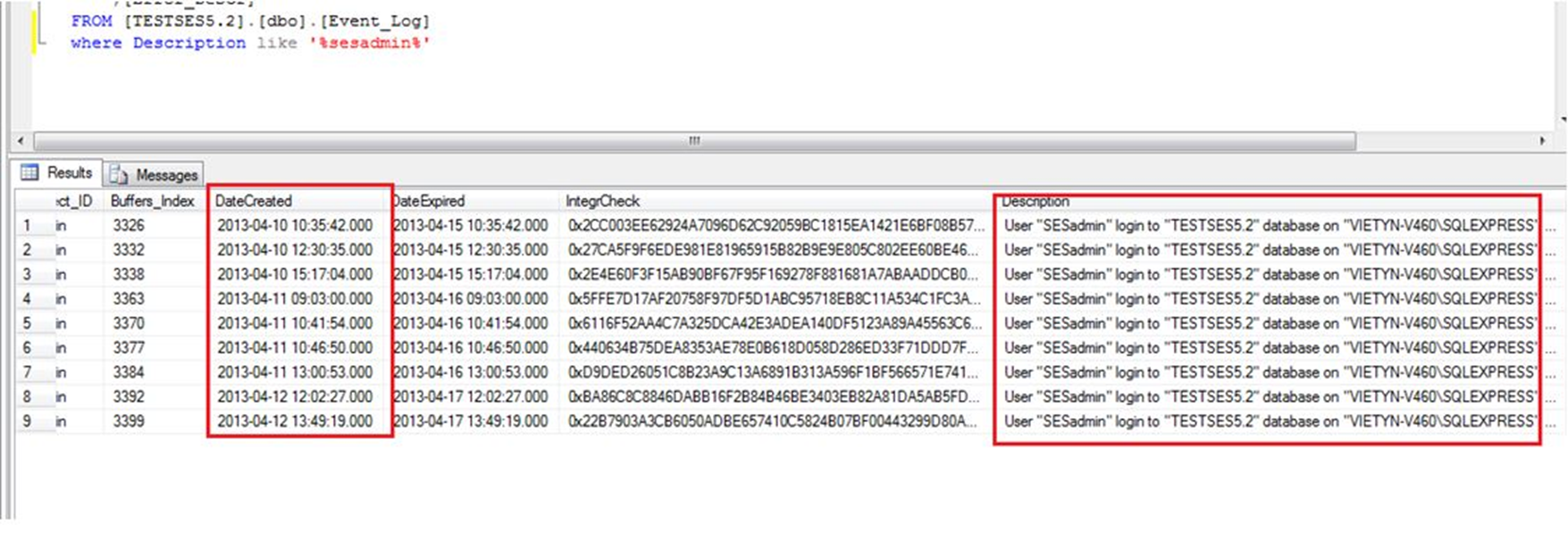
- Scroll to the lower pane to the right there will be a description and date of the execution.
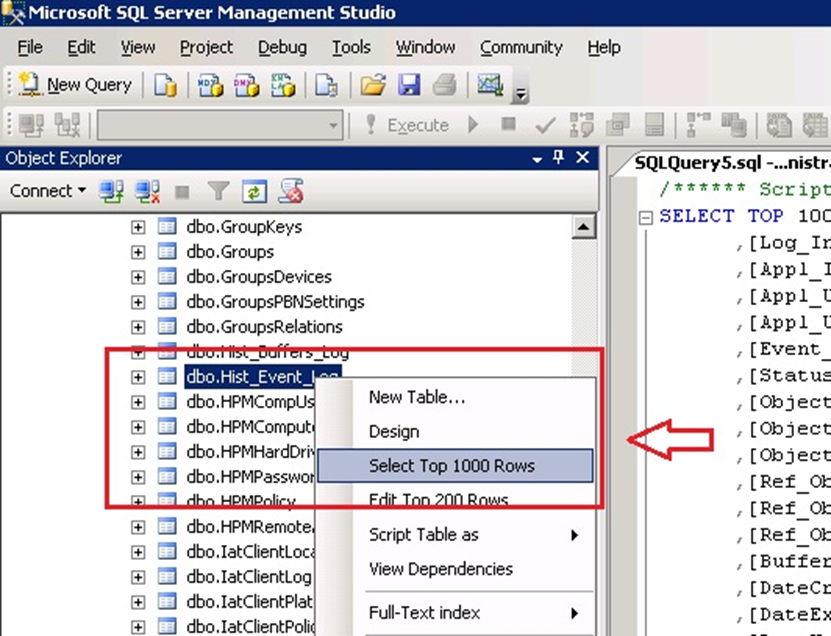
- The same command can be executed for the dbo.Hist_Event_Log